



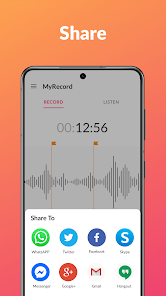
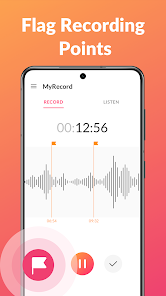
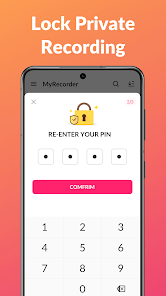
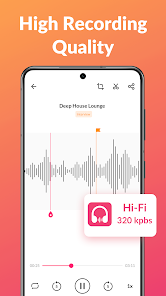
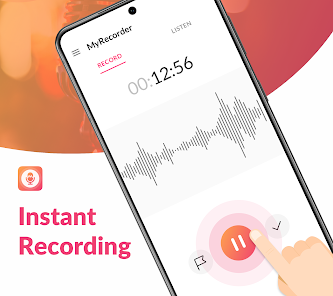
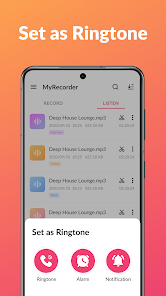
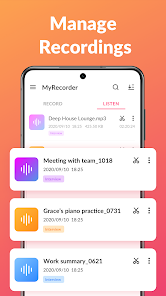
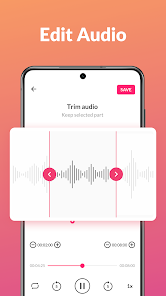
Voice Memos is a built-in app on Apple devices, such as the iPhone and iPad, that allows users to record and save audio recordings. The app is simple and easy to use, and it allows users to quickly and easily create high-quality audio recordings using their device's built-in microphone. Users can name and organize their recordings, and they can share their recordings with others via email, message, or other apps. Voice Memos is a useful tool for anyone who needs to capture audio, whether for personal use or for professional purposes.
What is Voice Memos Voice Memos is a voice recording app that is pre-installed on many iOS and macOS devices. It allows users to record their own voice, or other sounds, and save the recordings for later playback. Voice Memos is designed to be simple and easy to use, with a minimal user interface and intuitive controls. It also includes features like automatic syncing with iCloud, which allows users to access their recordings on multiple devices. Voice Memos is an app that allows users to record audio notes that can be accessed anytime and anywhere. It is an easy and convenient way to keep track of appointments, reminders, and important information. Voice Memos can be used to record personal notes, lectures, and other audio recordings. Features of Voice Memos Some of the key features of Voice Memos include: 1、Easy to use: Voice Memos is a simple and easy to use app that allows users to quickly and easily create high-quality audio recordings. 2、Built-in microphone: The app uses the built-in microphone on the user's device to capture audio, making it easy to create recordings on the go. 3、Organize and share recordings: Voice Memos allows users to name and organize their recordings, and they can share their recordings with others via email, message, or other apps. 4、Trim recordings: The app includes a trimming tool that allows users to edit their recordings and remove any unwanted sections. 5、Cloud sync: Voice Memos supports cloud sync, so users can access their recordings across all of their devices and keep their recordings up-to-date on all of their devices. Overall, Voice Memos is a useful and versatile app that allows users to easily capture and save high-quality audio recordings on their Apple devices. How to use Voice Memos To use Voice Memos, you will need to have an iOS or macOS device that has the app pre-installed. If you do not have the app, you can download it for free from the App Store. Once you have the app, you can use it by following these steps: 1、Open the Voice Memos app on your device. 2、To start a new recording, tap the red "Record" button. The app will start recording your voice or any other sounds that are nearby. 3、To stop the recording, tap the red "Stop" button. The app will automatically save the recording and show it in the list of recordings on the app's main screen. 4、To play a recording, tap on it in the list. The app will play the recording and show the audio waveform on the screen. You can pause, skip, and adjust the volume using the controls at the bottom of the screen. 5、To edit a recording, tap on it in the list and then tap the "Edit" button. You can use the editing tools to trim the recording, add a name, and add tags. 6、To share a recording, tap on it in the list and then tap the "Share" button. You can share the recording using a variety of methods, including sending it via email or message, or uploading it to a cloud storage service like iCloud Pros & Cons Pros: 1、Voice Memos is a simple and easy to use app that allows users to quickly and easily create high-quality audio recordings. 2、The app uses the built-in microphone on the user's device to capture audio, making it easy to create recordings on the go. 3、Voice Memos allows users to name and organize their recordings, and they can share their recordings with others via email, message, or other apps. 4、The app includes a trimming tool that allows users to edit their recordings and remove any unwanted sections. 5、Voice Memos supports cloud sync, so users can access their recordings across all of their devices and keep their recordings up-to-date on all of their devices. Cons: 1、Voice Memos is only available on Apple devices, so users with devices from other manufacturers will not be able to use the app. 2、Some users may find that the app's features and capabilities are limited compared to other audio recording apps. 3、Voice Memos may require users to have a stable internet connection in order to use some of its features. 4、The app may not be compatible with all devices and operating systems, so users may not be able to use it on all of their devices.

 Captures ideas instantly, ensuring you never forget important thoughts Facilitates easy note-taking during meetings or lectures for better focus Allows for hands-free recording, promoting multitasking and convenience Provides high-quality audio playback for clear listening and review Enables easy sharing of recordings with friends or colleagues for collaboration
 Voice recorders can lack advanced editing features for enhancing recordings. Battery life may be limited, leading to interruptions during use. Audio quality can suffer in noisy environments, making clarity a challenge.
  Google Play
  App Store
 Yes, users can typically submit suggestions or feedback through the app's support section or via the developer’s official website.
The app may collect certain user data for functionality and improvement purposes but typically adheres to privacy policies that limit data collection.
Yes, Voice Recorder & Voice Memos allows users to record audio offline without the need for an internet connection.
You can cancel your subscription through your app store account settings or directly within the app’s subscription management section.
Subscription prices can vary, but they generally range from a few dollars per month to a discounted rate for annual subscriptions.
Customer numbers are typically fixed, but you can ask customer service for options regarding your account.
You can reach customer service by calling our support line or emailing us through the app's help section.
You can find your customer number in your account settings or by checking your registration confirmation email.
If you've changed your email, use the new one to log in. If you're facing issues, contact customer service for help.
Open the app and enter your registered email and password on the login screen to access your account.



















