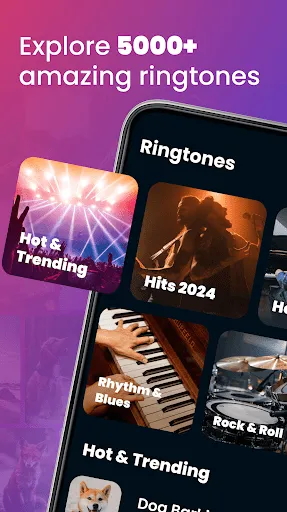
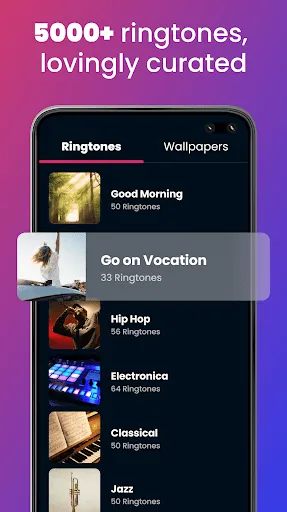
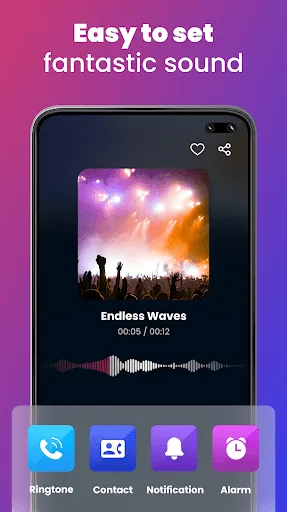
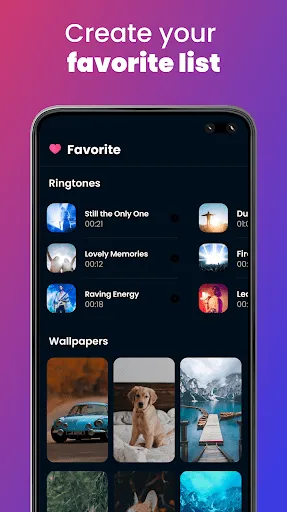
Ringtones for Android phones come with a variety of features that enhance user experience and personalization. One of the most notable features is the ability to customize ringtones for different contacts, allowing users to easily identify who is calling without needing to look at their phone. Additionally, Android supports various audio formats, including MP3, WAV, and OGG, giving users flexibility in choosing their preferred sound quality and type. Another significant feature is the availability of apps that provide access to a vast library of ringtones, ranging from popular music tracks to sound effects and notifications. Many of these apps allow users to create their own ringtones by trimming audio files or mixing sounds, enabling a truly personalized touch. Furthermore, Android devices often allow for setting different tones for notifications, alarms, and other alerts, creating a comprehensive audio experience tailored to the user’s needs. Using ringtones on an Android phone is a straightforward process that can enhance both functionality and enjoyment. To set a ringtone, users typically start by accessing the 'Settings' menu on their device. From there, they navigate to 'Sound' or 'Sound & Vibration,' where they can find options to select ringtones, notification tones, and alarm sounds. Once in the ringtone settings, users can choose from pre-installed tones or add new ones by selecting 'Add' or 'Choose from Files.' This allows for the selection of any audio file stored on the device. After picking the desired ringtone, it's essential to confirm the selection, ensuring that it is saved as the default or assigned to specific contacts. Some Android versions also allow users to preview the ringtone before applying it, making it easier to choose the right sound. Like any feature, ringtones for Android phones come with their own set of advantages and disadvantages. One significant advantage is the ability to personalize alerts, making it easier to distinguish between notifications from different apps or contacts. Customizable ringtones can enhance the user experience by allowing individuals to express their personality and preferences through sound. However, there are also some downsides to consider. For instance, excessive use of loud or unique ringtones may be disruptive in public settings, potentially annoying others. Additionally, some users may find it challenging to navigate the plethora of options available, leading to decision fatigue. Furthermore, if not managed properly, downloading too many ringtones can consume storage space on the device. Thus, while ringtones offer personalization and functionality, it's essential to use them thoughtfully.Features of Ringtones for Android Phone
How to Use Ringtones for Android Phone
Pros & Cons of Ringtones for Android Phone

 Personalize your phone to match your style Easily identify callers with unique tones Enhance your mood with favorite music snippets Set different ringtones for specific contacts Share ringtones effortlessly with friends and family
 Ringtones can drain battery quickly while playing. Custom ringtones may lack sound quality. Limited storage space for multiple ringtones. Difficulty in finding suitable ringtone options.
  Google Play
  App Store
 Ringtones for Android Phone may collect certain data to enhance user experience and improve app functionality, but it typically adheres to privacy policies and guidelines regarding data usage and protection.
Yes, Ringtones for Android Phone usually offers a free version with limited features, as well as a trial period for premium features that can be accessed through a subscription.
Yes, Ringtones for Android Phone requires an internet connection to browse and download ringtones, but once downloaded, you can use them offline.
You can contact support or send feedback for Ringtones for Android Phone through the app's built-in support feature or by visiting the official website, where you may find contact forms or customer service email addresses.
You can manage or cancel your subscription for Ringtones for Android Phone through the app settings or your Google Play account settings, where you can find subscription management options.
To activate premium features, purchase a subscription through the app store or in-app purchase section, then follow the prompts to complete the activation.
You can reach customer service by visiting the app's official website or through the support section within the app for assistance.
To log in, open the app and select the login option, then enter your registered email and password to access your account.
Activation is not usually required; you can use the app immediately after downloading, but some features may need a premium subscription.
The customer number can typically be found in the app's settings or support section; please check there for the most accurate information.