


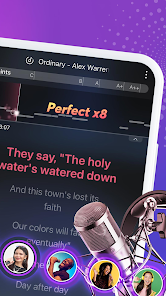
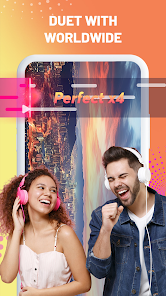


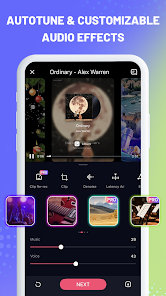
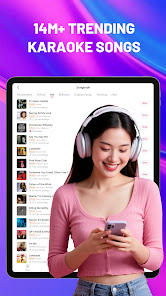
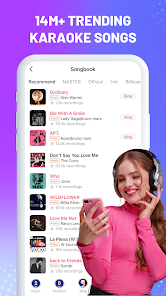
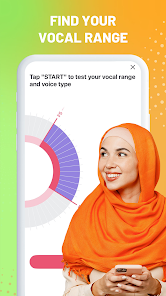
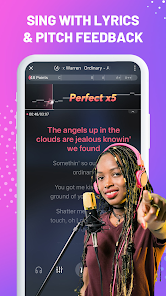
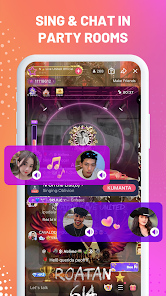
StarMaker: Sing Karaoke Songs is a dynamic platform that allows users to unleash their inner singer. One of its standout features is the extensive library of songs, which includes a wide range of genres and languages, enabling users to find their favorite tracks easily. The app also offers real-time voice effects and pitch correction, enhancing the overall singing experience and making users sound their best. Another key feature is the social aspect of StarMaker. Users can connect with friends and other singers, sharing their performances and collaborating on duets. The platform encourages community engagement by allowing users to follow each other, comment on performances, and participate in challenges. Furthermore, the app includes various contests and events that motivate users to improve their skills and showcase their talents. Additionally, StarMaker provides tools for recording and sharing performances, making it easy for users to create high-quality videos of their singing. The app also allows for personalized playlists, so users can save their favorite tracks for quick access. With an intuitive interface, StarMaker makes it easy for both novice and experienced singers to enjoy karaoke anytime, anywhere. Using StarMaker: Sing Karaoke Songs is a straightforward process that anyone can master. First, users need to download the app from their respective app store and create an account. Once registered, the home screen displays various options, including trending songs, popular singers, and upcoming challenges. Users can easily browse through the song library to find their desired track. To begin singing, users simply select a song, and the app will provide lyrics on-screen. They can choose to sing solo or invite friends to join in for a duet. StarMaker allows users to adjust the volume of the original track and their voice, providing an optimal balance for recording. After recording, users can apply various effects to enhance their performance, and once satisfied, they can save and share it with their followers or on social media. Additionally, users can participate in live performances and competitions hosted within the app. By engaging in these activities, they can gain recognition and improve their singing skills. Overall, the user-friendly interface and extensive features make StarMaker a popular choice for karaoke enthusiasts looking to showcase their vocal talents. StarMaker: Sing Karaoke Songs comes with several advantages that appeal to a wide range of users. One significant pro is its vast song library, which features thousands of tracks across various genres and languages. This extensive selection ensures that there's something for everyone, regardless of musical preferences. Additionally, the app's social features foster a sense of community, allowing users to connect, share, and collaborate with fellow singers. Another advantage is the high-quality recording options and voice enhancement tools, which enable users to create polished performances. The app also frequently hosts contests and challenges, motivating users to engage and improve their singing skills. Furthermore, the intuitive interface makes navigation easy, ensuring a seamless user experience.Features of StarMaker: Sing Karaoke Songs
How to Use StarMaker: Sing Karaoke Songs
Pros & Cons of StarMaker: Sing Karaoke Songs

 Enjoy a vast library of songs across various genres for endless fun. Connect with friends and other users for a social singing experience. Record your performances and share them easily on social media. Access real-time pitch correction to improve your singing skills. Participate in exciting challenges and contests to showcase your talent.
 Limited song selection may not satisfy all musical tastes In-app purchases can lead to unexpected costs Audio quality may vary, impacting the overall singing experience
 Yes, users can submit suggestions or feedback directly through the app or via their official support channels.
Yes, StarMaker may collect personal data to enhance user experience and for account management purposes, as outlined in their privacy policy.
StarMaker requires an internet connection to access its full features and song library, so offline use is limited.
Users can cancel their subscriptions through the app's settings or their respective app store account settings, depending on the platform used.
Subscription prices for StarMaker vary based on the plan selected, with options for monthly, quarterly, or yearly subscriptions available.
Unfortunately, customer numbers cannot be changed. If you have concerns, please contact customer service for further assistance.
You can reach customer service through the app's help section or by emailing support
For activation help, please check the FAQ section in the app or contact customer service for assistance.
To activate your account, open the app and follow the prompts to verify your email or phone number.
You can contact customer service through the app's support section or by emailing support











 Google Play
  App Store