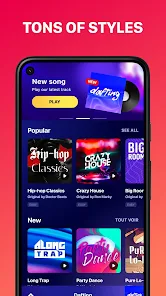
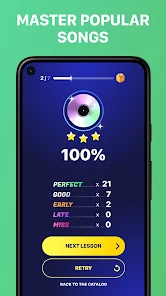
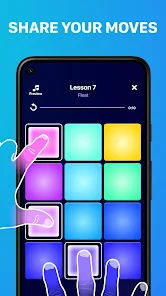
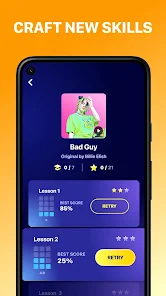
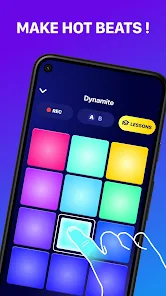
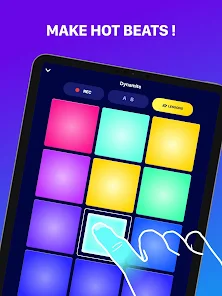
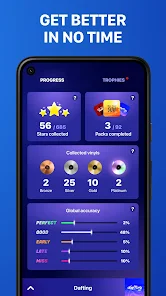
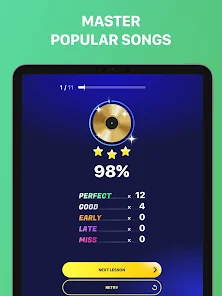
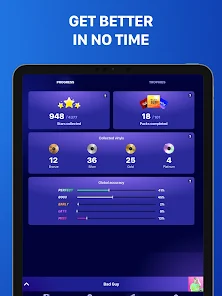
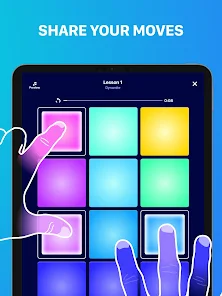
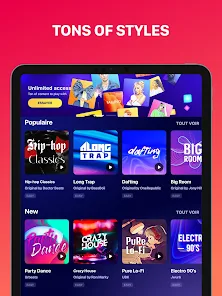
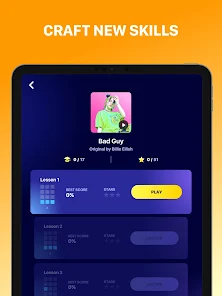
"Beat Maker Pro - DJ Drum Pad" is a versatile music production app designed for both beginners and experienced musicians. One of its standout features is the user-friendly interface, which allows users to easily navigate through various sound packs and drum pads. The app offers a wide range of high-quality samples, including drums, bass, and synth sounds, enabling users to create diverse musical compositions.
Additionally, the app includes a built-in sequencer that allows users to arrange their beats and melodies in a timeline format. This feature is particularly useful for those looking to create complex tracks. Users can also take advantage of the loop function, which enables them to repeat sections of their music seamlessly. Furthermore, "Beat Maker Pro" supports MIDI controllers, providing an enhanced experience for those who prefer using physical instruments. The app also features a recording function, allowing users to capture their performances in real-time, making it easier to refine and edit their creations.
Using "Beat Maker Pro - DJ Drum Pad" is straightforward, making it accessible for users of all skill levels. To get started, download and install the app on your device. Once opened, you will be greeted with a grid of drum pads, each corresponding to different sounds. You can tap on these pads to play sounds and start experimenting with beats.
To create a track, select a sound pack that suits your style, and begin layering sounds by tapping the pads in rhythm. Utilize the sequencer to arrange your beats by dragging and dropping sounds into the timeline. You can adjust the tempo and volume of each sound to achieve the desired effect. Don’t forget to use the recording feature to capture your sessions, allowing you to revisit and refine your music later. With practice, you can explore advanced features like MIDI support and effects to enhance your tracks further.
"Beat Maker Pro - DJ Drum Pad" comes with several advantages that make it appealing to music enthusiasts. One of the primary pros is its intuitive interface, which simplifies the music creation process for beginners. The extensive library of sounds and samples allows for a wide range of musical styles, catering to various genres. Additionally, the app's recording and MIDI support features enhance its functionality, making it suitable for more advanced users as well.
However, there are some drawbacks to consider. Some users may find that the app lacks certain advanced features found in professional music production software, which could limit its appeal to seasoned producers. Additionally, while the app is free to download, some sound packs and features may require in-app purchases, which could be a downside for users on a budget. Overall, "Beat Maker Pro - DJ Drum Pad" is a solid choice for those looking to explore music production, but it may not fully satisfy the needs of professional musicians.

 Unleash your creativity today! Intuitive interface for all levels! Explore a vast library of sounds! Create beats with ease and precision! Share your tracks with friends instantly! Perfect for DJs and music lovers!
 Limited sound library options Steep learning curve for beginners Occasional app crashes reported Interface can feel cluttered
  Google Play
  App Store
 Yes, the app includes tutorials that guide users through its features and functionalities. These tutorials are designed to help users understand how to make the most of the app, whether they are beginners or more experienced users.
Yes, users can easily share their creations directly from the app. Beat Maker Pro provides sharing options that allow you to export your music to social media platforms, music sharing sites, or directly to friends through various file formats.
Yes, Beat Maker Pro can be used offline once it is downloaded and installed. However, some features such as downloading new samples or sharing creations may require an internet connection.
Yes, Beat Maker Pro allows users to import their own samples and sounds. This feature enables users to personalize their music production experience by using unique sounds that they love or have created themselves.
Yes, Beat Maker Pro has a community where users can share their creations, seek advice, and connect with other music enthusiasts. Additionally, the app offers customer support to help users with any technical issues or inquiries they may have.
You can reach customer service through the app's support section or by visiting the official website for contact details.
After purchase, open the app and follow the activation instructions provided via email or on-screen prompts to unlock all features.
To log in, open the app, select the login option, and enter your credentials. If you don’t have an account, you can create one from the same screen.
The customer number can typically be found in the app's settings or on the official website under support.