






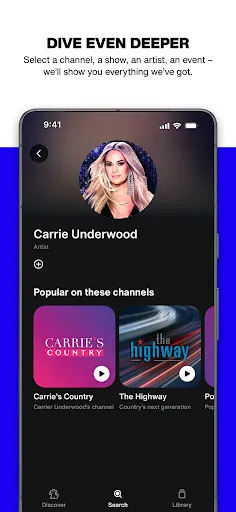
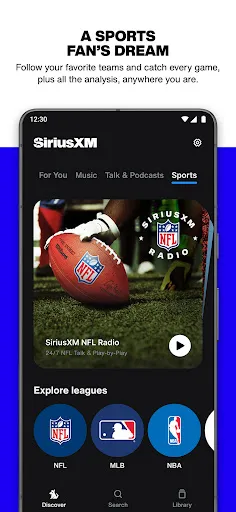

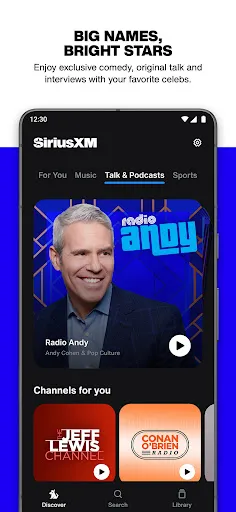
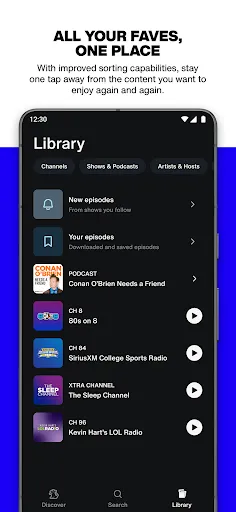

SiriusXM offers a diverse range of features that cater to various listening preferences, making it a leading choice for music, sports, and news enthusiasts. One of the standout features is its extensive music library, which includes thousands of channels spanning various genres, from pop and rock to country and hip-hop. Subscribers can enjoy commercial-free music, ensuring an uninterrupted listening experience. In addition to music, SiriusXM provides dedicated channels for sports coverage, featuring live game broadcasts, expert analysis, and commentary from top sports personalities. Fans can stay updated with real-time scores, news, and discussions on various sports, including football, basketball, baseball, and more. For news aficionados, SiriusXM offers channels that deliver breaking news, talk shows, and in-depth reports from reputable sources, keeping listeners informed on current events and trending topics. Furthermore, SiriusXM includes features like personalized playlists, on-demand content, and the ability to create custom channels, enhancing the overall user experience. The service is accessible through various devices, including smartphones, tablets, and compatible car stereos, allowing users to enjoy their favorite content wherever they go. Using SiriusXM is a straightforward process that allows users to easily access their favorite music, sports, and news channels. First, users need to subscribe to a plan that suits their preferences, which can be done through the SiriusXM website or mobile app. Once subscribed, listeners can download the SiriusXM app on their smartphones or tablets, or they can access the service through compatible devices such as satellite radios and smart speakers. Upon logging in, users can browse through various channels and categories to find content that interests them. The app features a user-friendly interface that allows for easy navigation and search functions, making it simple to discover new music or catch up on sports highlights. SiriusXM also offers the option to create personalized stations based on favorite artists or genres, providing a tailored listening experience. To enhance usability, SiriusXM supports features like voice commands for hands-free operation and the ability to save favorite channels for quick access. Subscribers can also listen to on-demand shows and podcasts, making it convenient to catch up on missed content at any time. SiriusXM has several advantages that make it a popular choice among listeners. One of the significant pros is the extensive selection of channels available, covering a wide range of music genres, sports, and news topics. The platform also offers ad-free music, which enhances the listening experience. Additionally, subscribers can enjoy exclusive content, live performances, and unique shows that are not available on traditional radio. Another advantage is the flexibility in accessing SiriusXM on various devices, including smartphones, tablets, and vehicles equipped with satellite radios. This accessibility allows users to enjoy their favorite content on the go. The ability to create personalized playlists and access on-demand content further adds to the appeal, giving users more control over their listening experience. However, there are some drawbacks to consider. One notable con is the cost, as SiriusXM subscriptions can be more expensive than free streaming services. Some users may also find that certain channels or content are limited based on their subscription tier. Additionally, while the service has a vast selection, it may not cater to niche genres or independent artists as comprehensively as other streaming platforms.Features of SiriusXM: Music, Sports & News
How to Use SiriusXM: Music, Sports & News?
Pros & Cons of SiriusXM: Music, Sports & News

 Enjoy a vast selection of over 150 channels covering various genres and interests. Stream live radio and on-demand shows anytime, anywhere for ultimate convenience. Access exclusive content, including artist interviews and special live performances. Experience ad-free music for uninterrupted listening pleasure throughout the day. Benefit from personalized recommendations tailored to your unique listening preferences.
 Limited music selection compared to streaming services like Spotify. Frequent advertisements interrupt listening experience on some channels. Higher subscription costs than many competing audio platforms.
  Google Play
  App Store
 Yes, SiriusXM: Music, Sports & News collects personal data as outlined in its privacy policy, which may include information such as usage patterns and preferences to enhance the listening experience and provide personalized content.
SiriusXM: Music, Sports & News typically offers a free trial for new users, allowing them to explore the service before committing to a subscription, although a free version with limited features may not be available.
Yes, SiriusXM: Music, Sports & News requires an internet connection to stream content, whether through Wi-Fi or mobile data.
To contact support or send feedback for SiriusXM: Music, Sports & News, you can visit the SiriusXM website and access the help center, where you can find contact information, live chat options, or submit a feedback form.
You can manage or cancel your SiriusXM: Music, Sports & News subscription by logging into your account on the SiriusXM website or app, where you can find options to modify your subscription settings.
Yes, you can access SiriusXM on multiple devices by logging in with your account credentials on each device.
Log in to your account on the SiriusXM website, navigate to "Subscriptions," and select "Change Plan" to explore available options.
Log in to your account on the SiriusXM website, go to "Billing," and select "Update Payment Information" to enter your new details.
To activate your subscription, visit the SiriusXM activation page, enter your radio ID or account number, and follow the prompts to complete the activation process.
To cancel your subscription, call customer service at 1-866-635-2349 or log in to your account and follow the cancellation prompts.



















