

















Video meeting platforms offer a variety of features designed to enhance communication and collaboration among participants. One of the primary features is high-definition video and audio quality, which ensures that all participants can see and hear each other clearly, fostering a more engaging interaction. Screen sharing is another essential feature, allowing users to present documents, slides, or applications in real-time, making it easier to discuss specific content.
Additionally, many video meeting tools include chat functionality, enabling participants to send messages, share links, or ask questions without interrupting the speaker. Recording capabilities are also common, allowing users to capture meetings for future reference or for those who could not attend. Furthermore, features like virtual backgrounds and filters can enhance the visual experience, making meetings more enjoyable and professional. Lastly, integration with calendar applications and project management tools streamlines scheduling and task management, making video meetings more efficient.
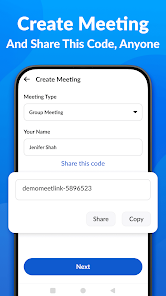
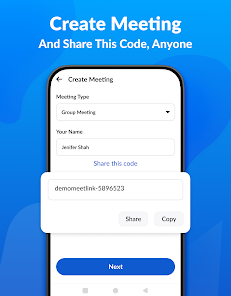
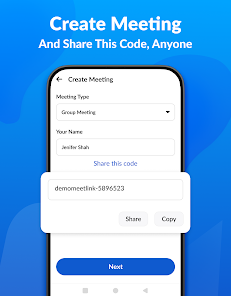
Using a video meeting platform is generally straightforward and user-friendly. First, users need to select a video conferencing tool that suits their needs, such as Zoom, Microsoft Teams, or Google Meet. After creating an account, users can schedule a meeting by selecting a date and time, and then inviting participants via email or a shared link. It’s essential to ensure that all participants have the necessary software installed and a stable internet connection for optimal performance.
Before the meeting starts, it’s advisable to test audio and video settings to avoid technical issues. During the meeting, participants can utilize features like screen sharing, chat, and reactions to enhance engagement. After the meeting, users can follow up with notes or recordings to ensure that all participants are on the same page. Overall, familiarity with the platform’s features and a bit of preparation can lead to a successful video meeting experience.
Video meeting applications come with several advantages that make them popular for both personal and professional use. One significant pro is the ability to connect with people from anywhere in the world, breaking geographical barriers and facilitating remote work. These platforms often provide features like screen sharing and recording, which enhance collaboration and allow for easy reference later. Additionally, video meetings can save time and travel costs, making them a convenient option for busy schedules.
However, there are also some drawbacks to consider. Technical issues, such as poor internet connectivity or software glitches, can disrupt meetings and lead to frustration. Furthermore, the lack of in-person interaction may hinder relationship-building and non-verbal communication, which are often crucial in business settings. Privacy concerns can also arise, as sensitive information may be shared over digital platforms. Balancing these pros and cons is essential for organizations and individuals to maximize the benefits of video meeting applications.
```
 Connect from anywhere easily High-quality video and audio User-friendly interface design Secure and private meetings Supports large group calls
 Poor internet connectivity issues Limited screen sharing options Privacy concerns with data User fatigue from long sessions
  Google Play
  App Store
 The Video Meeting app may offer both free and paid subscription plans. Free plans generally have limited features and participant capacity, while paid plans provide additional functionalities and greater participant limits. It's advisable to check the app’s official website for specific pricing details and plan comparisons.
Yes, the Video Meeting app typically allows you to customize your meeting settings for each call. Before starting a meeting, you can adjust options such as participant permissions, audio and video settings, and recording preferences. This level of customization helps tailor the meeting experience to your specific needs.
Yes, the Video Meeting app often supports integration with various productivity tools, such as calendar applications, project management software, and customer relationship management (CRM) systems. These integrations help streamline workflows and enhance collaboration, making it easier to manage meetings and tasks.
Yes, the Video Meeting app allows users to record meetings. You can start recording during the meeting, and the app will save the recording either locally or in the cloud, depending on your settings. This feature is useful for participants who may want to review the meeting later or for those who couldn't attend.
Yes, the Video Meeting app offers the option to use virtual backgrounds. Users can select from preloaded backgrounds or upload their own images to create a personalized meeting environment. This feature is especially useful for maintaining privacy or adding a professional touch to meetings.
After downloading the app, follow the on-screen instructions to create an account and verify your email to activate.
You can reach customer service by visiting the app's support section or calling the dedicated helpline listed on our website.
Open the app, enter your registered email and password, then tap 'Log In' to access your account.
The customer service number is available in the app's settings under 'Help' or on our official website.
















