
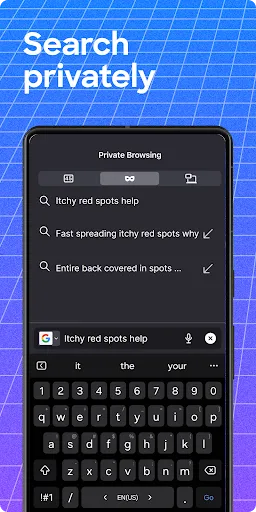
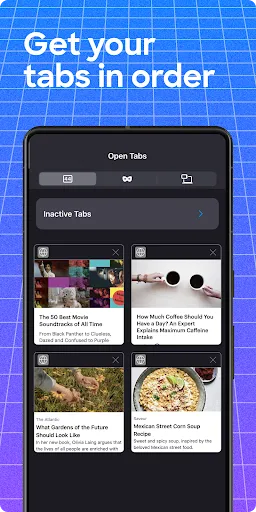



Firefox is a free and open-source web browser developed by the Mozilla Foundation. Firefox is known for its speed, security, and support for open web standards, and it is available for various platforms, including Windows, macOS, Linux, and Android. Firefox is popular among users who value privacy and security, as it includes features such as private browsing and tracking protection. It also includes a range of tools and extensions for customizing the browser and enhancing its functionality.
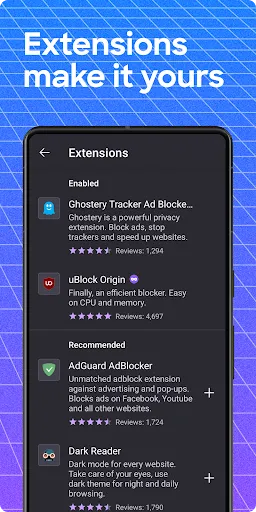
Features Firefox includes a range of features that are designed to provide users with a fast, secure, and customizable web browsing experience. Some of the key features of Firefox include: -Speed and performance: Firefox is known for its fast page loading and rendering times, which can make it a good choice for users who want to browse the web quickly and efficiently. Firefox also includes features such as optimization for low-memory devices, which can help improve the browser's performance on older or less powerful computers. -Security and privacy: Firefox includes features such as private browsing, tracking protection, and anti-phishing protection, which can help users protect their privacy and security when browsing the web. Firefox also supports HTTPS Everywhere, which automatically encrypts users' connections to websites to protect their information from being intercepted by third parties. -Support for open web standards: Firefox is an open-source browser, which means that its source code is available for anyone to view and modify. This allows developers to create custom versions of Firefox or to contribute to the development of the browser itself. Firefox also supports a range of open web standards, such as HTML5 and CSS, which can help ensure that users can access a wide range of web content and applications. -Customization and extensions: Firefox allows users to customize the browser by choosing from a range of themes and extensions, which can add new features or functionality to the browser. This can help users tailor Firefox to their individual needs and preferences, and it can also make the browser more useful and versatile. Overall, Firefox is a feature-rich web browser that offers users a fast, secure, and customizable way to browse the web. Its support for open web standards, security and privacy features, and customization options make it a popular choice among users who want a high-quality web browsing experience. How to Use Firefox App Using Firefox is typically straightforward and intuitive, and the exact steps you need to follow will depend on the platform or device you are using to access the browser. Here are some general steps you could follow to get started with Firefox: -Download and install Firefox on your computer or mobile device. -Open Firefox and create your account. This may involve providing some basic information, such as your name and email address. -Use the browser's address bar to navigate to the website you want to visit. You can also use the browser's search function to search for specific keywords or phrases. -Use the browser's controls to adjust the size of the window, zoom in or out, or navigate between different tabs. -Use the browser's settings or options to customize your experience, such as by enabling or disabling notifications, or by changing the default search engine. -Use the browser's tools or extensions to add new features or functionality to the browser, such as by installing a password manager or ad blocker. Overall, using Firefox should be simple and intuitive, and the browser should include instructions and help resources to guide you through the process. If you have any questions or need help using the browser, you may be able to find answers in the browser's help or support section, or by contacting the browser's developer. Pros & Cons Pros: There are several potential benefits to using Firefox, including: -Speed and performance: Firefox is known for its fast page loading and rendering times, which can make it a good choice for users who want to browse the web quickly and efficiently. Firefox's optimization for low-memory devices can also help improve the browser's performance on older or less powerful computers. -Security and privacy: Firefox includes features such as private browsing, tracking protection, and anti-phishing protection, which can help users protect their privacy and security when browsing the web. Firefox's support for HTTPS Everywhere can also help ensure that users' connections to websites are encrypted to protect their information from being intercepted by third parties. -Support for open web standards: Firefox is an open-source browser, which means that its source code is available for anyone to view and modify. This allows developers to create custom versions of Firefox or to contribute to the development of the browser itself. Firefox's support for open web standards can also help ensure that users can access a wide range of web content and applications. -Customization and extensions: Firefox allows users to customize the browser by choosing from a range of themes and extensions, which can add new features or functionality to the browser. This can help users tailor Firefox to their individual needs and preferences, and it can also make the browser more useful and versatile. Overall, Firefox is a feature-rich web browser that offers users a fast, secure, and customizable way to browse the web. Its support for open web standards, security and privacy features, and customization options make it a popular choice among users who want a high-quality web browsing experience. Cons: As with any app or technology, there may be some disadvantages to using Firefox. Some potential drawbacks to consider include: -Compatibility issues: Because Firefox is designed to run on specific platforms or devices, it may not be compatible with all types of computers or mobile devices. This could limit users' ability to use the browser on certain devices, or it may require them to use multiple browsers if they want to access the web on different devices. -Limited support for certain features: Firefox may not support certain features or technologies that are available in other web browsers. This could be a disadvantage for users who rely on these features, or who may prefer to use a different browser that offers more comprehensive support for their needs. -User interface and design: Some users may find that Firefox's user interface or design is not as intuitive or user-friendly as other web browsers. This could make it more difficult for users to navigate the browser or to access its features and tools, which could be a disadvantage for people who are new to Firefox or who prefer a more straightforward or streamlined interface. -Extension compatibility: While Firefox's support for extensions can be a major advantage, it can also lead to compatibility issues if users install extensions that are not compatible with the browser or with each other. This could cause problems with the browser's performance or stability, which could be a disadvantage for users who rely on extensions to enhance their browsing experience. Overall, while Firefox can offer many benefits and advantages, it is important to consider these potential drawbacks before using the browser. This can help ensure that you are able to use the browser effectively and in a way that meets your needs and preferences.

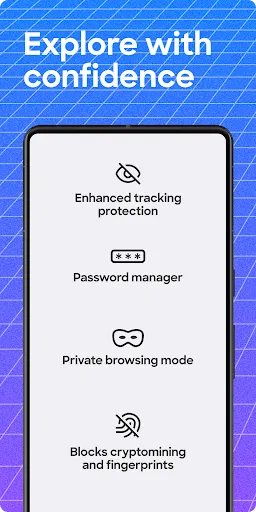
 Firefox prioritizes user privacy with robust tracking protection. The browser features a built-in password manager for secure logins. Regular updates ensure protection against the latest online threats. It offers customizable settings to enhance your browsing experience. Firefox supports a wide range of privacy-focused extensions and tools.
 Limited support for some popular extensions can hinder functionality. Slower performance compared to competitors may affect browsing speed. Occasional compatibility issues with certain websites can disrupt user experience.
  Google Play
  App Store
 Yes, users can submit suggestions or feedback through the app's support section or by visiting the official Firefox website.
Firefox: Private, Safe Browser is designed to minimize data collection and prioritizes user privacy, but some anonymous data may be collected for performance improvement.
Firefox: Private, Safe Browser does not support offline use, as it requires an internet connection to browse the web.
To cancel your subscription, go to your app store account settings, find the subscription section, and select the option to cancel the Firefox subscription.
While the app itself is free, there may be premium features available through subscription services, typically priced at a competitive rate, which can vary based on the offering.
You can reach Firefox customer service through their support website or by checking the help section in the app for contact options.
To activate additional features, go to the app settings and enable the relevant options.
You can log in by opening the app and entering your Firefox account credentials in the settings menu.
No activation is necessary; you can use the app immediately after downloading it.
Firefox does not have a dedicated customer number; support is primarily provided through online resources and forums.