











Opera Browser has integrated AI features that enhance user experience and productivity. One of the standout features is the AI-powered sidebar, which provides quick access to various applications, such as messaging and social media, all in one place. This ensures users can multitask efficiently without needing to switch between multiple tabs or applications. Another notable feature is the AI-enhanced browsing experience, which includes personalized recommendations based on user behavior. This allows users to discover relevant content, articles, and websites that match their interests, improving overall engagement. Additionally, Opera offers AI-driven tools for improved security, such as a built-in VPN to protect user privacy and a fraud protection feature that warns against suspicious sites. Opera also employs AI for optimizing performance, providing faster browsing speeds and reduced loading times. The browser’s AI features aim to create a seamless and intuitive experience, making it a compelling option for users who seek both efficiency and security in their online activities. Using the AI features in Opera Browser is straightforward and user-friendly. First, download and install the latest version of Opera from the official website. Once installed, create an account or log in to access personalized features. The AI capabilities can be found in the sidebar, where you can connect various applications like WhatsApp, Instagram, and Facebook. Next, enable the AI-driven features by going to the settings menu. Here, you can customize your browsing experience by activating personalized recommendations. This feature analyzes your browsing habits to suggest websites and content tailored to your preferences. For enhanced security, make sure to activate the built-in VPN and the fraud protection features. These tools work in the background, providing a safer browsing environment. Regularly check for updates to ensure you have the latest AI capabilities, as Opera continuously improves its features for an optimized user experience. Opera Browser with AI comes with numerous advantages. One of the primary benefits is its comprehensive integration of various tools and applications into a single interface, which enhances multitasking. The AI-driven recommendations help users discover content that aligns with their interests, making browsing more enjoyable and relevant. Additionally, the built-in VPN and fraud protection features significantly enhance user security and privacy, a crucial factor in today’s digital landscape. However, there are some drawbacks to consider. While Opera offers unique features, it may not be as widely supported by third-party extensions as other popular browsers like Chrome or Firefox. This limitation can affect users who rely heavily on specific add-ons for their browsing needs. Furthermore, the AI features may require a learning curve for some users, particularly those unfamiliar with advanced browser capabilities. In conclusion, while Opera Browser with AI offers innovative features that enhance productivity and security, users should weigh these benefits against potential limitations, such as extension compatibility and the initial learning phase required to utilize its full capabilities.Features of Opera Browser with AI
How to Use Opera Browser with AI?
Pros & Cons of Opera Browser with AI

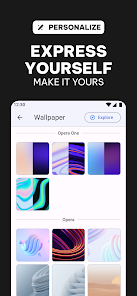
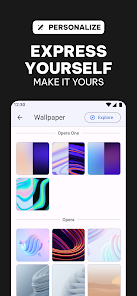
 Opera browser offers a built-in VPN for enhanced online privacy. It features an AI-driven personal assistant for smarter browsing. The browser includes ad-blocking technology for faster page loads. Users enjoy a customizable interface for a personalized experience. Opera integrates with social media for seamless communication while browsing.
 Limited extension support can hinder customization options for users. Performance may lag behind leading competitors in resource-intensive tasks. Privacy features often require additional configuration to ensure optimal protection.
  Google Play
  App Store
 Yes, users can submit suggestions or feedback directly through the app or via the official Opera website, where there are dedicated channels for user input.
Opera browser with AI prioritizes user privacy and minimizes data collection, but it may collect certain information for improving services, which is outlined in their privacy policy.
Opera browser with AI offers some offline capabilities, such as storing previously visited pages for offline access, but full functionality typically requires an internet connection.
You can cancel your Opera browser with AI subscription by going to your account settings within the app or through the platform where you purchased the subscription. Instructions will be provided there.
The subscription to Opera browser with AI typically costs a monthly fee, but pricing may vary based on the specific features and services offered at the time.
Yes, customer service can assist you with resetting your password. Visit the Opera support page for detailed steps.
You can reach customer service through the help section in the Opera browser or by visiting the official Opera website for support options.
Use the same account credentials on each device. Make sure to enable sync settings for a seamless experience across all devices.
You can find your customer number by navigating to the account settings within the Opera browser. Look for account details or information.
To log in on a new device, open Opera, go to the login section, and enter your credentials. Follow the prompts to verify your account.