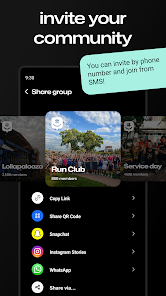



GroupMe is a mobile app that lets you communicate with groups of people in real-time. It's perfect for businesses and organizations that need to coordinate actions and tasks between multiple people. For example, say you work at a bakery and need to know when the last bag of flour was delivered to the storeroom. You could use GroupMe to send out a message to all the employees letting them know, without having to hunt them down one-by-one. Or maybe you run a catering business and need to organize final preparations for an event with dozens of attendees. GroupMe can help reduce chaos and ensure everything goes off without a hitch. It is a must-have for any business that relies on coordinated action between multiple people.
Features GroupMe is a mobile messaging app with a large user base. GroupMe has features that make it stand out from other messaging apps. GroupMe VS Google Meet GroupMe and Google Meet are two communication tools that allow users to connect and collaborate with others. While there are some similarities between the two tools, there are also some key differences. One of the main differences between GroupMe and Google Meet is the type of communication they facilitate. GroupMe is a messaging app that allows users to send and receive text, images, and other media in group or individual conversations. Google Meet, on the other hand, is a video conferencing tool that allows users to hold meetings and discussions over the internet, with the ability to see and hear each other in real time. Another difference between GroupMe and Google Meet is the platform on which they operate. GroupMe is available on a range of platforms, including iOS, Android, and the web, and it can be used on both mobile and desktop devices. Google Meet is part of the Google Suite of productivity tools, and it can be accessed and used from any device with an internet connection. Finally, there are differences in the pricing and availability of GroupMe and Google Meet. GroupMe is available for free to users, and it offers a paid subscription for additional features and storage. Google Meet is available for free to users with a Google account, and it also offers paid subscriptions for additional features and meeting participants. Overall, GroupMe and Google Meet are two communication tools with some similarities and some key differences. While GroupMe is a messaging app that allows users to connect and collaborate in groups, Google Meet is a video conferencing tool that facilitates real-time meetings and discussions. The choice between the two tools will depend on your specific needs and preferences. How to use GroupMe Mobile App? GroupMe is a mobile app that allows you to create and manage groups of contacts for various purposes, such as organizing events, sharing information, or simply staying in touch. Here's how to use the GroupMe app: Download and install the GroupMe app on your mobile device. You can find the app in the App Store for iOS devices or the Google Play Store for Android devices. Open the app and sign in with your phone number or email address. If you don't already have a GroupMe account, you can create one by following the on-screen instructions. Once you're signed in, you can create a new group by tapping on the "New Group" button in the bottom-right corner of the screen. Enter a name for your group and add members by selecting them from your contacts or inviting them via their phone number or email address. Once your group is created, you can start chatting with its members by tapping on the group name in the "Groups" tab. This will open the group chat, where you can send and receive messages, photos, and other media. You can manage your groups by tapping on the "Groups" tab at the bottom of the screen. From here, you can see a list of all your groups, view their members, and make changes to the group settings. Overall, the GroupMe app is a convenient and easy-to-use tool for managing groups of contacts and staying connected with them. Whether you're organizing an event, sharing information, or just keeping in touch, GroupMe can help you do it all from your mobile device. Pros & Cons Pros: GroupMe is a free app that can be used on both Android and iOS devices. The app allows for easy communication between friends and family. GroupMe can be used to send messages, photos, and videos. GroupMe offers an "offline messaging" mode which allows users to continue communicating without the need for an internet connection. Cons: GroupMe is not as widely used as some other messaging apps. Some users have reported issues with the app's functionality.
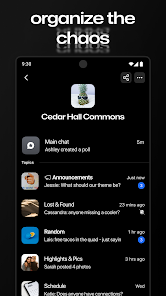
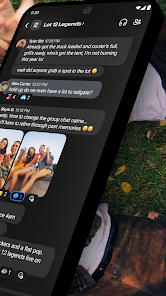
One of the features that makes GroupMe stand out is its group chat feature. This allows users to communicate with multiple people at the same time in a group chat. This can be helpful for larger groups who want to communicate more easily.
Another feature that sets GroupMe apart is its voice and video calling capabilities. This allows users to connect with others and have face-to-face conversations or videoconferences without having to leave the app.

 Easy group messaging for seamless communication Customizable chat settings for personalized experience No phone number required for added privacy Supports multimedia sharing for richer interactions Available on multiple platforms for accessibility
 Limited customization options for notifications Difficult to manage large group sizes Lacks advanced features found in other apps Reliance on internet connection can hinder access
 Yes, GroupMe collects certain personal data such as your phone number, email address, and usage information to improve the app and provide services.
GroupMe is completely free to use, and there are no subscription fees or trials involved.
Yes, GroupMe requires an internet connection, either via Wi-Fi or mobile data, to send and receive messages.
You can contact GroupMe support through the app's settings or by visiting their official website, where you can find resources and a contact form for feedback.
Since GroupMe does not have a subscription model, there is no need to manage or cancel a subscription. Users can simply stop using the app at any time.
You can reach GroupMe Customer Service through the app's help section or visit their official website for support options.
GroupMe does not provide a direct customer service number; support is primarily through their app and website.
Open the GroupMe app, enter your phone number or email, and follow the prompts to log in.
GroupMe accounts are activated automatically after signing up; just verify your phone number or email to complete the process.








 Google Play
  App Store