




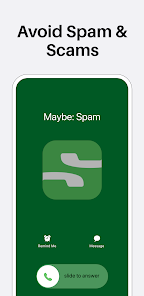
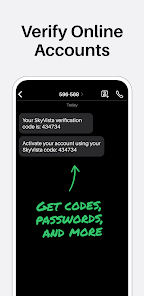
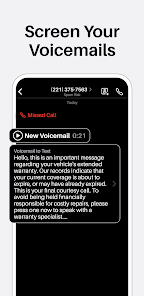
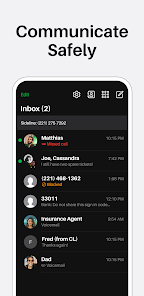
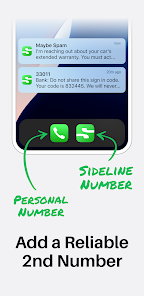
The Sideline app is a mobile application designed for small business owners and entrepreneurs who need a dedicated phone number for their business. The app allows users to create a second phone number on their existing mobile device and use it to communicate with their customers, clients, and colleagues without sharing their personal phone number.
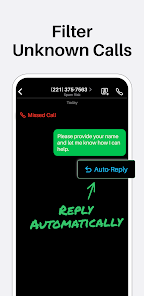
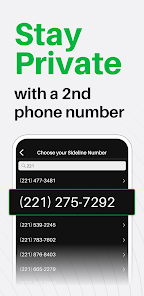
Here are some of the features and functions of the Sideline app: Dedicated business phone number: The app provides users with a second phone number that they can use exclusively for their business. Users can choose a local or toll-free number and customize their voicemail message and caller ID. Messaging: The app allows users to send and receive text messages with their business number, without needing a separate texting app or device. Calling: Users can make and receive calls with their business number, including making international calls. The app also includes features such as call forwarding, voicemail, and call recording. Business contacts: The app includes a separate address book for business contacts, making it easy to keep track of conversations and communications with clients, customers, and colleagues. Auto-reply and scheduling: The app includes an auto-reply feature, which automatically sends a response to missed calls and messages. Users can also schedule auto-replies to specific times of the day or days of the week. Analytics: The app provides users with analytics on their call and message activity, allowing them to track their communication with clients and customers. To use Sideline - 2nd Line for Work app, you'll need to follow these steps: Download and install the app: The Sideline app is available on both the App Store and Google Play Store. Download and install the app on your mobile device. Sign up for a Sideline account: Once you've installed the app, open it and follow the prompts to sign up for a Sideline account. You'll need to choose a phone number for your business, either a local or toll-free number. Customize your account: Once you've signed up, you can customize your account by adding a profile picture, a voicemail greeting, and a signature for your messages. Add business contacts: You can add business contacts to your Sideline address book by importing them from your phone's contacts or adding them manually. Start communicating: Once your account is set up, you can start communicating with your clients, customers, and colleagues using your business number. You can make and receive calls, send and receive text messages, and set up auto-replies and call forwarding. Manage your account: You can manage your Sideline account by accessing the app settings, where you can adjust your notification preferences, view your call and message history, and access analytics on your communication activity. Overall, the Sideline app is a useful tool for small business owners and entrepreneurs who need a separate phone number for their business. The app is user-friendly and customizable, allowing you to communicate with your clients and customers in a professional and organized manner.Features & Functions
How do I Use Sideline App?

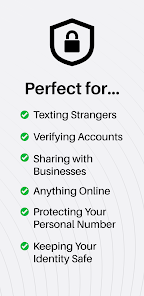
 Seamlessly manage work and personal calls on one device Enhance professionalism with a dedicated business number Easily mute or block unwanted calls for better focus Access voicemail and texts from anywhere, anytime Enjoy crystal-clear call quality for clear communication
 Limited customization options may not suit all business needs. Potential connectivity issues can disrupt communication flow. Subscription costs can accumulate, impacting overall budget.
  Google Play
  App Store
 Yes, users can submit suggestions or feedback through the app’s support feature or by contacting customer service directly.
Yes, Sideline may collect personal data to provide services, but it adheres to privacy policies to protect user information.
Sideline requires an internet connection to function, as it relies on VoIP technology for calls and messaging, so offline use is not supported.
You can cancel your subscription through your account settings within the app or by managing your subscription through the App Store or Google Play Store.
Subscription costs may vary, but typically, Sideline offers monthly and annual plans, with competitive pricing for users seeking advanced features.
Unfortunately, once activated, your customer number cannot be changed. For further assistance, please reach out to customer service.
To activate your account, download the app, enter your phone number, and follow the prompts to complete the activation process.
You can reach Sideline customer service through the app's help section or by visiting our website for support options.
To update your login information, log in to your account and go to the settings section to change your email or password.
To log in, open the app and enter your registered email and password. If you have trouble, use the "Forgot Password" option.
















