

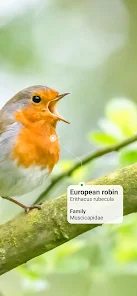
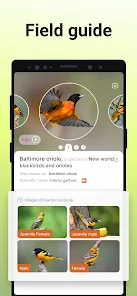

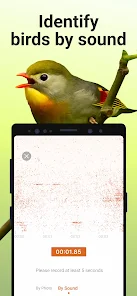
The Picture Bird app is a bird identifier that allows you to quickly and easily identify a bird by its picture. With over 3,000 different species of birds in the world, it can be tough to know which one you're looking at. But with Picture Bird, you can simply take a photo of the bird and the app will tell you what kind it is. If you're new to Picture Bird, here's a quick guide on how to use the app to identify birds. Just download the app and launch it. Then, use the search bar to find birds by name or location. Once you've found a bird, you can view information about it, including its habitat and diet. You can also view pictures of the bird and listen to its call. Picture Bird is a new app that promises to help birders identify the birds they see in their backyard or while out on a hike. But does it really work? We take a look at the pros and cons of Picture Bird to help you decide if it's worth your time and money.Features and Functions
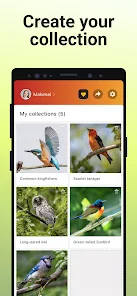
Picture Bird is also great for keeping track of the birds you see. You can create a personal birding list and log each new sighting. The app also includes information on each species, so you can learn more about the birds you're seeing. Whether you're an experienced birder or just getting started, Picture Bird is a great tool for anyone who loves birds.How to Use Picture Bird App
Pros & Cons
PROS:
- Easy to use: just snap a photo of the bird you want to identify and let the app do its thing.
- Accurate results: Picture Bird uses AI technology to identify birds with up to 98% accuracy, according to its developers.
- Helpful information: once it identifies a bird, Picture Bird will provide users with useful information about that species, including habitat, diet, and nesting behavior.
CONS:
- Limited selection: right now, Picture Bird only works with a limited selection of North American birds. The developers say they're working on expanding the database, but for now, it's not much use for birders outside of North America.
- Cost: Picture Bird isn't free – it costs $4.99 USD per month or $39.99 USD per year. That might not be too bad for serious birders, but it could be off-putting for casual users.

 Quickly identify bird species with ease User-friendly interface for all ages Access extensive bird databases for accurate results Learn about bird calls and behaviors instantly Share discoveries with a community of bird lovers
 Limited accuracy for rare bird species identification Requires constant internet access for best performance User interface can be confusing for beginners Lacks comprehensive database for all global birds
 Picture Bird - Bird Identifier is committed to user privacy and does not collect personally identifiable information without consent. However, it may gather anonymized usage data to improve the app's functionality.
Yes, Picture Bird - Bird Identifier offers a free version with limited features, and users can also opt for a free trial of the premium version to explore additional functionalities before committing to a subscription.
While some features of Picture Bird - Bird Identifier may require an internet connection, such as accessing the latest bird databases and updates, many identification features can work offline once the relevant data is downloaded.
To contact support or provide feedback for Picture Bird - Bird Identifier, you can use the in-app support feature or visit the official website, where you will find contact information and a feedback form.
You can manage or cancel your subscription directly through the app's settings or your device's app store settings, where you can find options for subscription management.
You can reach customer service through the app's support section or email support
Use the 'Forgot Password?' option on the login screen to receive a reset link via email.
Your customer number is usually located in your account settings within the app.
Open the app, enter your registered email and password, then tap 'Log In'.
Activation is not required; simply create an account to start using the app.











 Google Play
  App Store