






MyHeritage: Family Tree & DNA is a mobile application that allows users to build and manage their family tree, and to explore their family history and ancestry. The app provides access to a large database of historical records and family trees, as well as tools for DNA testing and analysis. The app is available for download on the Apple App Store and Google Play.
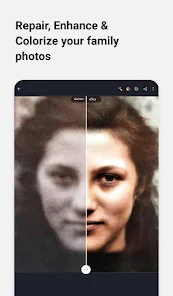
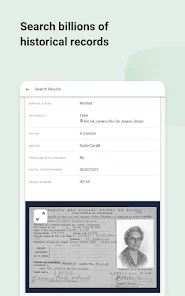
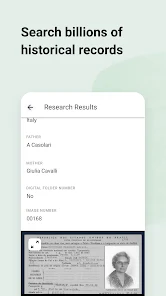
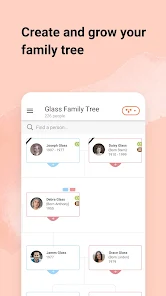
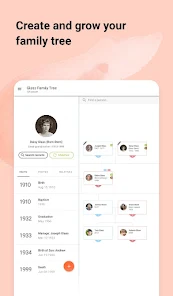
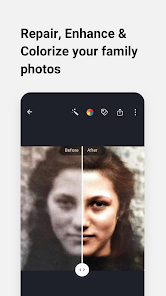
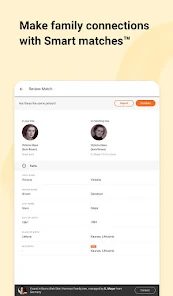
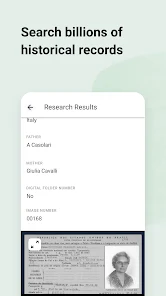
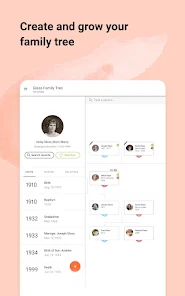
With the MyHeritage: Family Tree & DNA app, users can create and edit their family tree, adding information about their ancestors and relatives. The app allows users to search for and connect with other family members who are also using the app, and to view and share their family tree. The app also provides access to a range of historical records and documents, such as census records and birth, marriage, and death certificates, which can help users to learn more about their family history.
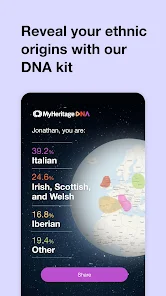
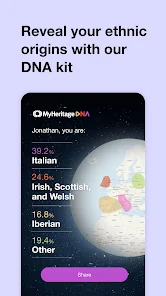
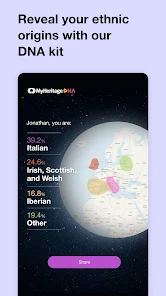
The MyHeritage: Family Tree & DNA app also offers DNA testing and analysis services. Users can purchase a DNA kit from MyHeritage and use the app to collect and send their DNA sample for testing. Once the sample has been processed, users can use the app to view their DNA results, including information about their ethnicity and ancestry. The app also provides tools for users to explore their DNA matches, and to connect with other users who share DNA matches.
The MyHeritage: Family Tree & DNA app offers a range of features to help users build and manage their family tree, and to explore their family history and ancestry. Some of the key features of the app include: The ability to create and edit a family tree, adding information about ancestors and relatives Search and connect with other family members who are also using the app Access to a large database of historical records and documents, such as census records and birth, marriage, and death certificates DNA testing and analysis services, including information about ethnicity and ancestry Tools for exploring DNA matches and connecting with other users who share DNA matches The ability to view and share your family tree with others The ability to access the app on a variety of devices, including smartphones and tablets The MyHeritage: Family Tree & DNA app is designed to be user-friendly and easy to use. It provides users with a wealth of information and tools to help them learn more about their family history and ancestry. To use the MyHeritage: Family Tree & DNA app, you will need to have a smartphone or tablet that is capable of running the app, and that is connected to the internet. You will also need to create a free account with MyHeritage, which you can do through the app or on the MyHeritage website. Once you have the app and an account, you can use the app to build and manage your family tree, and to explore your family history and ancestry. To get started, you can follow these steps: Download the MyHeritage: Family Tree & DNA app from the Apple App Store or Google Play Install the app on your smartphone or tablet Launch the app and sign in to your MyHeritage account Begin building your family tree by adding information about yourself and your immediate family members Use the app's search and connect feature to find and connect with other family members who are also using the app Access the app's database of historical records and documents to learn more about your family history If you are interested in DNA testing, you can purchase a DNA kit from MyHeritage and use the app to collect and send your DNA sample for testing Once your DNA results are available, you can use the app to view and explore your DNA matches, and to connect with other users who share DNA matches The MyHeritage: Family Tree & DNA app provides users with a range of tools Features:
How to use MyHeritage?

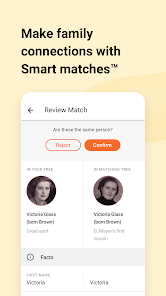
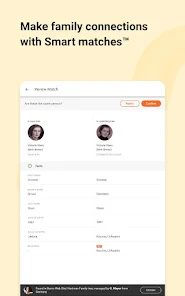
 Discover your ancestry with comprehensive family tree tools Unlock genetic insights through DNA testing options Connect with relatives worldwide via user-friendly interface Access historical records to enrich your family history Receive personalized matches for enhanced family connections
 Limited historical records compared to competitors High subscription costs for premium features DNA testing accuracy can vary widely User interface may be confusing for beginners
 MyHeritage: Family Tree & DNA collects personal data to provide its services, including information entered into family trees and DNA test results, and it adheres to privacy policies to protect user data.
Yes, MyHeritage: Family Tree & DNA offers a free version with limited features, as well as a free trial period for users to explore premium features before committing to a subscription.
Yes, MyHeritage: Family Tree & DNA requires an internet connection for most features, including accessing records, syncing family trees, and using DNA analysis tools.
You can contact MyHeritage support through their official website, where you can find help articles, submit a support request, or provide feedback about your experience using the app.
You can manage or cancel your MyHeritage: Family Tree & DNA subscription through your account settings on the website or app, where you can find options for subscription management.
Yes, you can log into your MyHeritage account on multiple devices using the same credentials.
You can reach MyHeritage customer service through their support page on the website or by emailing them directly at support
Visit the MyHeritage website, click on 'Login', enter your email and password, then click 'Sign In'.
To activate your DNA kit, visit the MyHeritage DNA activation page, enter the kit number found in your kit, and follow the prompts.
Click on 'Forgot Password?' on the login page, enter your email, and follow the instructions sent to your inbox.











 Google Play
  App Store