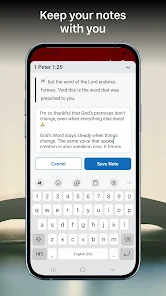
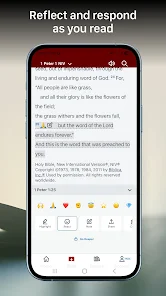
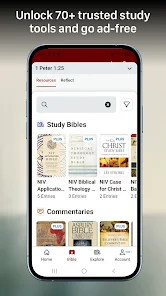
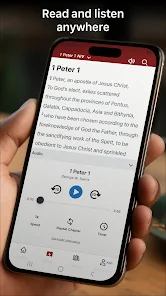
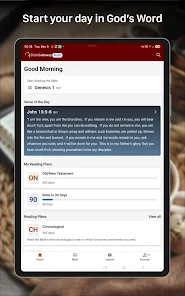
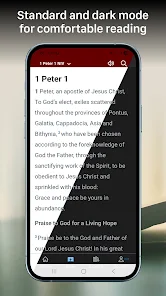
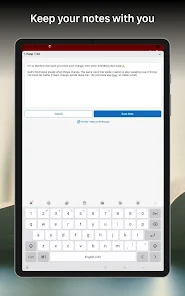
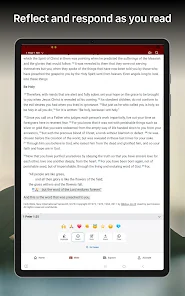
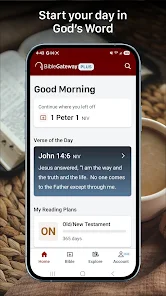
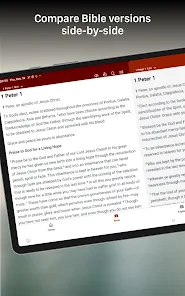
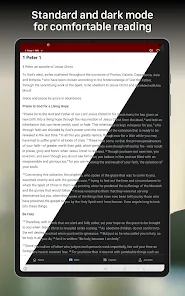
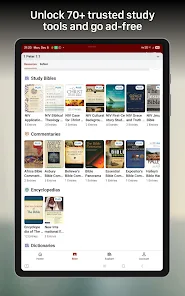
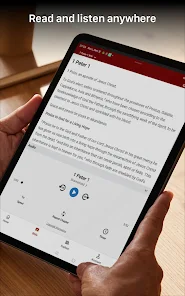
The Bible Gateway mobile app is a free app that allows you to read, listen to, and compare over 200 versions of the Bible in over 70 languages. The app also includes a range of features to help you study the Bible, including dictionaries, commentaries, and devotionals. You can even set up daily reading plans and track your progress. Whether you're a lifelong student of the Bible or just beginning your journey, the Bible Gateway mobile app is a great way to access the world's most popular book on your mobile device.
Features and Functions Bible Gateway's mobile app is packed with features and functions to help you read, study, and share the Bible. With the Bible Gateway app, you can: How to Use Bible Gateway Mobile App Assuming you have a smartphone, the first thing you need to do is download the Bible Gateway Mobile App. Once the app is installed on your phone, open it and sign in or create a new account. Pros & Cons When it comes to Bible study, there are a lot of different ways to go about it. You can use a physical Bible, read online versions, or even listen to audio recordings. But one of the most popular and convenient ways to study the Bible is through Bible Gateway’s mobile app. About the Developer The Bible Gateway Mobile App was developed by a team of engineers and designers who are passionate about the Bible and its message. The app is based on the popular Bible Gateway website, which has been helping people read and understand the Bible for over 20 years.
-Read the Bible in over 90 different languages
-Listen to audio Bibles in many of those languages
-Study with popular Bible commentaries and other resources
-Share verses and passages with friends via social media or email
-Search for specific words or topics throughout the entire Bible
-Save your favorite passages for easy reference later
Once you're signed in, you'll be taken to the main screen of the app. Here, you can browse different versions of the Bible, read articles and blog posts, listen to audio Bibles, and more.
To read a specific passage from the Bible, tap on the "Bible" tab at the bottom of the screen. Then, use the search bar at the top to find a specific book, chapter, and verse. For example, if you want to read John 3:16-17, simply type "John 3:16-17" into the search bar and tap "Search."
Once you've found the passage you want to read, tap on it to bring up the text. From here, you can tap on individual words to get definitions and see related passages. You can also share this passage with others by tapping on the share icon in the top-right corner of the screen.
If you want to listen to an audio version of a particular book or Passage from The Bible instead of reading it yourself , just Tap on “Listen” tab at The bottom Of The Screen , then select The book Or Passage You Want To Hear . After that , choose An English Standard Version Or Another Translation , then Finally
The app allows you to read, listen to, and compare multiple versions of the Bible. You can also create scripture memorization cards and share verses with friends. Plus, the app offers daily devotionals and a news feed with articles from a variety of Christian perspectives.
While the Bible Gateway app is extremely user-friendly and helpful for anyone looking to study the Bible, there are some potential drawbacks. One downside is that not all features are available for free – you have to upgrade to a paid account to access some of the more advanced features. Additionally, because the app relies on internet connectivity, you won’t be able to use it if you don’t have an internet or data connection.
So what’s the verdict? The Bible Gateway app is definitely a valuable tool for anyone looking to study Scripture. However, it’s important to weigh the pros and cons before deciding if it’s right for you.
The team behind the Bible Gateway Mobile App is dedicated to making it the best possible experience for users.

 Access multiple Bible translations easily Search for specific verses or keywords instantly Explore devotionals and reading plans conveniently Study tools enhance understanding and insights Available on multiple devices for flexibility
 Limited search functionality for specific phrases Ads can disrupt user experience Some translations require a subscription Navigation can be confusing for newcomers
 Yes, Bible Gateway may collect personal data such as account information, usage statistics, and preferences to improve user experience and provide relevant content, but they adhere to privacy policies regarding data usage.
Bible Gateway offers a free version that provides access to basic features, but it also has premium subscription options for enhanced features and resources.
While some features of Bible Gateway require an internet connection for access to online content, certain functionalities, such as offline reading, may be available for users with downloaded versions of the Bible.
You can contact Bible Gateway support through their official website, where you can find a support section with contact forms, FAQs, and other resources for assistance and feedback.
You can manage or cancel your Bible Gateway subscription through your account settings on the website or app, where you can find options for subscription management.
Activation is not required; simply download the app and log in to access features.
The customer number is typically found in your account settings or on the official website under the support section.
Log in to your account, go to settings, and select payment options to update your information.
Log in to your account, navigate to account settings, and update your email address there.
You can reach Bible Gateway Customer Service through the app’s Help section or visit their website for support options.










 Google Play
  App Store