







ESV Bible Mobile App is a free Bible app for iOS and Android devices. It provides access to the English Standard Version (ESV) of the Bible, as well as audio and video content, devotionals, and other resources. The app also includes features such as bookmarks, notes, and highlighting.
Features of ESV Bible App
The ESV Bible App offers a variety of features designed to enhance the user experience for those engaging with scripture. One of the standout features is its user-friendly interface, which allows for easy navigation through the Bible's text. Users can quickly search for specific verses or keywords, making it simple to find relevant passages.
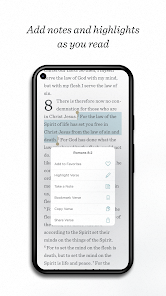
Additionally, the app provides multiple reading plans, enabling users to explore the Bible systematically over a set period. It also includes audio options, allowing users to listen to the scriptures, which can be particularly helpful for auditory learners or those on the go. Highlighting and note-taking functionalities are available, which allow users to personalize their reading experience and reflect on their thoughts.
Furthermore, the app supports offline access, so users can read the Bible without needing an internet connection, making it convenient for travel or locations with limited connectivity. The ESV Bible App also integrates various study resources, including commentaries and devotionals, providing deeper insights into the text.
How to Use ESV Bible App
Using the ESV Bible App is straightforward, making it accessible for users of all ages. First, download the app from your device’s app store, then create an account or log in if you already have one. Once inside the app, you can select the desired Bible translation, with the ESV being the primary option, but others may be available as well.
To begin reading, navigate through the books of the Bible or use the search bar to locate specific verses. The app allows you to bookmark favorite passages for easy access later. You can also customize your reading experience by adjusting the font size and screen brightness for comfortable reading.
Engage with the app's features by utilizing the highlighting tool to mark important verses and the note-taking feature to jot down reflections or insights. If you wish to follow a reading plan, simply select one from the menu and track your progress. Lastly, take advantage of the audio feature to listen to the Bible while multitasking or during commutes.
Pros & Cons of ESV Bible App
The ESV Bible App comes with its own set of advantages and disadvantages. On the positive side, the app is highly regarded for its clean interface, making navigation intuitive and user-friendly. The availability of audio options is a significant plus, allowing users to engage with scripture in a way that fits their lifestyle. Additionally, the app’s offline functionality is valuable for those who want to read the Bible in areas without internet access.
Moreover, the inclusion of various reading plans, highlighting, and note-taking features enhances the overall experience, making it easier for users to delve deeper into their spiritual journey. However, there are some drawbacks to consider. Some users may find the app lacking in certain advanced study tools that are available in other Bible study apps, which can limit in-depth research.
Moreover, while the app is free, certain features or additional resources may require a purchase or subscription, which could deter some users. Lastly, occasional technical issues may arise, such as syncing problems or crashes, which can affect the user experience. Overall, the ESV Bible App is a solid choice for those looking to engage with scripture regularly, but it may not meet the needs of every user.

 Accurate and reliable translation of biblical texts Readable language enhances understanding for all ages Faithful to original manuscripts and meanings Widely respected among scholars and churches Study tools available for deeper engagement
 Limited accessibility for readers unfamiliar with archaic language Some theological interpretations may feel biased Lacks extensive footnotes and commentary options Fewer translations available for comparative study
 The ESV Bible app may collect certain personal data in accordance with its privacy policy, primarily for account management and user experience improvement, but it typically does not sell user data.
Yes, the ESV Bible app offers a free version that provides access to the basic features and the Bible text, while some premium features may require a subscription.
While the app can be used offline after downloading the Bible text, some features, such as accessing additional resources or updates, may require an internet connection.
Users can contact support or send feedback through the app's help section, which typically includes options for email support or links to online resources for assistance.
Users can manage or cancel their subscription through their account settings within the app or by visiting the subscription management section on the platform where they purchased the app.
Yes, you can change your login method in the account settings by linking or unlinking accounts.
You can contact customer service through the app's settings or visit the official website for support options.
Upon purchase, open the app, go to settings, and follow the prompts to activate your purchase using your account details.
Open the app and tap on the login option, then enter your email and password.
The ESV Bible app does not have a direct customer service number; support is mainly provided through email or online chat.











 Google Play
  App Store