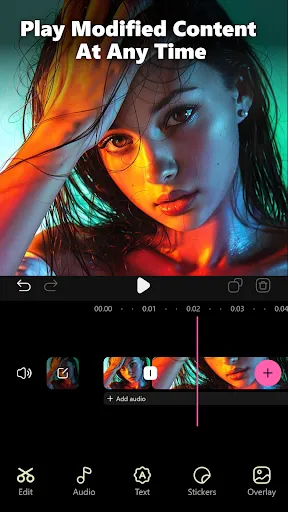
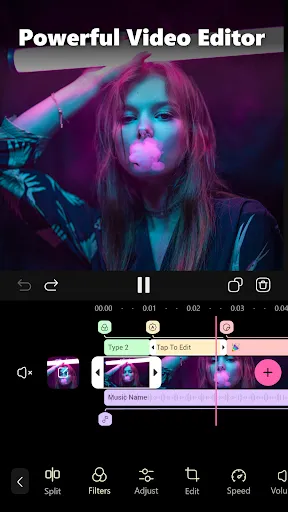


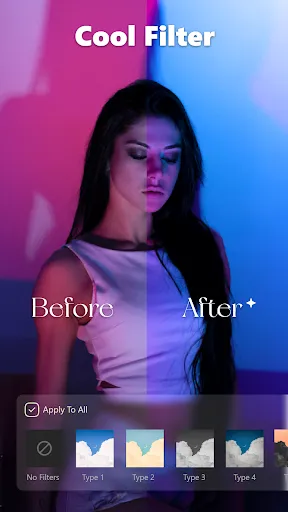
Instant Cut - Video Editor is a powerful tool designed for both amateur videographers and seasoned professionals. One of its standout features is its user-friendly interface, which allows users to navigate the editing process with ease. It supports a wide range of video formats, ensuring versatility in editing various media files. The software also includes advanced editing tools like trimming, merging, and adding transitions, which enable users to create polished videos effortlessly. Another notable feature is its real-time preview capability, allowing users to see their edits in action without the need for rendering first. This significantly speeds up the editing process. Instant Cut also offers a variety of filters and effects to enhance video quality and visual appeal, catering to different styles and preferences. Additionally, users can add music tracks and voiceovers easily, making it simple to create engaging content. The platform's export options are also flexible, supporting various resolutions and formats, making sharing on different platforms seamless. Using Instant Cut - Video Editor is straightforward, making it accessible to users of all skill levels. First, download and install the software on your device. Once installed, launch the application and import video files that you wish to edit by clicking the 'Import' button. You can select multiple files at once, which streamlines the workflow. After importing, drag and drop your videos onto the timeline. From there, use the trimming tool to cut unwanted sections or merge clips by simply dragging them next to each other. To enhance your video, explore the effects and filters available in the sidebar. You can also add music or voiceovers by selecting the audio option and importing your desired tracks. Once you are satisfied with your edits, preview your video to ensure everything looks perfect. Finally, click the 'Export' button, choose your desired resolution and format, and save your edited video to your device or share it directly to social media platforms. Instant Cut - Video Editor comes with several advantages that make it appealing to users. One of its primary pros is its intuitive interface, which allows beginners to edit videos without a steep learning curve. The robust set of features, including real-time previews and extensive filters, enhances the editing experience. Additionally, its support for various file formats ensures that users can work with different media types without compatibility issues. However, there are some drawbacks to consider. Some users might find the software lacking advanced features that are available in more professional editing tools, such as multi-track editing or color grading options. Additionally, while the software runs smoothly on most devices, heavy edits may cause lag on less powerful machines. Finally, occasional bugs and glitches can disrupt the editing process, particularly if users are working on large projects. Overall, Instant Cut serves as a solid option for casual editors but may not meet the needs of those seeking professional-grade capabilities.Features of Instant Cut - Video Editor
How to Use Instant Cut - Video Editor
Pros & Cons of Instant Cut - Video Editor

 User-friendly interface simplifies video editing for all skill levels. Instant Cut saves time with fast editing and rendering processes. Wide range of templates enhances creativity and storytelling options. Seamless integration with social media platforms for easy sharing. Powerful tools allow for professional-quality edits on-the-go.
 Limited advanced editing features may hinder professional results User interface can be confusing for beginners Export options are restricted in the free version
  Google Play
  App Store
 Yes, users can submit suggestions or feedback through the app’s feedback feature or by contacting customer support directly for any inquiries or recommendations.
Instant Cut - Video Editor may collect certain personal data as per its privacy policy, but it prioritizes user privacy and data protection.
Yes, Instant Cut - Video Editor allows users to edit videos offline without needing an internet connection, enabling seamless editing anytime and anywhere.
Users can cancel their Instant Cut - Video Editor subscription through their account settings in the app store or directly within the app settings, depending on the platform.
The subscription cost for Instant Cut - Video Editor varies depending on the plan chosen, with options for monthly and yearly subscriptions available.
Customer numbers are unique and cannot be changed. If you have concerns, please contact customer service for further assistance.
You can reach our customer service team through the support section in the app or by emailing support
You can reset your password by clicking the "Forgot Password?" link on the login page and following the instructions sent to your email.
To log in, open the app and enter your registered email and password. If you encounter issues, reset your password via the login page.
To update your customer information, log in to your account and navigate to the settings section. For further assistance, contact customer service.