

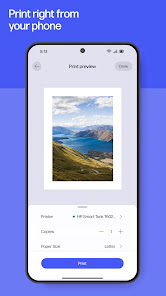
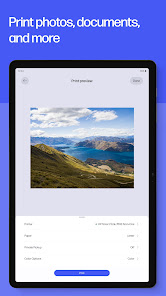
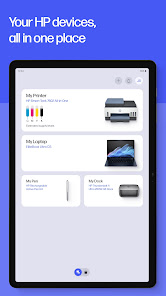
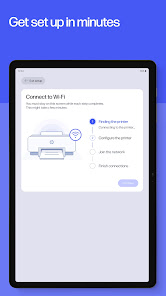
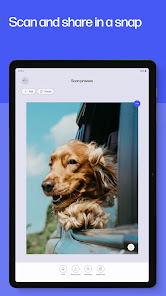
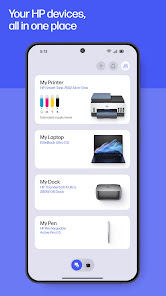
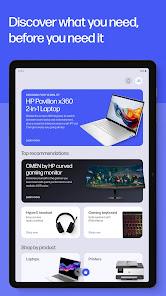
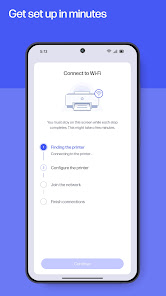
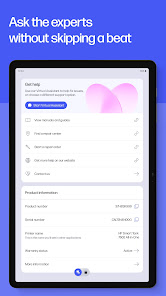
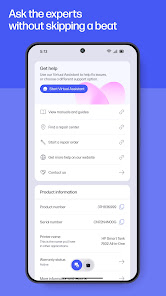
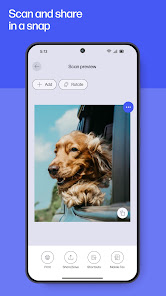
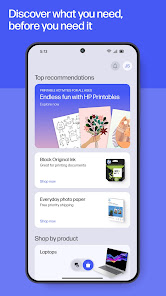
HP Smart, also known as HP AiO Remote, is a versatile application designed to enhance the printing experience for HP printer users. One of its primary features is the ability to manage printing tasks remotely, allowing users to print documents and photos directly from their smartphones or tablets. The app supports a wide range of file formats and enables users to scan and copy documents on-the-go, making it a handy tool for both personal and professional use. Another notable feature is the user-friendly interface that simplifies the entire process of connecting and managing printers. The app provides real-time status updates regarding ink levels, paper availability, and print jobs, ensuring users are always informed. Additionally, HP Smart offers photo printing options, including customizable templates and enhancements, enabling users to create stunning prints with ease. Furthermore, the app integrates with cloud services, allowing users to print directly from platforms like Google Drive, Dropbox, and Microsoft OneDrive. HP Smart also supports mobile faxing, enabling users to send faxes directly from their devices without needing a traditional fax machine. Overall, HP Smart is a comprehensive solution for managing printing needs efficiently and conveniently. Using HP Smart (HP AiO Remote) is straightforward and user-friendly. First, download the HP Smart app from your device's app store, whether it's on iOS or Android. Once installed, open the app and ensure your HP printer is connected to the same Wi-Fi network as your mobile device. The app will automatically detect your printer, allowing you to select it for printing or scanning tasks. To print a document, tap the “Print” option within the app, select the file you wish to print from your device or cloud storage, and adjust any print settings such as the number of copies or color options. After confirming your selections, simply hit “Print.” The app will send the job to your printer wirelessly. If you want to scan a document, navigate to the “Scan” section of the app, choose whether to scan using the printer or your device's camera, and follow the prompts to complete the scanning process. You can also edit the scanned files within the app before saving or sharing them. Additionally, the app allows you to reorder and check ink levels, ensuring you’re always prepared for your printing tasks. HP Smart (HP AiO Remote) comes with several advantages that make it a popular choice among HP printer users. One of the key benefits is its convenience; users can manage printing tasks from anywhere using their mobile devices. The app’s intuitive interface is easy to navigate, making it accessible even for those who are not tech-savvy. Additionally, the ability to print from cloud services and mobile fax enhances productivity and streamlines workflows. However, there are some drawbacks to consider. Some users have reported occasional connectivity issues, which can be frustrating when trying to print or scan documents quickly. Additionally, while the app provides a range of features, certain advanced settings may only be accessible through the printer’s onboard controls, limiting flexibility. Finally, some users have noted that the app may consume a significant amount of battery life on mobile devices during extended use. In summary, while HP Smart (HP AiO Remote) offers a robust set of features that cater to modern printing needs, potential connectivity issues and battery consumption are worth considering. Overall, it remains a valuable tool for enhancing the printing experience for HP users.Features of HP Smart (HP AiO Remote)
How to Use HP Smart (HP AiO Remote)
Pros & Cons of HP Smart (HP AiO Remote)

 Easily monitor printer status from your smartphone or tablet. Quickly troubleshoot issues with guided support and tips. Conveniently order supplies directly through the app. Effortlessly manage multiple printers from one interface. Enjoy seamless printing from anywhere with mobile connectivity.
 Limited functionality compared to traditional printer software limits user control over settings. Frequent connectivity issues can disrupt printing tasks and frustrate users. Some features require an internet connection, restricting offline usability.
  Google Play
  App Store
 Yes, users can submit suggestions or feedback through the app's support section, where they can provide input that may help improve future versions of the app.
Yes, the app may collect certain personal data for functionality and user experience improvements, but it adheres to HP's privacy policies regarding data handling and protection.
While some features can be accessed offline, the full functionality of HP Smart (HP AiO Remote) typically requires an internet connection, especially for setup and cloud-based services.
To cancel a subscription, users must go to their account settings within the app or the app store where the subscription was purchased and follow the cancellation process provided.
The subscription costs vary based on the additional features or services chosen; users can check the app for specific pricing details.
No, customer numbers cannot be updated online. Please contact HP customer service for assistance with changes to your customer number.
Log in to your account settings and update your email. If you face difficulties, reach out to customer service for guidance.
You can reach HP customer service by visiting the HP support website or calling their customer support number listed there.
To activate your HP account, follow the activation link sent to your email after registration. If you didn’t receive it, check your spam folder or contact customer service.
To log in, visit the HP website, click on the sign-in button, and enter your credentials. If you encounter issues, ensure your account is activated.