





This site uses cookies to enhance your user experience. By clicking any link on this site you are giving your consent to our cookie policy. Read more
Reject
Accept All
Microsoft Teams App

Microsoft Teams App

4.7
Advertisement(PageType: detail | Position: pre3 )

Information

  • Category: Productivity
  • Price: free
  • Age Rating: Everyone
  • Rating:
    4.7
  • Developer: Microsoft Corporation
  • Version: 1416/1.0.0.2026015202
Advertisement(PageType: detail | Position: pre4 )
Screenshot 1
Screenshot 2
Screenshot 3
Screenshot 4
Screenshot 5
Screenshot 6
Screenshot 7
Screenshot 8
Screenshot 9
Screenshot 10
Screenshot 11
Screenshot 12
Screenshot 13
Screenshot 14
Screenshot 15
Screenshot 16
Screenshot 17
Screenshot 18
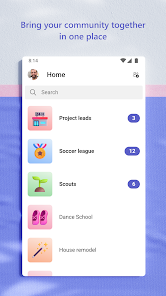
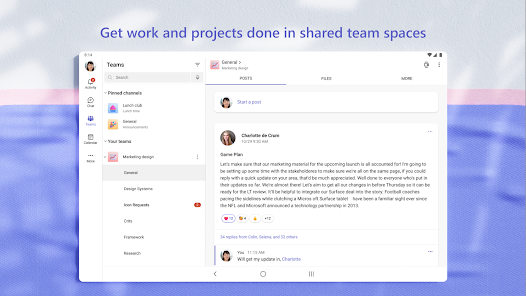
Welcome to Microsoft Teams, your all-in-one collaboration hub designed to enhance teamwork and productivity. Seamlessly integrate chat, video conferencing, file sharing, and task management in a single platform, empowering your team to connect and collaborate from anywhere. With customizable channels and robust integrations, Teams helps streamline communication and keeps everyone aligned on projects, whether you’re in the office or working remotely. Enjoy real-time collaboration with Office 365 apps and harness the power of AI-driven tools for smarter workflows. Transform the way you work together with Microsoft Teams—where ideas come to life. Join us and elevate your team's potential today!

Features

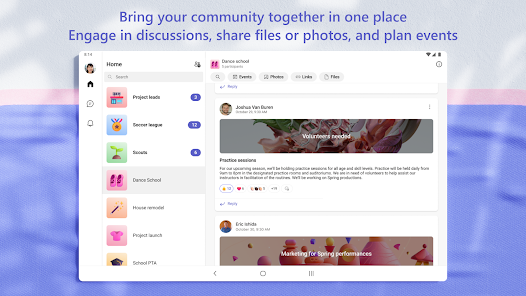
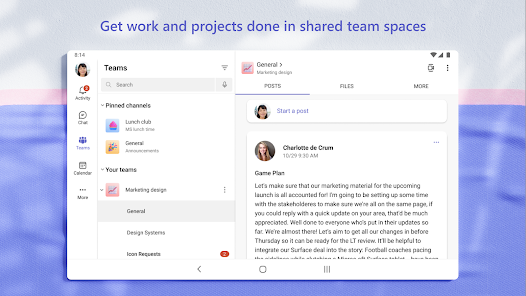
  • Collaborative Workspace.Microsoft Teams offers a unified platform for teams to collaborate efficiently, integrating chat, video calls, and file sharing in one place.
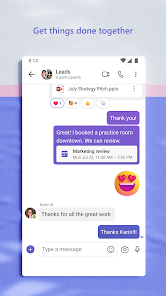
  • Chat Functionality.Engage in real-time conversations with threaded chats, allowing teams to discuss projects and share ideas seamlessly.
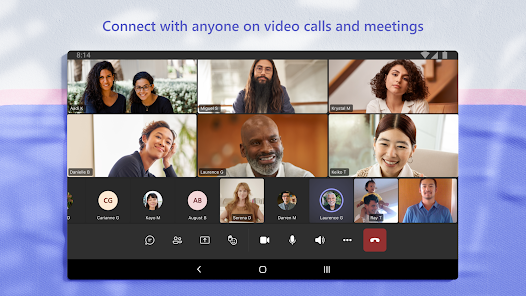
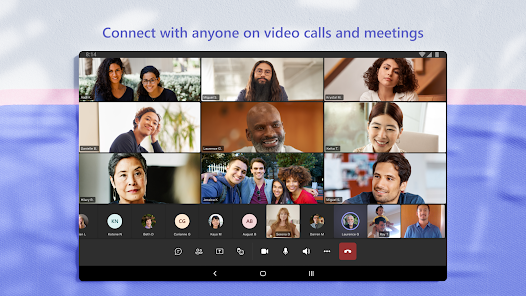
  • Video Conferencing.Host high-quality video meetings with up to 1,000 participants, complete with screen sharing and recording options for better collaboration.
  • File Sharing & Storage.Easily upload, share, and collaborate on files directly within the app, with integration to OneDrive and SharePoint for secure storage.
  • Task Management.Assign and track tasks with built-in tools like Planner and To Do, ensuring everyone stays on top of their responsibilities.
  • Integration with Apps.Connect with other Microsoft 365 apps and third-party tools, enhancing productivity by bringing all necessary resources into one interface.
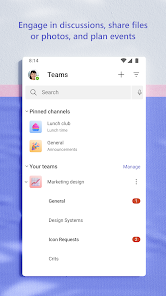
  • Customizable Channels.Create dedicated channels for specific projects or topics, keeping conversations organized and focused for team members.
  • Security & Compliance.Benefit from enterprise-grade security features, including data encryption and compliance with industry standards to protect sensitive information.

0

Pros
  • Boosts collaboration with integrated chat and video calls
  • Supports seamless file sharing for team projects
  • Enhances productivity with customizable apps and tools
  • Facilitates easy scheduling with calendar integration
  • Ensures security with advanced data protection features
Cons
  • Limited integration with non-Microsoft apps
  • Complex user interface for newcomers
  • Performance issues with large teams
  • Notification overload can cause stress

Advertisement(PageType: detail | Position: pre5 )

FAQ

Does Microsoft Teams collect my personal data?

Microsoft Teams may collect personal data to provide its services, including user information and activity data, but it complies with privacy regulations and offers settings to manage your data privacy.

Does Microsoft Teams offer a free trial or free version?

Yes, Microsoft Teams offers a free version with limited features, as well as a trial for its premium plans, allowing users to explore the platform's capabilities before committing to a subscription.

Does Microsoft Teams require an internet connection?

Yes, Microsoft Teams requires an internet connection to function effectively, as it relies on cloud services for communication, file sharing, and collaboration features.

How can I contact support or send feedback for Microsoft Teams?

You can contact Microsoft Teams support through the help section in the app, or visit the Microsoft support website for additional resources, and you can send feedback directly from the app using the feedback feature.

How do I manage or cancel my Microsoft Teams subscription?

You can manage or cancel your Microsoft Teams subscription through the Microsoft 365 admin center or the billing section of your account settings, depending on the type of subscription you have.

How to use Microsoft Teams App

How can I contact customer service for Microsoft Teams?

You can contact Microsoft Teams customer service through the official Microsoft support website or by calling their support number available in your region.

How do I activate Microsoft Teams if necessary?

If you need to activate Microsoft Teams, sign in with your Microsoft account, and follow the prompts to complete the activation process.

How do I find my customer number for Microsoft Teams?

Your customer number is typically found in your Microsoft account settings or on your billing statement.

How do I log in to Microsoft Teams?

To log in, visit the Microsoft Teams website or app, enter your email and password, and click "Sign In."