


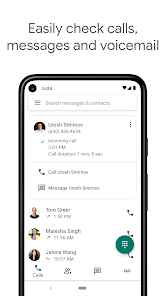
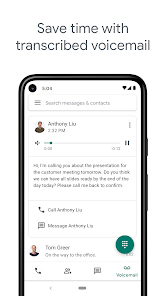
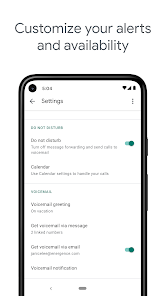
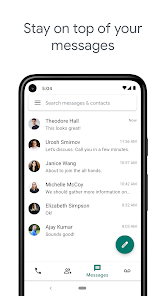
Google Voice is a totally free and efficient mobile utility app that can allocate you a phone number for you to connect and sync to a wide kind of devices so you will never miss any important call. This app offers sophisticated and advanced voice-to-text capabilities, which allows voicemails to be transcribed, saved, or forwarded to various kinds of devices, or sent to your email directly.
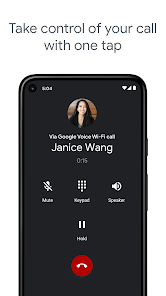
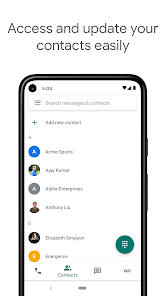
Features of Google Voice App Some key features of the app include: The ability to make and receive calls via your Google Voice number. The ability to send and receive text messages using your Google Voice number The ability to make calls over Wi-Fi, allowing you to make calls even when you don't have cellular service. The ability to access voicemail and view transcriptions of your voicemails. The ability to customize call routing and handling, such as forwarding calls to other numbers or sending calls directly to voicemail. Integration with other Google services, such as Google Contacts and Google Duo, to provide a seamless and unified communication experience. Overall, Google Voice is a versatile and powerful communications app that offers a range of features to help users make and manage calls and text messages. How to Use Google Voice App To use the Google Voice app, follow these steps: Download the Google Voice app from the App Store or Google Play. Open the app and log in to your Google account. If you don't already have a Google Voice number, follow the steps in the app to set one up. Use the app to make and receive calls and text messages using your Google Voice number. Customize your call routing and handling settings, if desired. Use the app to access your voicemail and transcriptions, and manage your voicemail messages. Additionally, you can use the app to integrate with other Google services, such as Google Contacts and Google Duo, to provide a seamless and unified communication experience. With the app, you can easily manage all of your communications using your Google Voice number. Google Voice is a free app that allows users to make and receive calls, send and receive text messages, and manage voicemail. It also provides a variety of features such as call forwarding, call screening, and voicemail transcription. Here are some of the pros and cons of using Google Voice: Pros: • It is free to use and easy to set up. • It allows users to make and receive calls from any device, including landlines and mobile phones. • It provides a variety of features such as call forwarding, call screening, and voicemail transcription. • It allows users to block unwanted calls and texts. • It allows users to customize their voicemail greeting. • It allows users to record and store voicemails for future reference. Cons: • It does not support international calls. • It does not support video calls. • It does not support group calls. • It does not support conference calls. • It does not support MMS messages. • It does not support SMS messages longer than 160 characters.Pros & Cons of Google Voice App

 Affordable calling and texting options available. Unified communication across devices and platforms. Voicemail transcription for easy message management. Customizable settings for call forwarding and screening. Integration with Google services enhances productivity.
 Limited customer support options available Only works well in the U.S. Lacks advanced features of traditional phone systems Voicemail transcriptions may be inaccurate
 Google Voice does collect some personal data, such as your phone number and usage statistics, but it is governed by Google's privacy policy.
Yes, Google Voice offers a free version that includes basic features for personal use, while additional features are available through paid subscription plans.
Yes, Google Voice requires an internet connection to function, as it operates over the internet rather than through traditional phone lines.
You can contact support for Google Voice through the Help Center on the Google website or by using the feedback options available in the Google Voice app.
You can manage or cancel your Google Voice subscription by going to the Google Voice settings on the web or in the app, where you'll find options for subscription management.
To activate Google Voice, download the app or visit the website, sign in with your Google account, and follow the prompts to set up your phone number.
You can reach Google Voice customer service through the Google Support website or by visiting the Google Voice Help Center for assistance.
Visit the Google Voice website or open the app, then sign in with your Google account credentials.
Google Voice does not have a direct customer service number; support is primarily provided online through their Help Center.








 Google Play
  App Store