
This site uses cookies to enhance your user experience. By clicking any link on this site you are giving your consent to our cookie policy. Read more
Reject
Accept All
Google Voice App

Google Voice App

4.2
Advertisement(PageType: detail | Position: pre3 )

Information

  • Category: Productivity
  • Price: free
  • Age Rating: Everyone
  • Rating:
    4.2
  • Developer: Google LLC
  • Version: 2026.01.11.855674769
Advertisement(PageType: detail | Position: pre4 )
Screenshot 1
Screenshot 2
Screenshot 3
Screenshot 4
Screenshot 5
Screenshot 6
Screenshot 7
Screenshot 8
Screenshot 9
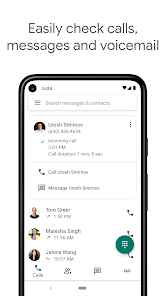
Google Voice is a versatile communication app that seamlessly integrates calling, texting, and voicemail services into one user-friendly platform. With Google Voice, you can enjoy a unique phone number that allows you to make and receive calls and texts from any device, whether it's your smartphone, tablet, or computer. The app provides features like call screening, voicemail transcription, and the ability to block unwanted callers, enhancing your communication experience. Perfect for both personal and professional use, Google Voice ensures you stay connected effortlessly, no matter where you are. Experience the convenience of managing all your communications in one place with Google Voice!

Features

  • Phone Number Management: Google Voice provides users with a free phone number that can be used for calls, texts, and voicemail, keeping personal and work communications separate.
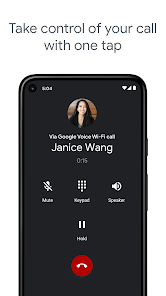
  • Call Forwarding: Forward calls from your Google Voice number to any phone, ensuring you never miss important calls, regardless of your device.
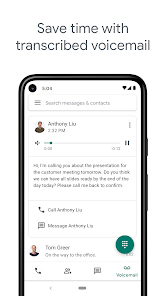
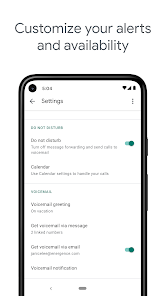
  • Voicemail Transcription: Receive transcriptions of voicemail messages sent directly to your inbox, making it easy to read and respond quickly.
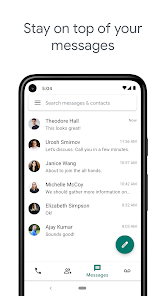
  • Text Messaging: Send and receive SMS and MMS messages seamlessly from your computer or mobile device, allowing for convenient communication.
  • International Calling: Make affordable international calls at competitive rates, enabling users to stay connected with friends and family abroad.
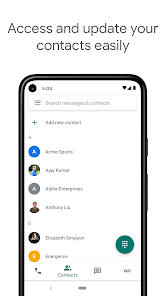
  • Integration with Google Services: Easily integrate with other Google services like Gmail and Google Calendar, enhancing productivity and communication.
  • Call Screening: Screen incoming calls with the option to listen in and decide whether to answer, providing greater control over communications.
  • Multi-Device Support: Access your Google Voice account from multiple devices, including smartphones and computers, for flexible and efficient use.

0

Pros
  • Affordable calling and texting options available.
  • Unified communication across devices and platforms.
  • Voicemail transcription for easy message management.
  • Customizable settings for call forwarding and screening.
  • Integration with Google services enhances productivity.
Cons
  • Limited customer support options available
  • Only works well in the U.S.
  • Lacks advanced features of traditional phone systems
  • Voicemail transcriptions may be inaccurate
Advertisement(PageType: detail | Position: pre5 )

FAQ

Does Google Voice collect my personal data?

Google Voice does collect some personal data, such as your phone number and usage statistics, but it is governed by Google's privacy policy.

Does Google Voice offer a free trial or free version?

Yes, Google Voice offers a free version that includes basic features for personal use, while additional features are available through paid subscription plans.

Does Google Voice require an internet connection?

Yes, Google Voice requires an internet connection to function, as it operates over the internet rather than through traditional phone lines.

How can I contact support or send feedback for Google Voice?

You can contact support for Google Voice through the Help Center on the Google website or by using the feedback options available in the Google Voice app.

How do I manage or cancel my Google Voice subscription?

You can manage or cancel your Google Voice subscription by going to the Google Voice settings on the web or in the app, where you'll find options for subscription management.

How to use Google Voice App

How do I activate Google Voice?

To activate Google Voice, download the app or visit the website, sign in with your Google account, and follow the prompts to set up your phone number.

How do I contact Google Voice customer service?

You can reach Google Voice customer service through the Google Support website or by visiting the Google Voice Help Center for assistance.

How do I log in to my Google Voice account?

Visit the Google Voice website or open the app, then sign in with your Google account credentials.

What is the customer number for Google Voice support?

Google Voice does not have a direct customer service number; support is primarily provided online through their Help Center.