

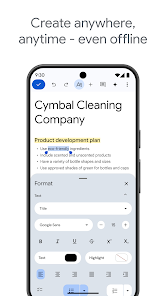
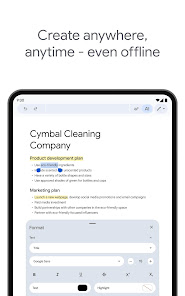
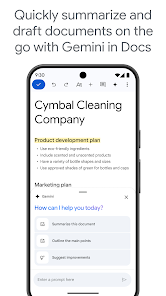
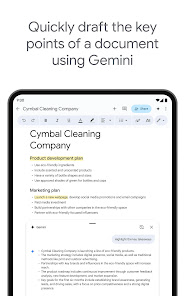
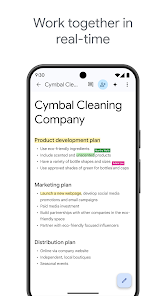
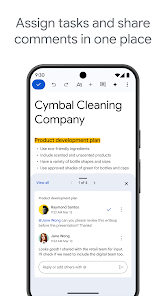
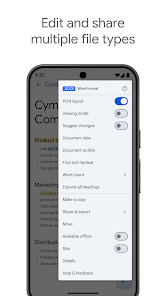
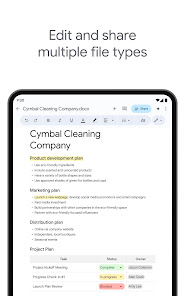
Google Docs is becoming more and more popular as a way to collaborate on documents with friends and colleagues. If you don't have a computer, and need to do your writing somewhere else, there are still options! Google has created a mobile app for Android and iOS that lets you work on docs anywhere, even without an internet connection.
Features Google Docs mobile app is a great way to stay organized and have access to your documents anywhere. You can use the app to create, edit and manage your documents with ease. You can also use the app to share your documents with others. The app has a variety of features that will make working with your documents easier. The app is super easy to use. You can open a doc, edit it, and save it without having to leave the app. You can also share your docs with other people using the sharing features of the app. If you need to access your docs from a different device or computer, you can always download them onto your device so that you can continue working on them wherever you are. How to use Google Docs Google Docs is a word processing program that is part of the Google Workspace suite of productivity tools. To use Google Docs, you'll need to have a Google account, which you can create for free. Once you have a Google account, you can access Google Docs by going to the Google Workspace homepage and clicking on the "Docs" option in the top navigation bar. This will open the Google Docs home screen, where you can create a new document by clicking on the "Blank" option in the top left corner. You can then start typing your document, using the tools in the top toolbar to format your text and add images, tables, and other elements. To save your document, click on the "File" menu and select the "Save" option. This will automatically save your document to your Google Drive, where you can access it from any device with an internet connection. Google Docs VS Microsoft Words Google Docs and Microsoft Word are both word processing programs that can be used to create and edit documents. Both programs have similar features, such as the ability to format text, add images, and create tables. However, there are some key differences between the two programs. For example, Google Docs is a cloud-based program, which means that you can access your documents from any device with an internet connection. Microsoft Word, on the other hand, is a desktop program that you need to install on your computer in order to use. This means that you can only access your Word documents from the device on which you installed the program. Additionally, Google Docs is free to use, while Microsoft Word is a paid program that is part of the Microsoft Office suite of productivity tools. Pros & Cons Google Docs is a powerful app for managing your work. It has a well-designed user interface and features a lot of the features that you would expect from a more expensive office suite. However, it lacks some of the features that are available in other apps, such as Dropbox or OneDrive. Additionally, Google Docs is not as widely used as those other two apps, so there may be fewer resources available to help you use it properly.
Overall, the Google Docs mobile app is great for working on docs anywhere, no matter how bad the internet connection may be.

 Collaborate in real-time with team members easily. Access your documents from any device, anytime. Automatic saving prevents data loss and ensures security. Intuitive interface makes document editing simple and fast. Seamless integration with other Google services enhances productivity.
 Limited offline functionality can hinder productivity. Formatting issues may arise when exporting documents. Collaboration can lead to version control challenges. Privacy concerns regarding data storage and sharing.
 Yes, Google Docs collects user data as outlined in Google's privacy policy, which may include information like your email address and usage statistics.
Google Docs offers a free version that is available to anyone with a Google account, allowing users to access basic features without a subscription.
While an internet connection is required for most features, Google Docs does offer an offline mode that allows users to create and edit documents without being connected to the internet.
You can contact Google Docs support through the Help menu within the app, or visit the Google Docs Help Center online to find resources and submit feedback.
You can manage or cancel your Google Docs subscription through your Google Account settings by navigating to the "Subscriptions" section.
Yes, you can use Google Docs offline by enabling Offline Mode in Google Drive settings. Make sure to install Google Docs Offline extension.
Go to your Google Account settings, select "Security," then "Password," and follow the prompts to change your password.
You can reach Google Docs customer service through the Google Support website or by visiting the Help Center. Look for the "Contact Us" option for further assistance.
Visit the Google Account Recovery page and follow the prompts to reset your password or recover your account.
To delete your Google Docs account, you must delete your entire Google Account through your Google Account settings.





 Google Play
  App Store