

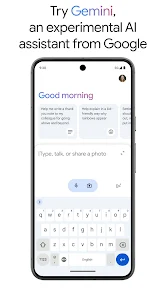
Google Assistant is a powerful virtual assistant designed to facilitate a wide range of tasks through voice commands and text input. One of its standout features is its ability to understand natural language, allowing users to interact with it in a conversational manner. This makes it easy to ask questions, set reminders, or control smart home devices without needing to use specific commands.
Another notable feature is its integration with various Google services, such as Google Calendar, Gmail, and Google Maps. This allows users to manage their schedules, send emails, and navigate with ease. Additionally, Google Assistant supports third-party applications, enabling users to control music, order food, or even book a ride through compatible apps.
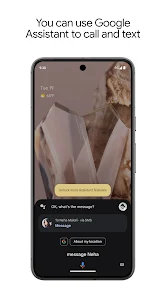
Furthermore, Google Assistant can provide personalized responses based on user preferences and past interactions. It can also perform tasks like making phone calls, sending texts, and providing real-time information such as weather updates and news briefings. Overall, Google Assistant is designed to enhance productivity and streamline daily tasks.
Using Google Assistant is straightforward and user-friendly. To get started, ensure that you have the Google Assistant app installed on your device or that your device supports it natively, such as Google Home or Android smartphones. You can activate Google Assistant by saying "Hey Google" or "OK Google," or by pressing the dedicated button on your device, if available.
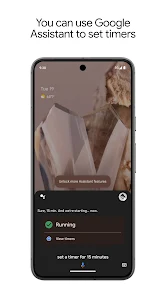
Once activated, you can ask questions or give commands. For example, you can say, "What's the weather today?" or "Set a reminder for my meeting at 3 PM." Google Assistant will process your request and provide a response or perform the action. You can also use it to control smart home devices by saying commands like, "Turn on the living room lights."
To maximize its capabilities, explore the settings to customize preferences, link your accounts, and enable features like voice match for personalized responses. Regularly updating the app ensures you have access to the latest features and improvements. Overall, Google Assistant is designed to make your life easier through voice-activated technology.
Google Assistant offers numerous advantages that make it a popular choice among virtual assistants. One of its primary benefits is its ability to understand and process natural language, which allows for more intuitive interactions. Additionally, its integration with a wide range of Google services and third-party applications enhances its functionality, making it a versatile tool for managing daily tasks.
Another significant advantage is its continuous learning capability, which allows it to improve over time based on user interactions. This personalization can lead to more accurate responses and a better overall user experience. Furthermore, Google Assistant is available on various devices, including smartphones, smart speakers, and smart displays, providing flexibility in how users access its features.

 Voice-activated control for hands-free convenience Smart home integration for seamless automation Personalized responses enhance user experience Wide compatibility with various devices and platforms Continuous learning improves accuracy over time
 Limited offline functionality hampers usability. Privacy concerns over data collection persist. Sometimes struggles with complex voice commands. Integration with non-Google services can be lacking.
 Yes, Google Assistant may collect personal data to improve its services and provide personalized experiences, but users can manage their privacy settings and control what data is shared.
Google Assistant is available for free to all users, with no trial period required.
Yes, Google Assistant requires an internet connection to access its services and provide real-time information.
You can contact support for Google Assistant through the Google Help Center or provide feedback directly through the app by accessing the settings menu and selecting the feedback option.
Since Google Assistant is free, there are no subscriptions to manage or cancel, but for any third-party services linked, you would need to follow their specific cancellation procedures.
Yes, you can ask Google Assistant to "Contact customer service" for help, and it will guide you on how to reach them.
To activate your account, download the Google Assistant app and sign in with your Google account. Follow the prompts to complete the activation process.
You can log in by opening the Google Assistant app and tapping on the profile icon at the top right. Enter your Google account credentials to access your account.
Simply download the Google Assistant app on the new device and log in with your existing Google account credentials.
To update your information, log in to your Google account, navigate to the "Personal info" section, and make the necessary changes.








 Google Play
  App Store