



You are going to be redirected to the official website to finish the download when you click these buttons above.
No, the USB Screen Share app primarily allows you to display content from your phone to the TV, but you cannot control your phone directly from the TV. You will need to use your phone to navigate through apps and content while it is being displayed on the larger screen.
Yes, you can use the app to mirror games from your phone to the TV. This allows for a larger and immersive gaming experience. However, keep in mind that performance may depend on the game's graphics and your phone's processing power. Always ensure your phone is charged and connected securely to avoid interruptions during gaming sessions.
Generally, you do not need any additional hardware if your TV has a USB port and supports screen sharing. However, some older TV models may require an HDMI adapter or a separate USB to HDMI converter to facilitate the connection. Always check your TV’s specifications to ensure compatibility.
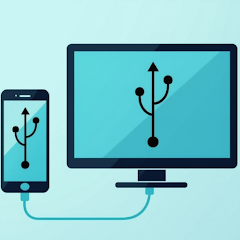
To connect your phone to the TV using the app, first, ensure that both your phone and TV support USB connections. Download and install the USB Screen Share app on your phone. Connect your phone to the TV using a compatible USB cable. Open the app, and follow the on-screen instructions to establish a connection and start mirroring your screen.
The USB Screen Share app is compatible with most modern smartphones, including those running Android and iOS. However, compatibility may vary based on the specific phone model and the version of the operating system. It's recommended to check the app's requirements in the app store for your specific device.

Yoga Flex Home App
Personalization


iControl: Easy Widgets Themes
Personalization

ThemeKit - Themes & Widgets
Personalization

Emoji Up genmoji sticker maker
Personalization

Shield: Antivirus Home Screen
Personalization

Hole U Can Eat Home App
Personalization
Pixel Shimeji - Desktop Pet
Personalization

Neon Love Theme
Personalization
ThemePro - Widget & Wallpaper
Personalization
















