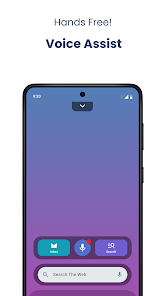
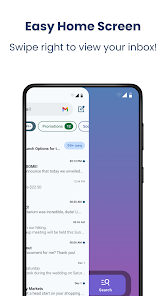
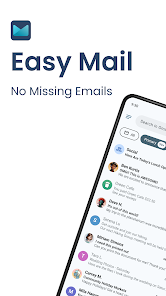
"Easy Mail - Email Launcher" is designed to streamline your email experience with a variety of user-friendly features. One of its standout attributes is the customizable home screen, allowing users to add shortcuts to their favorite email accounts and folders. This feature enhances accessibility, enabling quick navigation to important messages without sifting through multiple apps.
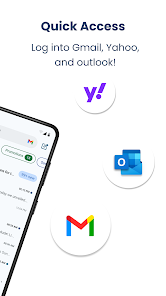
Another notable feature is the unified inbox, which consolidates emails from various accounts into a single view. This simplifies the management of multiple email accounts, making it easier to stay organized. Additionally, the app supports various email providers, ensuring compatibility with popular services like Gmail, Yahoo, and Outlook.
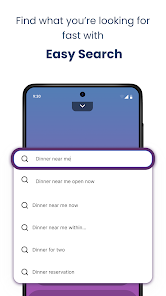
Moreover, "Easy Mail" offers a robust search function, allowing users to quickly locate specific emails or attachments. The app also includes notification settings that can be tailored to individual preferences, ensuring that users never miss important messages. With its intuitive interface and efficient design, "Easy Mail - Email Launcher" is an excellent tool for anyone looking to enhance their email management experience.
Using "Easy Mail - Email Launcher" is straightforward and user-friendly. To get started, download the app from your device's app store and install it. Once installed, open the app and follow the prompts to set up your email accounts. You can add multiple accounts by entering your email address and password for each service you wish to connect.
After setting up your accounts, you can customize the home screen by adding shortcuts to your preferred email folders or contacts. This allows for quick access to frequently used features. To check your emails, simply tap on the unified inbox, where all your messages from different accounts are displayed together.
Additionally, you can utilize the search function to find specific emails or attachments quickly. Adjust the notification settings to ensure you receive alerts for important messages. Overall, the app's intuitive design makes it easy to navigate and manage your emails efficiently, enhancing your overall communication experience.
Like any application, "Easy Mail - Email Launcher" has its advantages and disadvantages. One of the primary pros is its user-friendly interface, which simplifies email management for users with multiple accounts. The customizable home screen and unified inbox are significant features that enhance accessibility and organization, making it easier to keep track of important messages.
Another advantage is the app's compatibility with various email providers, allowing users to consolidate their email management in one place. The robust search function and customizable notification settings further contribute to a positive user experience, ensuring that users can quickly find what they need and stay updated on important communications.
On the downside, some users may experience occasional bugs or performance issues, particularly when managing a large volume of emails. Additionally, while the app is designed to be intuitive, new users may require some time to familiarize themselves with all its features. Overall, while "Easy Mail - Email Launcher" offers many benefits, potential users should weigh these pros and cons based on their specific needs and preferences.
 Google Play
  App Store
 Yes, users can create, share, and collaborate on playlists with friends.
Yes, premium users can download songs and playlists for offline listening.
Yes, premium users can listen to downloaded music offline without an internet connection.
Yes, you can use Spotify on multiple devices, but only one device can stream at a time.
Yes, Spotify hosts a wide range of podcasts across various genres.