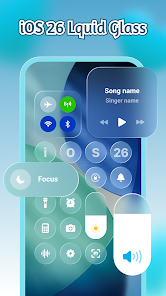
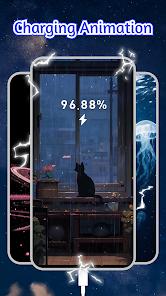
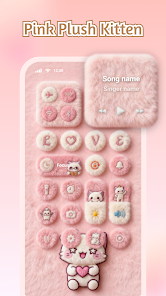
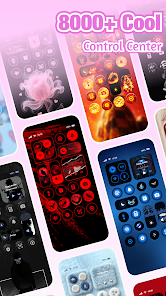
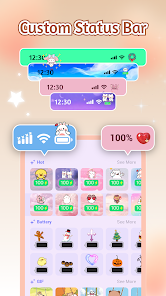
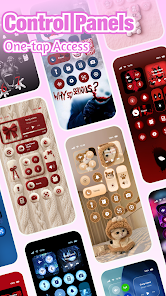
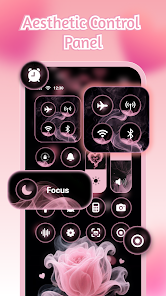
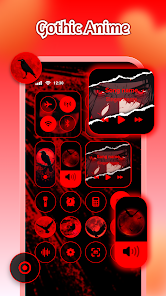
"iControl: Easy Widgets Themes" offers a variety of features designed to enhance the user experience on mobile devices. One of its standout features is the extensive library of customizable widgets, allowing users to personalize their home screens with unique designs and functionalities. The app supports various themes, enabling users to switch between different styles effortlessly, ensuring that their device reflects their personality.
Additionally, the app provides a user-friendly interface that simplifies the process of widget creation and customization. Users can easily drag and drop elements, adjust sizes, and select colors to create a widget that suits their needs. The app also includes a preview feature, allowing users to see how their widgets will look before applying them. Furthermore, "iControl" is compatible with multiple devices and operating systems, making it accessible to a wide range of users. Overall, the combination of customization options, ease of use, and compatibility makes "iControl: Easy Widgets Themes" a popular choice for those looking to enhance their mobile experience.
Using "iControl: Easy Widgets Themes" is a straightforward process that allows users to create and customize widgets with ease. First, download and install the app from your device's app store. Once installed, open the app and explore the various themes and widget options available. Users can select a theme that resonates with their style and then proceed to customize it according to their preferences.
To create a widget, simply choose the desired widget type from the library, and drag it onto your home screen. The app provides intuitive tools for resizing and repositioning the widget, ensuring it fits perfectly within your layout. Users can also modify colors, fonts, and other design elements to achieve the desired look. After finalizing the design, save the widget, and it will be instantly applied to your home screen. Regularly check for updates within the app to access new themes and features, enhancing your widget experience over time.
"iControl: Easy Widgets Themes" comes with several advantages that make it appealing to users. One of the primary pros is its extensive customization options, allowing users to create widgets that truly reflect their personal style. The app's user-friendly interface makes it accessible for individuals of all skill levels, from beginners to advanced users. Additionally, the regular updates ensure that users have access to new themes and features, keeping the app fresh and engaging.
However, there are some drawbacks to consider. Some users may find that the app consumes a significant amount of device resources, potentially slowing down performance. Additionally, while the app offers a wide range of themes, some users may desire even more options or advanced customization features. Lastly, compatibility issues may arise with certain devices or operating systems, limiting accessibility for some users. Overall, while "iControl: Easy Widgets Themes" has its pros and cons, it remains a popular choice for those looking to enhance their mobile experience.

 iControl: Easy Widgets Themes app offers a range of benefits that enhance user experience.
Customize your widgets easily Choose from stunning themes User-friendly interface design Quick setup for instant use Regular updates with new features
iControl: Easy Widgets Themes app offers a range of benefits that enhance user experience.
Customize your widgets easily Choose from stunning themes User-friendly interface design Quick setup for instant use Regular updates with new features 
 Limited customization options Performance issues reported Steep learning curve for users Compatibility problems with themes
  Google Play
  App Store
 iControl may offer both free and premium features. While basic functionalities are typically available at no cost, advanced features or additional themes might require a subscription or one-time payment. Check the app for specific pricing details.
Yes, iControl allows users to share their custom widgets and themes with others. You can typically do this through social media or directly within the app, enabling friends to enjoy your unique designs.
Yes, iControl allows users to incorporate their own images into the widgets. This feature helps personalize the look and feel of your home screen further, allowing for unique designs tailored to your preferences.
To install the iControl app, simply visit the App Store or Google Play Store, search for "iControl: Easy Widgets Themes," and click on the download or install button. Once installed, open the app to start customizing your widgets and themes.
If you encounter issues with iControl, try restarting the app, clearing the app's cache, or reinstalling it. If problems persist, consult the app's help section or contact customer support for assistance.
You can reach customer service via the app's support section or by visiting their official website for contact details.
The customer number is typically found in the app under settings or in the confirmation emails you received upon purchase.
Open the app and tap on the login button, then enter your registered email and password to access your account.
Yes, you may need to enter an activation code provided during purchase or register your account to activate the app fully.