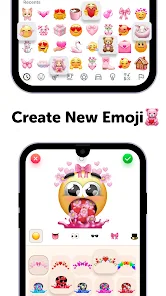
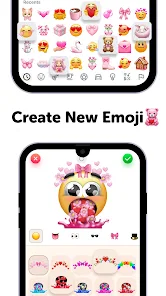
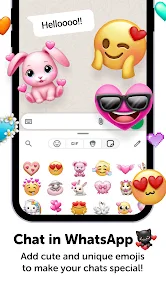
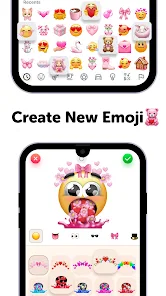
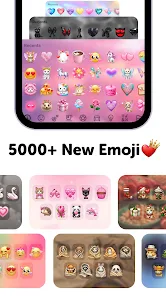
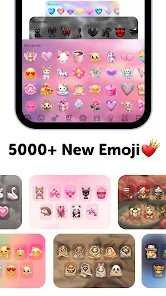
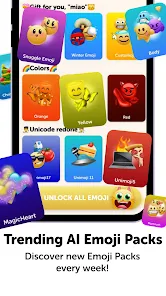
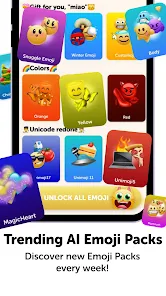
"Emoji Up Genmoji Sticker Maker" is a versatile application designed for users who want to create personalized stickers and emojis. One of its standout features is the user-friendly interface, which allows even beginners to navigate the app with ease. Users can choose from a wide array of templates and design elements, enabling them to craft unique stickers that reflect their personality or mood.
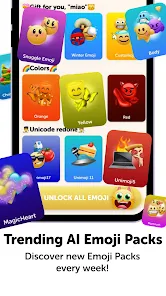
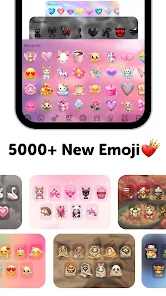
Another notable feature is the extensive library of emojis and graphics available within the app. This library is regularly updated, ensuring that users have access to the latest trends and styles. Additionally, the app supports various customization options, such as changing colors, adding text, and adjusting sizes, which enhances the creative process. Users can also save their creations in different formats, making it easy to share them across social media platforms or messaging apps.
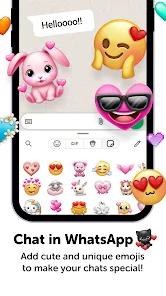
Furthermore, "Emoji Up Genmoji Sticker Maker" allows for easy integration with popular messaging applications, enabling users to send their custom stickers directly to friends and family. The app also includes a community feature where users can share their designs and get inspiration from others, fostering a creative environment. Overall, this app is perfect for anyone looking to express themselves through personalized digital art.
Using "Emoji Up Genmoji Sticker Maker" is a straightforward process that encourages creativity. To get started, download the app from your device's app store and open it. Upon launching the app, you will be greeted with a variety of templates and design options. Choose a template that resonates with your idea or start from scratch to unleash your creativity.
Once you have selected a template, you can customize it by adding different elements such as text, images, and stickers from the app's extensive library. The app provides intuitive tools for resizing, rotating, and adjusting colors, allowing you to create a design that is uniquely yours. After finalizing your sticker, you can save it to your device or share it directly through messaging apps or social media platforms.
Additionally, the app features a community section where you can explore designs created by other users. This can serve as inspiration for your own creations. If you want to revisit your designs later, the app allows you to save your projects for future editing. Overall, the user-friendly interface and diverse features make it easy for anyone to create and share their own stickers.
Like any application, "Emoji Up Genmoji Sticker Maker" has its advantages and disadvantages. One of the primary pros is its user-friendly interface, which makes it accessible for users of all skill levels. The extensive library of templates and design elements allows for a high degree of customization, enabling users to create unique stickers that reflect their personal style. Additionally, the app's integration with popular messaging platforms makes sharing creations seamless and convenient.
However, there are some cons to consider. Some users may find that the app occasionally lacks advanced features that professional designers might expect, such as more intricate editing tools or higher resolution outputs. Additionally, while the app is free to download, certain features may require in-app purchases, which could be a drawback for users looking for a completely free experience. Lastly, the community aspect, while beneficial for inspiration, may also lead to a saturation of similar designs, making it challenging for individual creativity to stand out.
In summary, "Emoji Up Genmoji Sticker Maker" is a fun and creative tool for making personalized stickers, but potential users should weigh its pros and cons to determine if it meets their needs.

 Create personalized emojis easily Wide variety of sticker options Intuitive user-friendly design Share directly to social media Regular updates with new features
 Limited customization options Occasional performance lags Limited sticker library size Inconsistent user interface
  Google Play
  App Store
 Yes, the app may offer in-app purchases for additional features, premium stickers, or design elements. However, there are plenty of free options available for users who prefer not to make purchases.
Yes, the developers regularly provide updates to improve functionality, add new features, and enhance the user experience. Make sure to keep the app updated for the best performance.
While the app may not have a built-in collaboration feature, you can share your sticker designs with friends and invite them to create their own stickers, allowing for a collaborative creative process outside the app.
Yes, you can share your stickers directly from the app to various social media platforms or messaging apps with just a few taps. This makes it convenient to showcase your custom creations to friends and family.
Once you've created and saved your stickers, you can use them in various messaging and social media applications that support sticker sharing, enhancing your communication with personalized designs.
You can reach customer service through the app's help section or by emailing support at support
Open the app, tap on "Login," and enter your registered email and password.
If needed, activation can be done via an email link sent to you upon purchase or subscription.
The customer number is typically found in the app's settings under "Contact Us" or "Help."