

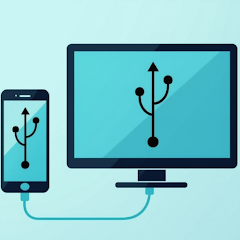


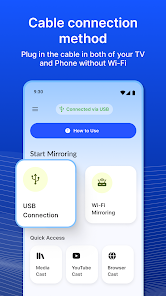
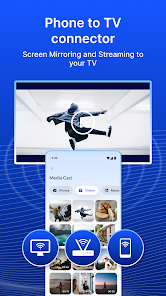
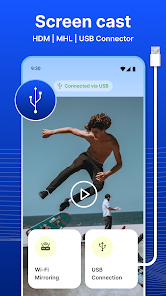
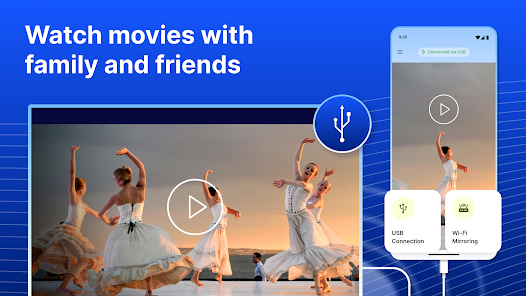
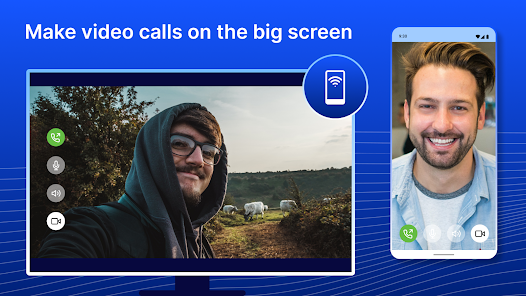
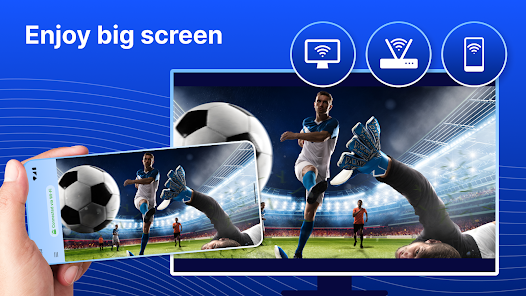
"USB Screen Share - Phone to TV" is a versatile application designed to enhance your viewing experience by allowing seamless connectivity between your smartphone and television. One of its standout features is the ability to mirror your phone's screen directly to your TV using a USB connection, eliminating the need for Wi-Fi or additional hardware. This ensures a stable and high-quality display without interruptions.
Another notable feature is its user-friendly interface, which simplifies the process of connecting devices. The app supports various file formats, enabling users to share videos, photos, and presentations effortlessly. Additionally, it offers customizable settings, allowing users to adjust resolution and aspect ratios to suit their preferences. The app is compatible with a wide range of smartphones and TVs, making it accessible to a broad audience. Furthermore, it provides real-time screen sharing, ensuring that any action taken on the phone is instantly reflected on the TV screen, making it ideal for gaming, streaming, or presentations.
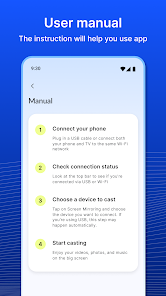
Using "USB Screen Share - Phone to TV" is a straightforward process that can be completed in just a few steps. First, ensure that both your smartphone and TV are powered on and ready for connection. Begin by downloading and installing the app on your smartphone from the appropriate app store. Once installed, connect your phone to the TV using a compatible USB cable.
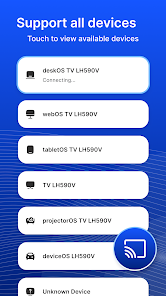
After connecting, open the app on your smartphone. The app will automatically detect the TV, and you will be prompted to select the screen-sharing option. Follow the on-screen instructions to establish the connection. Once connected, you can choose what content to share, whether it be photos, videos, or your entire screen. Adjust any settings as needed for optimal viewing. Finally, enjoy your content on the big screen, and remember to disconnect the USB cable when finished to ensure a clean exit from the app.
Like any application, "USB Screen Share - Phone to TV" comes with its own set of advantages and disadvantages. One of the primary pros is its ability to provide a stable connection without relying on Wi-Fi, which can be particularly beneficial in areas with poor internet connectivity. The app is also easy to use, making it accessible for users of all technical skill levels. Additionally, the high-quality display and real-time mirroring enhance the overall viewing experience, whether for gaming, streaming, or presentations.
On the downside, the app's reliance on a USB connection may limit mobility, as users must remain close to the TV. Furthermore, compatibility issues may arise with certain devices, potentially restricting its usability for some users. The app may also have limitations in terms of supported file formats, which could hinder sharing specific types of content. Lastly, while the app is generally user-friendly, some users may encounter initial setup challenges, particularly if they are unfamiliar with USB connections. Overall, weighing these pros and cons can help users determine if this app meets their needs.

 Experience seamless sharing Effortlessly connect devices High-quality screen mirroring Supports various formats User-friendly interface design No additional hardware needed
 Limited device compatibility Requires USB OTG support Potential lag during streaming No wireless connection option
  Google Play
  App Store
 No, the USB Screen Share app primarily allows you to display content from your phone to the TV, but you cannot control your phone directly from the TV. You will need to use your phone to navigate through apps and content while it is being displayed on the larger screen.
Yes, you can use the app to mirror games from your phone to the TV. This allows for a larger and immersive gaming experience. However, keep in mind that performance may depend on the game's graphics and your phone's processing power. Always ensure your phone is charged and connected securely to avoid interruptions during gaming sessions.
Generally, you do not need any additional hardware if your TV has a USB port and supports screen sharing. However, some older TV models may require an HDMI adapter or a separate USB to HDMI converter to facilitate the connection. Always check your TV’s specifications to ensure compatibility.
To connect your phone to the TV using the app, first, ensure that both your phone and TV support USB connections. Download and install the USB Screen Share app on your phone. Connect your phone to the TV using a compatible USB cable. Open the app, and follow the on-screen instructions to establish a connection and start mirroring your screen.
The USB Screen Share app is compatible with most modern smartphones, including those running Android and iOS. However, compatibility may vary based on the specific phone model and the version of the operating system. It's recommended to check the app's requirements in the app store for your specific device.
You can reach customer service by calling our support number listed in the app settings or visiting our website's contact page.
To activate, simply connect your phone to the TV using a USB cable, open the app, and follow the on-screen instructions to complete activation.
Open the app and enter your registered email and password. If you don't have an account, you can create one directly from the login screen.
Yes, the customer support number is available in the app under the ‘Help’ section or on our official website.























