

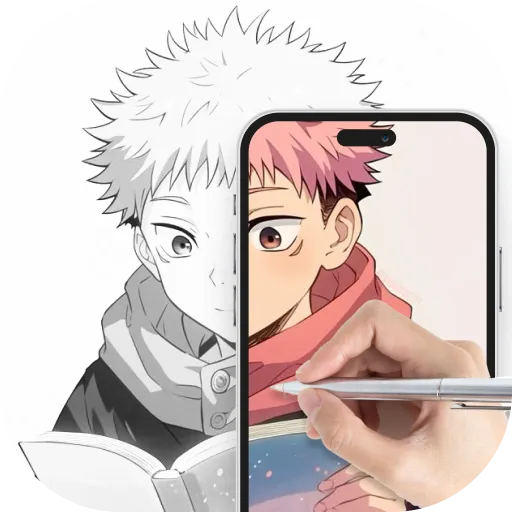


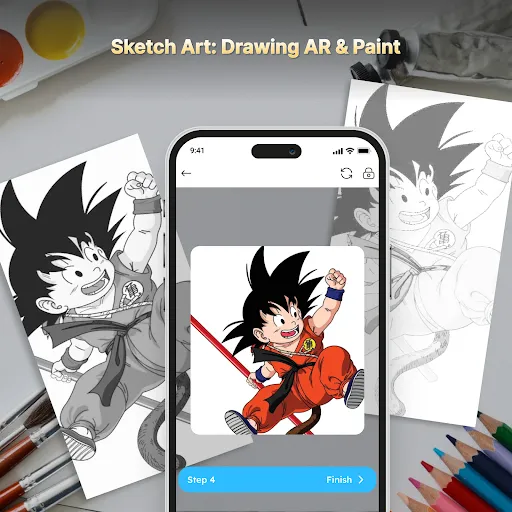
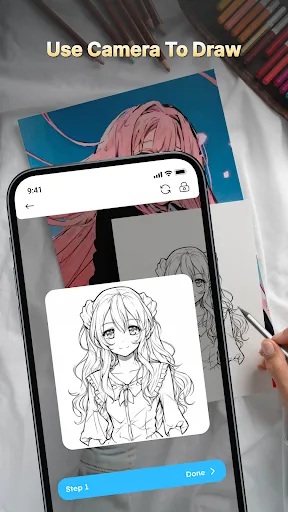
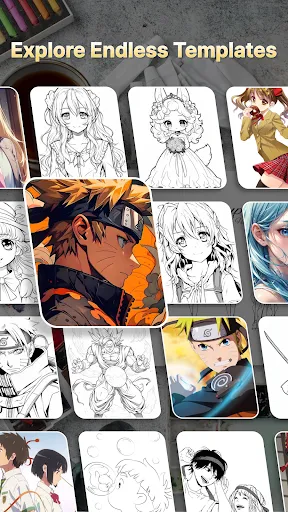
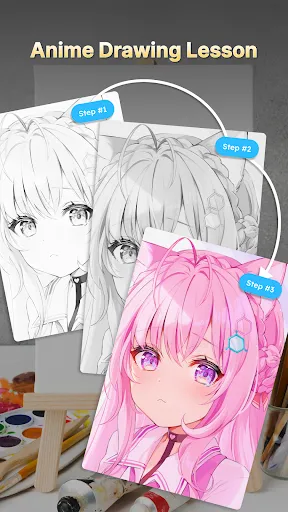
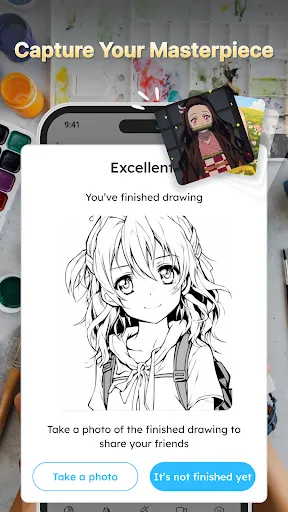
Sketch Art: Drawing AR & Paint is an innovative application that combines traditional drawing techniques with augmented reality technology. One of its standout features is the ability to create realistic sketches by utilizing AR overlays, allowing users to see their drawings in a three-dimensional space. This feature enhances creativity and provides a unique perspective on the artwork being created. Furthermore, the app includes a variety of tools such as brushes, pens, and colors, enabling artists to choose from different styles and effects. Users can also import images to trace over or use as inspiration, which is particularly useful for beginners looking to develop their skills. The app supports various resolution settings, ensuring that the artwork can be saved in high quality for sharing or printing. Additionally, Sketch Art offers a social platform where users can share their creations with a community of artists. This feature fosters collaboration and gives users the opportunity to receive feedback, enhancing their artistic journey. Overall, Sketch Art: Drawing AR & Paint is a comprehensive tool for both amateur and professional artists seeking to explore new dimensions in their artwork. Using Sketch Art: Drawing AR & Paint is a straightforward process that can be enjoyed by users of all skill levels. To get started, download the app from your device's app store and create an account. Once you’re logged in, familiarize yourself with the interface, which is designed to be user-friendly and intuitive. Begin by selecting the type of project you want to create—whether it’s a blank canvas or an image to trace over. If you choose to work on a blank canvas, you can select from various tools like brushes, pens, and colors to start your drawing. For AR functionality, simply point your device's camera at a flat surface, and the app will project a virtual canvas where you can draw. This immersive experience allows you to visualize your artwork in an entirely new way. Once you’ve completed your piece, you can save it in different formats or share it directly to social media from the app. Remember to explore the community features, where you can share your artwork and connect with other artists for inspiration and feedback. Overall, using Sketch Art is both fun and educational, making it an excellent choice for anyone looking to enhance their drawing skills. Sketch Art: Drawing AR & Paint comes with a range of advantages that make it an appealing choice for artists. One of the primary pros is its integration of augmented reality, which allows users to visualize their artwork in a three-dimensional space. This unique feature can significantly enhance creativity and provide fresh perspectives on drawing techniques. Additionally, the app offers a wide variety of tools and customization options, enabling users to experiment with different styles and effects. On the downside, some users may find that the learning curve can be steep, particularly for those unfamiliar with AR technology or digital drawing. Beginners might require some time to fully understand all the features and tools available. Furthermore, the app may have performance issues on older devices, affecting the overall user experience. Lastly, while the community features are beneficial, they may also expose users to criticism, which could be discouraging for some artists. In conclusion, Sketch Art: Drawing AR & Paint is a powerful tool that combines traditional drawing with modern technology, offering a rich experience for both novice and experienced artists. While it has its drawbacks, the benefits often outweigh them, making it a valuable addition to any artist's toolkit.Features of Sketch Art: Drawing AR & Paint
How to Use Sketch Art: Drawing AR & Paint
Pros & Cons of Sketch Art: Drawing AR & Paint

 Enhances creativity with intuitive drawing tools and vibrant colors. Offers augmented reality features for immersive art experiences. User-friendly interface suitable for both beginners and experienced artists. Provides a variety of brushes and textures for diverse artistic styles. Allows easy sharing and collaboration on artistic projects with others.
 Limited brush options may hinder creative expression. High device requirements can restrict accessibility for some users. Frequent updates can disrupt user experience and workflow. Potential performance issues with complex designs may lead to frustration.
  Google Play
  App Store
 Yes, Sketch Art: Drawing AR & Paint may collect personal data as outlined in its privacy policy. Users are encouraged to review the policy to understand what data is collected and how it is used.
Yes, Sketch Art: Drawing AR & Paint offers a free version with limited features, as well as a free trial for its premium subscription, allowing users to explore additional tools and functionalities.
No, Sketch Art: Drawing AR & Paint can be used offline, allowing you to create and edit your artwork without needing an internet connection. However, some features may require internet access for sharing and updates.
You can contact support or send feedback for Sketch Art: Drawing AR & Paint through the app's support section, which provides options for emailing the support team or accessing a help center for assistance.
You can manage or cancel your Sketch Art: Drawing AR & Paint subscription through your device's app store settings, where you can find options for subscription management. Detailed instructions are also available within the app's help section.
You can reach our customer service via the app's support section or email us at support
To activate premium features, go to the 'Settings' menu, select 'Upgrade', and follow the prompts to complete your purchase.
Launch the app and tap on 'Log In'. Enter your email and password associated with your account to access your profile.
Our customer number is available in the app under the 'Help' section. Please refer to that for any support requests.




















