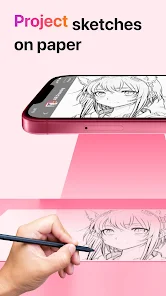





The AR Drawing: Sketch & Paint App offers a range of exciting features that allow users to unleash their creativity and create stunning augmented reality artwork. One of the key features of this app is the ability to draw and paint in 3D space using augmented reality technology. Users can use their device's camera to capture their surroundings and then use the app's tools to draw and paint on top of the real world. Another notable feature of this app is the wide variety of brushes and colors available. Users can choose from a range of different brush styles, including pencils, markers, and paintbrushes, and can select from a vast color palette to bring their artwork to life. The app also offers various brush settings, such as opacity and size, allowing for precise control over the drawing process. Additionally, the AR Drawing: Sketch & Paint App includes a selection of special effects and filters that can be applied to artwork. Users can add textures, shadows, and highlights to their drawings, as well as apply filters to create unique and visually stunning effects. The app also allows for easy sharing of artwork on social media platforms, making it simple to showcase and receive feedback on creations. Using the AR Drawing: Sketch & Paint App is a straightforward and intuitive process. After downloading and installing the app, simply open it on your device. The app will prompt you to grant camera access, as it requires the camera to function properly. Once the app is open, you can start drawing and painting by selecting the desired brush and color from the toolbar. To draw in augmented reality, point your device's camera at a suitable surface and start creating your artwork. You can move around and explore different angles to enhance your drawing experience. To apply special effects and filters, simply navigate to the effects menu and choose the desired effect. You can adjust the intensity and settings of the effect to achieve the desired result. Once you are satisfied with your artwork, you can save it to your device or share it directly on social media platforms. Pros: - The app offers a unique and immersive drawing experience through augmented reality technology. - A wide variety of brushes, colors, and effects are available, allowing for endless creative possibilities. - The app is user-friendly and easy to navigate, making it suitable for both beginners and experienced artists. - The ability to share artwork on social media platforms enables users to showcase their creations and receive feedback from others. Cons: - The app may require a device with a powerful processor and camera capabilities to function optimally. - Some users may find the learning curve of using augmented reality technology challenging. - The app may have limited features compared to traditional drawing and painting software.Features of AR Drawing: Sketch & Paint App
How to Use AR Drawing: Sketch & Paint App
Pros & Cons of AR Drawing: Sketch & Paint App

 Experience an immersive drawing environment that enhances creativity and inspiration. Effortlessly visualize your art in 3D space for enhanced perspective. Utilize a variety of tools and colors to bring your ideas to life. Share your creations instantly with friends and social networks for feedback. Enjoy a user-friendly interface designed for artists of all skill levels.
 Limited precision can hinder detailed artwork creation. Requires compatible devices, restricting user accessibility. Learning curve may deter beginners from fully enjoying the app.
 Yes, the app includes a feedback feature where users can submit suggestions, report issues, or share their experiences directly with the development team.
The app may collect certain user data for functionality and improvement purposes, but it adheres to privacy policies to protect user information.
Yes, users can access certain features and create art offline, but some functionalities may require an internet connection.
Users can cancel their subscription through the app store settings on their device or by following the instructions provided within the app.
Subscription pricing may vary, but typically it offers monthly and annual plans to access premium features at a competitive rate.
Customer numbers are unique and cannot be changed. For any concerns, please reach out to customer service.
Yes, you can log in using your Facebook or Google account if you linked them during registration.
You can reach our customer service by emailing support
To activate your account, check your email for a confirmation link and click on it to complete the process.
Click on the "Forgot Password" link on the login page, and follow the instructions to reset it.











 Google Play
  App Store