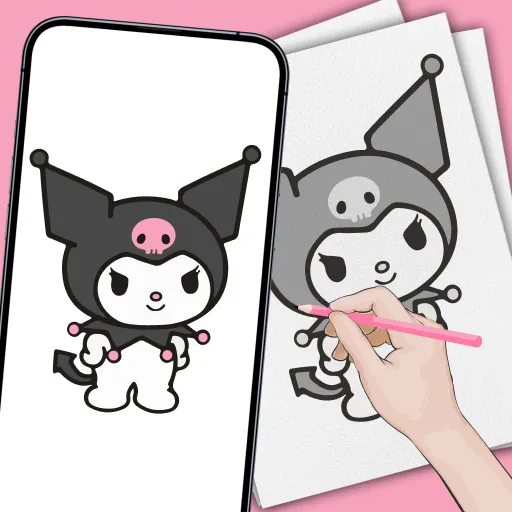
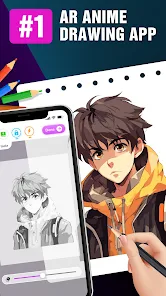
The "Draw Anime - AR Tracing App" is designed to enhance the drawing experience for anime enthusiasts and aspiring artists. One of its standout features is the augmented reality (AR) tracing capability, which allows users to overlay reference images directly onto their drawing surfaces. This feature helps in accurately capturing proportions and details, making it easier for users to replicate their favorite anime characters.
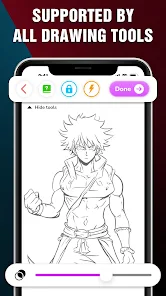
Additionally, the app offers a variety of customizable brushes and tools that cater to different artistic styles, enabling users to create unique artwork. The user-friendly interface is another highlight, making it accessible for both beginners and experienced artists. The app also includes a library of tutorials and tips, guiding users through various techniques and styles in anime drawing. Furthermore, users can save their progress and share their creations with a community of fellow artists, fostering collaboration and feedback.
Overall, the "Draw Anime - AR Tracing App" combines innovative technology with artistic tools, making it a valuable resource for anyone looking to improve their anime drawing skills.
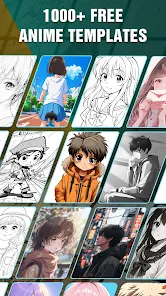
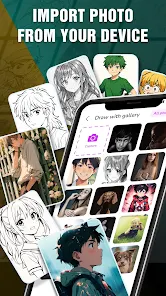
Using the "Draw Anime - AR Tracing App" is a straightforward process that allows users to dive into the world of anime drawing with ease. First, download and install the app from your device's app store. Once installed, open the app and create an account or log in to access its features. Begin by selecting a reference image from the app's library or upload your own image that you wish to trace.
Next, position your device's camera over the drawing surface where you want to create your artwork. The AR feature will project the reference image onto your surface, allowing you to trace the outlines accurately. Use the various brushes and tools available in the app to add details, colors, and textures to your drawing. As you work, you can save your progress and revisit your artwork at any time. Finally, once you are satisfied with your creation, share it with the community or export it to your device for personal use.
This intuitive process makes the app an excellent choice for both beginners and seasoned artists looking to refine their skills.
The "Draw Anime - AR Tracing App" comes with several advantages that make it appealing to users. One of the primary pros is its innovative AR tracing feature, which significantly aids in achieving accurate proportions and details in drawings. The app's extensive library of brushes and tools allows for a high degree of customization, catering to various artistic preferences. Additionally, the community aspect encourages sharing and receiving feedback, which can be invaluable for growth as an artist.
However, there are some drawbacks to consider. The app may require a stable internet connection for certain features, which could be a limitation for users in areas with poor connectivity. Some users might also find the learning curve steep, especially if they are not familiar with digital drawing tools. Furthermore, while the app is designed for anime drawing, it may not cater to other art styles as effectively. Overall, while the app offers numerous benefits, potential users should weigh these pros and cons based on their individual needs and preferences.
In conclusion, the "Draw Anime - AR Tracing App" is a powerful tool for anime artists, but it is essential to consider both its strengths and limitations before diving in.

 Draw Anime - AR Tracing App offers a unique experience for aspiring artists. Effortless tracing with AR tech. Enhance your drawing skills easily. Discover a vast library of templates. Share your creations with friends. Perfect for all skill levels!
 Limited drawing styles available Steep learning curve for beginners Inconsistent tracing accuracy Requires good lighting conditions
  Google Play
  App Store
 Yes, the app includes a variety of tutorials designed to help users improve their drawing skills. These tutorials cover different techniques, styles, and character designs to enhance the learning experience.
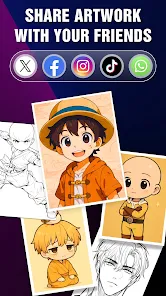
Yes, users can save their completed artwork directly within the app and share it on social media platforms or with friends. The app typically includes options to export images in various formats for easy sharing.
Currently, the app primarily focuses on its curated library of anime characters and templates. However, future updates may include features that allow users to import their own images for tracing. Always check for the latest updates for new features.
Yes, the Draw Anime - AR Tracing App aims to support a diverse user base, and it includes multiple language options. You can usually change the language settings in the app’s menu.
The AR tracing feature uses your device's camera to overlay anime character outlines onto your physical drawing surface. Users can simply position their device to see the outlines, which they can trace over with their drawing tools, helping them to replicate the shapes and proportions accurately.
You can reach customer service through the app's help section or visit our website for support options.
The customer service number is listed in the app's settings under "Contact Us."
Open the app, tap on the login option, and enter your credentials to access your account.
Yes, you can activate premium features by purchasing a subscription through the app's settings.