
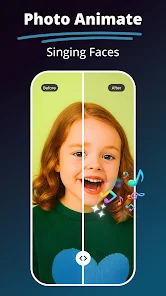






"MePic-AI Photo Editor, Video" is a versatile application designed to enhance your photo and video editing experience. One of its standout features is the AI-driven editing tools that allow users to automatically enhance images with just a single tap. This feature analyzes the photo and applies adjustments to brightness, contrast, and saturation, ensuring optimal results without requiring extensive editing skills.
Additionally, the app offers a wide range of filters and effects that can be applied to both photos and videos, allowing for creative expression. Users can also access advanced editing tools such as cropping, rotating, and resizing, making it easy to tailor images to specific dimensions. The app supports various formats, ensuring compatibility with different devices and platforms.
Another notable feature is the ability to create collages and slideshows, which is perfect for sharing memories on social media. The user-friendly interface makes navigation seamless, even for beginners. Furthermore, the app includes options for adding text and stickers, enabling users to personalize their creations further. Overall, "MePic" combines powerful editing capabilities with an intuitive design, making it a go-to choice for photo and video enthusiasts.
Using "MePic-AI Photo Editor, Video" is straightforward, making it accessible for users of all skill levels. To get started, download the app from your device's app store and install it. Once opened, you can either select an existing photo or video from your gallery or capture a new one directly through the app.
After selecting your media, you will be presented with a variety of editing options. For quick enhancements, utilize the AI auto-edit feature, which will automatically adjust your image for optimal quality. If you prefer manual adjustments, explore the editing tools available, such as filters, cropping, and text addition. Simply tap on the desired tool, make your adjustments, and preview the changes in real-time.
Once you are satisfied with your edits, save your work to your device or share it directly to social media platforms. The app also allows you to create collages and slideshows, which can be done by selecting multiple images and choosing a layout. With its intuitive interface and comprehensive features, "MePic" makes photo and video editing a fun and creative process.
"MePic-AI Photo Editor, Video" comes with several advantages that make it appealing to users. One of the primary pros is its AI-driven editing capabilities, which simplify the editing process and yield impressive results with minimal effort. The app's extensive library of filters and effects allows for creative freedom, enabling users to produce unique and visually appealing content. Additionally, the user-friendly interface ensures that even those new to photo editing can navigate the app with ease.
However, there are some drawbacks to consider. Some users may find that the app's advanced features require a learning curve, particularly if they are accustomed to more traditional editing software. Additionally, while the free version offers a range of tools, certain premium features may require in-app purchases, which could be a deterrent for budget-conscious users. Lastly, the app's performance may vary depending on the device, with some users reporting slower processing times on older models. Overall, while "MePic" has its limitations, its strengths make it a valuable tool for photo and video editing enthusiasts.

 MePic – AI Photo Editor, Video app offers a range of powerful features to enhance your creative experience. Enjoy seamless photo editing with advanced AI tools that simplify the process. Create stunning videos using intuitive editing features designed for everyone. Access a vast library of filters and effects to personalize your content. Share your masterpieces effortlessly on social media platforms. Experience a user-friendly interface that makes editing fun and easy!
 Limited editing tools available User interface can be confusing Slow performance on older devices Frequent ads disrupt usage
  Google Play
  App Store
 Yes, MePic provides tutorials and guides within the app to help users understand how to utilize its features effectively, making it easier for beginners to get started.
Yes, MePic allows you to share your edited creations directly to social media platforms or save them to your device's gallery for sharing later.
Yes, MePic includes video editing capabilities, allowing users to trim, merge, and apply effects to their videos. You can also add audio and text overlays to enhance your video projects.
Yes, MePic supports high-resolution exports for both photos and videos, ensuring that your edited content maintains quality when shared or printed.
The AI technology in MePic analyzes your photos and videos to suggest enhancements, apply filters automatically, and assist in tasks like background removal, making the editing process faster and easier.
You can reach customer service by visiting the app’s settings and selecting “Contact Us” or through the official website.
Open the app and tap the “Login” button. Enter your registered email and password, then click “Submit.”
Activation may not be necessary. If prompted, follow the on-screen instructions or check your email for an activation link.
The customer support number is typically listed in the app under the “Help” section or on the official website.