




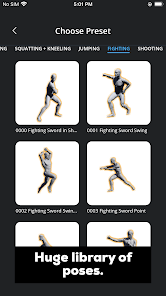

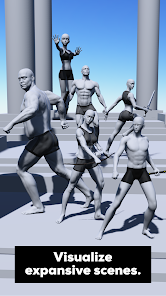
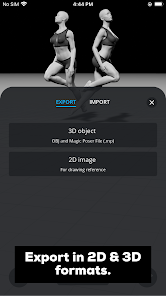



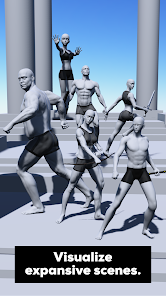


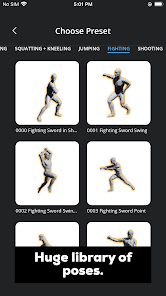





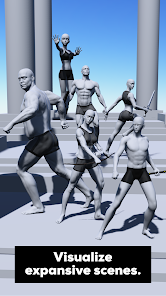

Magic Poser is an app designed to help artists create poses for their artwork. It is a 3D character posing tool that allows users to quickly and easily create poses for their artwork. The app features a library of 3D characters and props, as well as a variety of tools to help users create the perfect pose. With Magic Poser, users can adjust the position, size, and angle of the characters and props, as well as add clothing and accessories. The app also features a variety of lighting options, allowing users to create the perfect atmosphere for their artwork. Magic Poser is a great tool for artists of all skill levels, allowing them to quickly and easily create poses for their artwork.
The app comes with a wide variety of features that make it easy to create amazing 3D character poses. Here are just a few of the many features available: If you're an artist, or even if you just like to doodle, you'll love Magic Poser. It's an app that allows you to create poses for your characters, without having to worry about drawing them yourself. When it comes to finding the right pose for your drawings, the Magic Poser app is a great tool to have in your arsenal. However, like all tools, it has its pros and cons. Let's take a look at some of the key points:Features and Functions
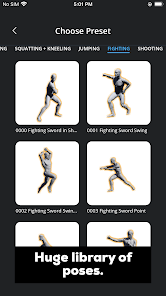
-A large library of high-quality 3D models: With Magic Poser, you'll have access to a library of over 24,000 high-quality 3D models. This means that you can find the perfect pose for any character, no matter what they look like.
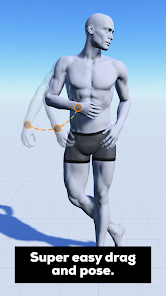
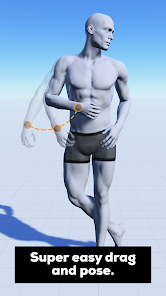
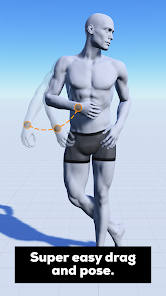
-Easy pose creation: The app makes it easy to create any pose that you can imagine. Simply drag and drop the various body parts into place and you're good to go.
-Precise control: You'll have precise control over every aspect of the character's pose, from the position of their arms and legs to the angle of their head. This ensures that you can create exactly the pose that you want.
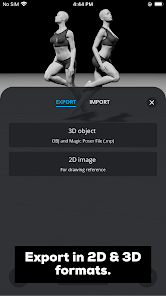
-Share your poses: Once you've created a pose that you're happy with, you can share it with others via social media or email.How to Use Magic Poser
To use Magic Poser, simply choose a character from the library and start poseding them. You can move their limbs around and change their expressions however you like. And if you need some inspiration, there are pose ideas included in the app.
Once you're happy with your pose, simply take a screenshot and save it to your device. You can then use it in your artwork, or share it with friends. So why not give Magic Poser a try today?Pros & Cons
PROS
- A wide variety of poses to choose from
- Easy to use interface
- Poses can be rotated and adjusted to get the perfect angle
- Save your favorite poses for easy access later
- FREE!
CONS
- Some users have reported crashing issues
- Limited number of free poses (you need to upgrade to unlock more)

 Magic Poser offers a user-friendly interface for easy navigation and quick access. It provides a vast library of customizable poses to enhance creativity. Users can adjust lighting and camera angles for realistic scene setups. The app supports 3D models, allowing detailed character visualizations. It is ideal for artists and designers seeking to improve their skills.
 Limited customization options for character poses can restrict artistic freedom. The app may experience performance issues on older devices, affecting usability. Some users find the interface unintuitive, complicating the learning curve for beginners.
  Google Play
  App Store
 Yes, users can submit feedback and suggestions through the app's support section or by contacting the developers directly via their website.
Magic Poser has a privacy policy in place and strives to protect user data; however, it may collect some information for app functionality and improvement purposes.
Yes, Magic Poser can be used offline, allowing users to create and reference poses without needing an internet connection.
Users can cancel their subscription through the app store settings on their device or within the app itself, depending on the platform they are using.
The subscription cost varies based on the plan chosen, but it typically includes options for monthly or yearly billing to access premium features and models.
Unfortunately, customer numbers are assigned and cannot be changed. If you have concerns, please contact customer service for help.
You can reach our customer service by emailing support
Log in to your account settings and navigate to the profile section to update your email. If you need help, contact customer service.
After signing up, check your email for an activation link. Click the link to activate your account.
Open the app or website, click on 'Log in', and enter your registered email and password.




















