




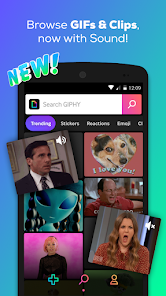

GIPHY is a popular online database and search engine for GIF files. The platform has been used by major brands and celebrities to increase their online presence and engage with fans. The app allows users to search for and share GIFs from its large library of images. It also offers a create feature, which lets users make their own GIFs. GIPHY is available for free on both iOS and Android devices.
Features of GIPHY App
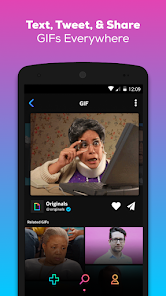
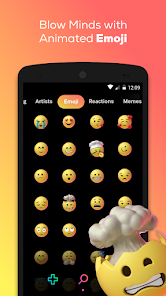
The GIPHY app is designed to provide users with a vast library of GIFs, stickers, and animated images that cater to various moods and situations. One of its standout features is the extensive search functionality, allowing users to find specific content by typing in keywords or phrases. Additionally, the app supports trending GIFs, so users can stay updated on the latest viral content. GIPHY also offers a user-friendly interface that simplifies the browsing experience, making it easy to navigate through categories or discover new GIFs.
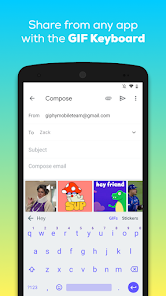
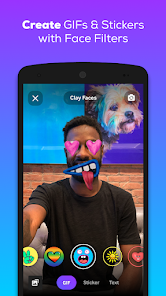
Another notable feature is the ability to create custom GIFs or stickers using the app's built-in tools. Users can upload their images, add text, and apply filters to personalize their creations. Furthermore, GIPHY allows easy sharing across social media platforms and messaging apps, enabling users to express themselves creatively in conversations. The app also integrates with various platforms, enhancing its accessibility and functionality. Overall, GIPHY combines entertainment and creativity, making it a popular choice for users looking to enrich their digital communication.
How to Use GIPHY App
Using the GIPHY app is straightforward and user-friendly, making it accessible even for those who are not tech-savvy. To start, download the app from the App Store or Google Play Store and install it on your device. Once open, you can explore the homepage, which showcases trending GIFs, stickers, and categories. To find specific content, use the search bar at the top of the screen to enter keywords or phrases related to what you want.
If you're interested in creating your own GIFs, tap on the create button, where you can upload images or videos from your device. After that, you can edit your creation by adding text, stickers, or effects. Once your GIF is ready, you can save it and share it directly through social media or messaging apps. GIPHY also offers integration features that allow you to use GIFs seamlessly in apps like Instagram, WhatsApp, and Messenger. Exploring and sharing GIFs has never been easier!
Pros & Cons of GIPHY App
The GIPHY app offers numerous advantages that make it a popular choice for users seeking a fun and creative way to communicate. One of the primary pros is its extensive library of GIFs, which spans various categories, ensuring that users can find the perfect GIF for any occasion. Additionally, the app's user-friendly interface makes it easy to navigate and discover new content. The ability to create personalized GIFs adds a creative dimension, allowing users to express themselves uniquely.
However, there are some drawbacks to consider. One con is that, while the app provides a vast array of content, users may occasionally encounter GIFs that are not suitable for all audiences. Moreover, the app requires an internet connection to access its full features, which can be a limitation in areas with poor connectivity. Lastly, some users have reported that the app can be slow to load GIFs at times. Overall, while GIPHY has its downsides, its benefits often outweigh the negatives, making it a valuable tool for digital communication.

 Access a vast library of GIFs, stickers, and clips for every occasion. Enhance your conversations with fun and expressive visual content. Easily shareable across multiple social media platforms and messaging apps. User-friendly interface makes finding the perfect GIF quick and easy. Create personalized GIFs and stickers to add a unique touch to your messages.
 Limited search functionality makes finding specific content challenging. Ads can disrupt user experience and hinder navigation. Content ownership issues may lead to copyright concerns for creators.
  Google Play
  App Store
 Yes, users can submit suggestions or feedback through the app's support section or website, where they can share their thoughts directly with the GIPHY team.
Yes, GIPHY may collect personal data to enhance user experience, including usage data and preferences, but it follows privacy policies to protect user information.
The app requires an internet connection to access its full features, so offline use is limited. However, users can save GIFs and stickers for offline viewing in their device's gallery.
To cancel a subscription, users can go to their device's settings or app store account settings and follow the prompts to manage subscriptions.
The app typically offers a free version, and any subscription details or pricing for premium features can vary, so it's best to check within the app for the most current information.
Unfortunately, customer numbers cannot be changed. If you have concerns, please contact customer service for support.
Check your email for the activation link from GIPHY and click on it to activate your account.
You can reach GIPHY customer service through the help section on their website or by emailing support
Click on the "Forgot Password?" link on the login page to reset your password via email.
To log in, visit the GIPHY website and click on the "Log In" button. Enter your email and password to access your account.


















