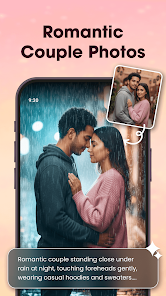
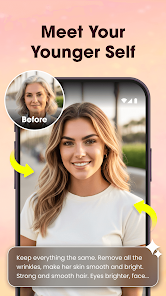
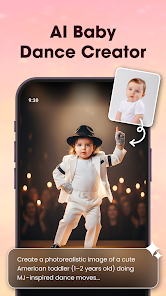
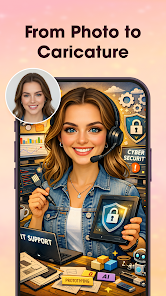

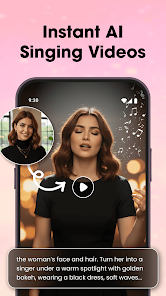
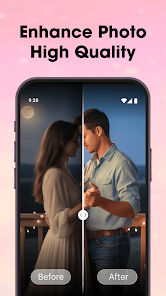

"Photo Editor Video Maker Music" is a versatile application designed for users who want to enhance their photos and create engaging videos. One of its standout features is the comprehensive photo editing toolkit, which includes filters, effects, and customizable text options. Users can easily adjust brightness, contrast, and saturation to achieve the desired look for their images. Additionally, the app supports various formats, allowing for seamless integration of photos and videos.
Another notable feature is the video creation capability, where users can compile their photos into a slideshow or video montage. The app offers a selection of music tracks to accompany the visuals, enhancing the overall experience. Users can also add transitions and animations to make their videos more dynamic. Furthermore, the user-friendly interface ensures that even beginners can navigate the app with ease, making it accessible for everyone. Overall, "Photo Editor Video Maker Music" combines powerful editing tools with creative video-making features, making it a popular choice among content creators.
Using "Photo Editor Video Maker Music" is straightforward and user-friendly. To get started, download and install the app from your device's app store. Once installed, open the app and choose whether you want to edit a photo or create a video. For photo editing, select an image from your gallery, and you will be presented with various editing tools. You can apply filters, adjust colors, and add text or stickers to personalize your image.
If you wish to create a video, select the photos you want to include in your project. The app allows you to arrange them in your preferred order. After selecting your images, you can choose a background music track from the app's library or upload your own. You can also add transitions between photos to enhance the flow of the video. Once you are satisfied with your creation, simply save or share it directly to social media platforms. The intuitive design of the app makes it easy for users of all skill levels to produce stunning visual content.
"Photo Editor Video Maker Music" comes with several advantages that make it appealing to users. One of the primary pros is its comprehensive set of features that cater to both photo editing and video creation. The app is designed with a user-friendly interface, making it accessible for beginners and experienced users alike. Additionally, the variety of filters, effects, and music options allows for a high degree of customization, enabling users to create unique content that stands out.
However, there are some drawbacks to consider. Some users have reported that the app can be resource-intensive, leading to slower performance on older devices. Additionally, while the free version offers a good range of features, some advanced tools and music tracks may require in-app purchases, which could be a limitation for users on a budget. Overall, while "Photo Editor Video Maker Music" is a powerful tool for creative expression, potential users should weigh these pros and cons before diving in.

 Elevate your creativity today! Effortless photo editing tools! Stunning video creation features! Add music to your masterpieces! User-friendly interface for all! Share your art with ease!
 Limited editing tools available Occasional performance issues User interface can be confusing Ads may disrupt user experience
  Google Play
  App Store
 The app may offer some features for free, but certain advanced tools, filters, or templates might require in-app purchases or a subscription for full access. Users should check the app's details in the store for specific pricing information.
Yes, the app offers a range of pre-set templates that users can choose from to streamline the video creation process, helping them to create visually appealing videos quickly and easily.
Yes, users can go back and edit their videos even after they have been created. This allows for ongoing adjustments and improvements to ensure the final product meets their expectations.
Yes, users can share their edited photos and created videos directly from the app to various social media platforms, emails, or messaging apps, making it easy to showcase their work.
Yes, users can import their own music tracks into the Photo Editor Video Maker Music app to use in their video projects. This feature allows for greater creativity and personalization in the videos created.
You can reach customer service through the app's settings or visit the official website for support options.
Open the app, select the login option, and enter your credentials or connect via social media accounts.
Yes, you can activate premium features by purchasing a subscription within the app's settings menu.
The customer service number is typically found on the app's official website under the contact section.