

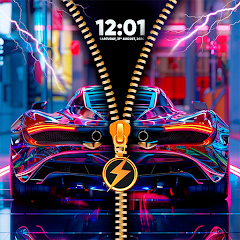


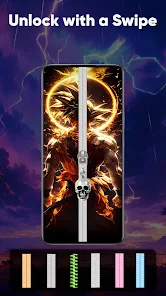
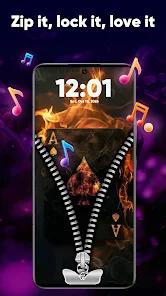
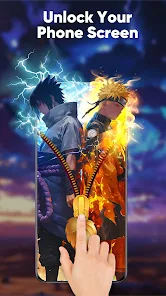
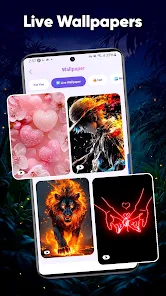
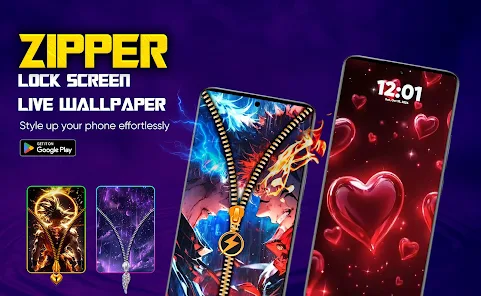
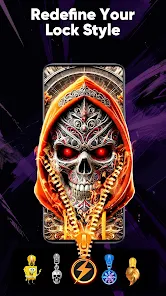
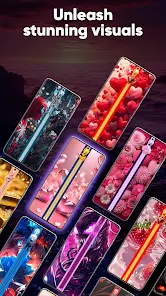
"Zipper Lock Screen & Wallpaper" offers a unique and interactive way to secure your device while providing a visually appealing interface. One of its standout features is the customizable zipper mechanism, allowing users to personalize the unlocking experience with various zipper styles and colors. This adds a fun twist to the traditional lock screen, making it more engaging.
Additionally, the app includes a wide range of wallpapers that users can choose from, ensuring that the lock screen reflects their personal style. Users can select from vibrant images, serene landscapes, or even their favorite characters. The app also supports the addition of custom images, giving users the freedom to showcase their own photos as backgrounds.
Another notable feature is the ability to set different themes, which can change the overall look and feel of the lock screen. The app is designed to be user-friendly, with simple navigation and easy setup. Furthermore, it provides options for notifications, allowing users to see alerts without unlocking their devices, enhancing convenience while maintaining security.
Using "Zipper Lock Screen & Wallpaper" is straightforward and user-friendly. First, download and install the app from your device's app store. Once installed, open the app and grant the necessary permissions for it to function correctly. The app will guide you through the initial setup process, where you can choose your preferred zipper style and wallpaper.
After selecting your desired options, you can customize the lock screen further by adjusting settings such as the zipper's speed and sound effects. Once you are satisfied with your choices, activate the lock screen feature within the app. This will replace your default lock screen with the new zipper interface.
To unlock your device, simply pull down the zipper, and your phone will be ready for use. You can also access notifications directly from the lock screen without needing to unlock your device fully. If you wish to make changes later, you can return to the app at any time to modify your settings or switch wallpapers and themes.
Like any application, "Zipper Lock Screen & Wallpaper" has its advantages and disadvantages. One of the primary pros is its unique and engaging unlocking mechanism, which adds a playful element to the user experience. The ability to customize wallpapers and themes allows users to express their individuality, making the app appealing to a wide audience. Additionally, the app is relatively easy to use, making it accessible for users of all ages.
However, there are some cons to consider. Some users may find the zipper unlocking mechanism less practical compared to traditional methods, especially in situations where quick access is needed. Additionally, the app may consume more battery life than standard lock screens, which could be a concern for users who prioritize battery efficiency. Furthermore, while the app offers a variety of customization options, some users may desire more advanced features or additional themes to choose from.
Overall, "Zipper Lock Screen & Wallpaper" provides a fun and customizable locking experience, but potential users should weigh the pros and cons based on their personal preferences and needs.

 Unlock your device with style! Choose from stunning wallpapers! Customize zipper styles easily! Enjoy smooth and quick access! Enhance your privacy securely!
 Limited customization options May slow down device performance Ads can be intrusive and annoying Not compatible with all devices
  Google Play
  App Store
 The app may offer additional features or premium themes that require in-app purchases. Users can enjoy basic features for free, but advanced customization options might come at a cost.
Yes, you can set a password or PIN for additional security. The zipper lock acts as a visual lock while the password or PIN provides an extra layer of protection for your device.
Yes, the app allows users to upload their own photos to be used as wallpapers. You can select images from your device's gallery and set them as your lock screen background.
The Zipper Lock Screen & Wallpaper app is designed to be efficient, but like any app that uses visuals, it may consume some battery. If you're concerned about battery usage, consider adjusting settings or limiting background processes.
To change the zipper lock screen settings, open the app and navigate to the settings menu. Here, you can adjust various options such as the zipper style, wallpaper, and additional features according to your preferences.
You can reach customer service by emailing support
You can log in using your registered email and password on the app's login screen.
Yes, you can activate premium features by purchasing a subscription through the app's settings menu.
The customer number is not publicly listed; please use the support email for assistance.























