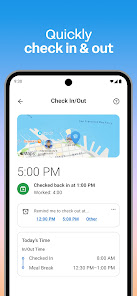
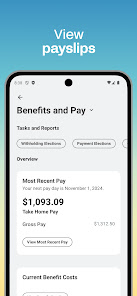
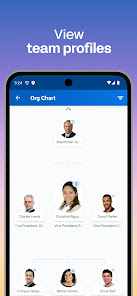
The current state of the workforce is changing faster than ever before. With more and more people working remotely, the traditional 9-to-5 workday is becoming a thing of the past. This has given rise to new types of work environments, as well as new ways to interact with employees. One such way is through mobile apps. Workday provides an app that helps employees manage their work schedules, communicate with coworkers, and track their progress. It's an essential tool for any modern workplace, and it can make your employees more efficient and productive. If you're looking for a mobile app that can help your business improve its operations, Workday is a great option to consider.
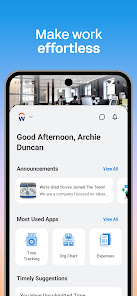
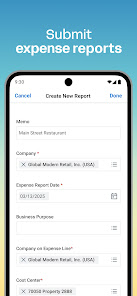
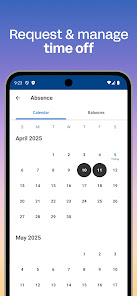
Workday App is a cloud-based Human Capital Management (HCM) solution that helps organizations manage their workforce. It offers a range of features to help organizations manage their employees, including: Workday App is a powerful and comprehensive HCM solution that helps organizations manage their workforce efficiently and effectively. It provides a range of features to help organizations manage their employees, including payroll management, time and attendance tracking, performance management, talent management, analytics and reporting, and security and compliance. Pros & Cons Workday Mobile APP Pros & Cons How to Use Workday App? To use the Workday app, follow these steps: Download the Workday app from the App Store or Google Play Store on your mobile device. Open the app and log in with your Workday username and password. Once you are logged in, you will see your personalized homepage, which displays information about your current work status, upcoming tasks and deadlines, and more. From your homepage, you can navigate to different sections of the app using the menu in the top left corner. To view and manage your personal information, such as your contact details and pay stubs, go to the "My Info" section. To view and manage your time off and absences, go to the "Time Off" section. To view and manage your tasks and projects, go to the "Tasks" section. To view and manage your company's financial information, go to the "Financials" section. Keep in mind that the specific features and options available in the Workday app may vary depending on your company's Workday configuration and your own role and permissions within the company. If you have any questions or need help using the app, you can contact your company's Workday administrator for assistance. Who shall Use Workday? Workday is a cloud-based human capital management and financial management software. It is typically used by businesses and organizations to manage their HR, payroll, and financial operations. Workday is designed to be user-friendly, and it can be used by HR and finance professionals, as well as other employees who need to access information from the system. Some of the key features of Workday include: Employee and manager self-service portals Time tracking and approval Payroll and benefits management Financial planning and reporting Talent management and succession planning Overall, Workday is a versatile tool that can be used by a wide range of businesses and organizations to manage their HR and financial operations. Features of Workday App
Pros:
-The app is easy to use and navigate.
-It has a wide range of features that make it a valuable workplace resource.
-The app keeps track of important dates and events, making it easier to stay organized.
Cons:
-Some users have criticized the app for being sluggish or glitchy.
-There are no built-in tools for tracking time or productivity metrics, which could be a limiting factor for some users.

 Streamlined HR processes enhance operational efficiency Real-time analytics support informed decision-making User-friendly interface improves employee engagement Flexible integrations adapt to diverse business needs Scalable solutions grow with your organization
 High implementation costs can strain budgets Limited customization options may hinder specific needs User interface can be complex for new users Frequent updates may disrupt workflow continuity
 Yes, Workday collects personal data as part of its functionality to manage HR and financial processes. This may include user information, employment history, and financial data, which is handled according to privacy policies and regulations.
Workday does not typically offer a free trial or a free version of its software. It is primarily offered through subscription-based plans tailored to the needs of businesses.
Yes, Workday is a cloud-based application, which means it requires an internet connection to access its features and functionalities.
You can contact Workday support through the application's help functionality or the support portal. Feedback can usually be submitted through the same channels or via your organization's designated support contact.
To manage or cancel your Workday subscription, you can typically contact your organization's Workday administrator or customer support for guidance, as subscription management is often handled at the organizational level.
You can activate your Workday account by following the link sent to your email during your onboarding process and creating a password.
You can reach Workday customer service through the support portal on their website or by calling the customer service number provided in your account settings.
To log in, enter your organization’s Workday URL in a web browser or the app, then input your username and password.
Your customer number can be found in your account settings or on any official communication from Workday regarding your subscription.











 Google Play
  App Store