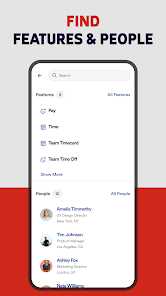
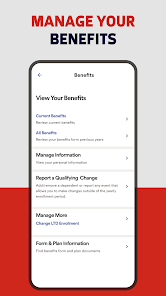
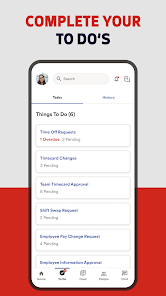
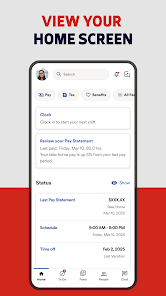
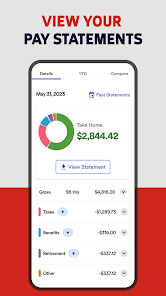
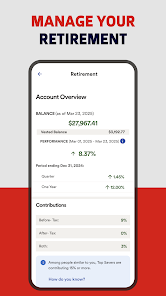
ADP Mobile Solutions is a mobile app that provides employees with secure access to their payroll information, including pay stubs, W-2s, and other important documents. The app also allows employees to manage their benefits, view their time off balances, and submit time off requests. Additionally, the app provides employers with the ability to manage their workforce, including tracking employee hours, approving time off requests, and managing employee profiles.
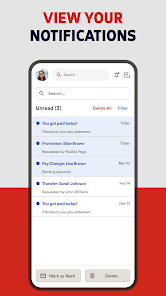
1. Secure Login: ADP Mobile Solutions offers secure login with biometric authentication, ensuring that only authorized users can access the app. 2. Real-Time Access: ADP Mobile Solutions provides real-time access to payroll, time and attendance, benefits, and other HR information. 3. Customizable Dashboard: ADP Mobile Solutions offers a customizable dashboard that allows users to quickly access the information they need. 4. Push Notifications: ADP Mobile Solutions sends push notifications to alert users of important updates and changes. 5. Mobile Payroll: ADP Mobile Solutions allows users to view and manage payroll information on the go. 6. Time and Attendance: ADP Mobile Solutions provides users with the ability to view and manage time and attendance information. 7. Benefits Management: ADP Mobile Solutions allows users to view and manage their benefits information. 8. HR Support: ADP Mobile Solutions provides users with access to HR support and resources. 1. Download the ADP Mobile Solutions app from the App Store or Google Play. 2. Log in using your ADP user ID and password. 3. Once logged in, you can view your pay stubs, manage your time off, and access other HR information. 4. You can also use the app to submit time off requests, view your benefits information, and access other HR resources. 5. You can also use the app to view your pay statements, manage your direct deposit information, and access other payroll information. 6. You can also use the app to view your W-2s, manage your tax withholding information, and access other tax information. 7. You can also use the app to view your company news, access company forms, and access other company resources. Pros: -Easy to use: ADP Mobile Solutions is designed to be user-friendly and intuitive, making it easy to access and manage payroll information on the go. -Secure: ADP Mobile Solutions is designed with security in mind, using the latest encryption technology to protect your data. -Comprehensive: ADP Mobile Solutions provides a comprehensive suite of features, including the ability to view and manage payroll information, access employee records, and more. -Flexible: ADP Mobile Solutions is available on both iOS and Android devices, making it easy to access and manage payroll information from any device. Cons: -Limited features: While ADP Mobile Solutions provides a comprehensive suite of features, it does not offer the same level of customization as other payroll solutions. -Cost: ADP Mobile Solutions is a paid service, and the cost can be prohibitive for some businesses. -Limited support: ADP Mobile Solutions does not offer the same level of customer support as other payroll solutions.Features
How to use ADP Mobile Solutions Mobile App?
Pros & Cons

 Access your payroll information anytime, anywhere for ultimate convenience. Stay updated with real-time notifications for important pay events. Easily manage time-off requests and approvals directly from your device. View and download pay stubs and tax documents with just a few taps. Securely update personal information to ensure accuracy and compliance.
 Limited offline functionality can hinder access to important information. User interface may be confusing for some users, leading to frustration. Occasional syncing issues can result in outdated or missing data.
 Yes, users can submit feedback and suggestions through the app or by contacting ADP customer support directly.
Yes, the app collects personal data to provide services, but it prioritizes user privacy and data security in accordance with applicable laws.
While some features may be accessible offline, the app primarily functions online to ensure real-time data updates and access.
To cancel a subscription, users should contact their employer's HR department or the ADP customer support team for assistance.
The cost of a subscription varies depending on the employer's plan and the services offered; users should check with their HR department for specific pricing.
Yes, you can activate your account by following the activation link sent to your email after registration.
You can reach customer service by calling the support number listed on the ADP website or through the app's help section.
Your customer number is not displayed in the app; please contact customer service to obtain it.
To update your customer information, log in to the app and navigate to the profile or settings section. Follow the prompts to make changes.
Open the app, enter your user ID and password, and tap "Log In" to access your account.











 Google Play
  App Store