



An Uninterruptible Power Supply (UPS) is a vital device that offers several essential features to ensure the stability and reliability of electrical power. One of the primary features is battery backup, which provides power during outages, allowing users to save their work and shut down devices safely. Additionally, UPS systems often include surge protection, which safeguards connected equipment from power surges and voltage spikes, extending the lifespan of devices. Another key feature is power conditioning. UPS units help to regulate voltage fluctuations, ensuring that connected devices receive a steady and reliable power supply. This is particularly crucial for sensitive electronic equipment, such as computers and servers. Many UPS models also come with monitoring software that provides real-time data on battery health, power load, and runtime estimates, giving users valuable insights into their power management needs. Furthermore, modern UPS systems can have network management capabilities, allowing remote monitoring and control via a web interface. This feature is particularly useful for businesses to manage multiple devices across different locations. Some UPS units can even integrate with other power management systems, providing a comprehensive solution for energy efficiency and downtime prevention. Using an Uninterruptible Power Supply (UPS) effectively involves several steps to ensure optimal performance and protection for your devices. First, select a UPS that meets your power requirements based on the total wattage of the devices you intend to connect. Once you have your UPS, place it in a well-ventilated area to prevent overheating. Plug the UPS into a wall outlet and turn it on, following the manufacturer’s instructions. Next, connect your critical devices to the UPS. This typically includes computers, servers, and networking equipment. Ensure that you use the battery backup outlets for devices that need uninterrupted power and reserve surge-only outlets for less critical devices. It’s also important to monitor the UPS regularly. Many models come equipped with software that can alert you to battery health and power usage, allowing you to make necessary adjustments as needed. Finally, test the UPS periodically by simulating a power outage to ensure it functions as expected. Additionally, keep the UPS battery charged and replace it according to the manufacturer's recommendations to maintain optimal performance. By following these steps, you can maximize the effectiveness of your UPS, ensuring your devices remain powered during outages and protected from surges. An Uninterruptible Power Supply (UPS) has several advantages that make it an invaluable component in both home and business setups. One of the most significant pros is its ability to provide uninterrupted power during outages, allowing users to save their work and prevent data loss. Additionally, UPS systems offer surge protection, which shields electronic devices from voltage spikes, ultimately extending their lifespan. Another advantage is power conditioning, which helps stabilize voltage levels, ensuring that sensitive equipment operates efficiently and without disruption. However, there are also drawbacks to consider. One of the primary cons is the initial cost, as quality UPS systems can be expensive. Additionally, the battery life of a UPS is limited; batteries must be replaced periodically to maintain functionality, which can lead to ongoing maintenance costs. Furthermore, UPS units can take up valuable space, particularly in environments with limited room. They also have a finite runtime, meaning they can only support devices for a limited period during a power outage, depending on the load. In summary, while a UPS provides essential benefits such as power backup and surge protection, it also comes with drawbacks like cost and maintenance requirements. Weighing these pros and cons can help users make informed decisions about investing in a UPS system for their power management needs.Features of UPS
How to Use UPS
Pros & Cons of UPS

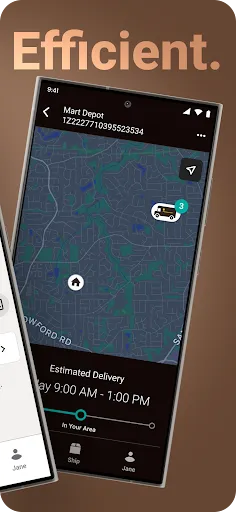
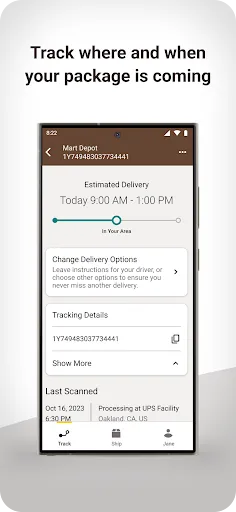
 Reliable delivery ensures your packages arrive on time, every time. Global reach connects you to customers worldwide effortlessly. Advanced tracking technology keeps you informed about your shipment's status. Flexible shipping options cater to diverse business needs and budgets. Excellent customer support assists you with any shipping inquiries promptly.
 Higher upfront costs can strain budgets for small businesses Limited delivery options may restrict customer choices Package tracking can be less reliable during peak seasons
  Google Play
  App Store
 Yes, users can submit suggestions or feedback through the app or via the UPS website's customer service section.
Yes, the UPS app collects personal data to provide services, process shipments, and enhance user experiences, in accordance with their privacy policy.
The UPS app requires an internet connection for most of its functionalities, but some basic features may be accessible offline.
Since the UPS app does not have a subscription model, there is no cancellation process. Users can simply stop using the app at any time.
The UPS app does not require a subscription fee; however, users may incur charges for shipping services or special features.
Yes, you can update your account information in the account settings after logging in.
No, you need to contact UPS customer service to update your customer number.
You can reach UPS customer service by calling their hotline or using the chat option on their website.
To activate your UPS account, follow the link in the activation email you received after registration, or contact customer service for help.
You can call UPS customer service or use the online chat feature for immediate assistance regarding your shipment.