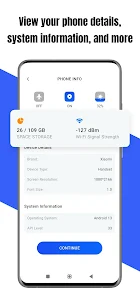
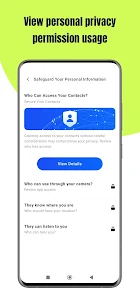
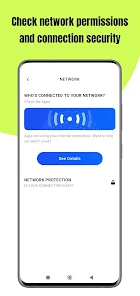
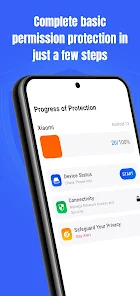
"Permission Guard" is a robust application designed to enhance user privacy and control over app permissions. One of its standout features is the ability to monitor and manage permissions granted to various applications on a device. Users can easily view which apps have access to sensitive data, such as location, contacts, and camera, allowing for informed decisions about privacy.
Another key feature is the customizable permission settings, enabling users to grant or revoke permissions on a per-app basis. This granular control helps in minimizing the risk of data breaches and unauthorized access. Additionally, "Permission Guard" provides real-time alerts when an app attempts to access sensitive information, ensuring users are always aware of their data usage.
The app also includes a user-friendly interface that simplifies navigation and management of permissions. With regular updates, "Permission Guard" stays current with the latest security practices, offering users peace of mind. Overall, its comprehensive features make it an essential tool for anyone looking to safeguard their personal information on mobile devices.
Using "Permission Guard" is straightforward and user-friendly, making it accessible for individuals of all tech-savviness levels. To get started, download and install the app from your device's app store. Once installed, open the application, and you will be greeted with a dashboard displaying all installed apps along with their respective permissions.
To manage permissions, simply select an app from the list. You will see a detailed breakdown of the permissions it has requested. From here, you can easily toggle permissions on or off according to your preferences. If you wish to receive alerts for specific apps, enable the notification feature within the settings menu.
Additionally, "Permission Guard" offers a tutorial for first-time users, guiding them through the various features and settings. Regularly review the permissions of your apps to ensure they align with your privacy standards. By actively managing permissions, you can significantly enhance your data security and maintain control over your personal information.
Like any application, "Permission Guard" comes with its own set of advantages and disadvantages. One of the primary pros is its ability to provide users with comprehensive control over app permissions, which is crucial for maintaining privacy in today's digital landscape. The real-time alerts feature is another significant advantage, as it keeps users informed about any unauthorized access attempts.
Moreover, the user-friendly interface makes it easy for anyone to navigate and manage permissions without technical expertise. Regular updates ensure that the app remains effective against emerging security threats, further enhancing its reliability.
On the downside, some users may find that the constant notifications can become overwhelming, especially if they have numerous apps installed. Additionally, while the app is effective, it may not cover all potential security vulnerabilities, as some permissions are inherently necessary for app functionality. Lastly, users must remain proactive in managing permissions, as neglecting this can lead to potential privacy risks. Overall, "Permission Guard" is a valuable tool, but users should weigh its pros and cons based on their individual needs.

 Unlock complete privacy control Easily manage app permissions Receive real-time alerts Optimize device performance User-friendly interface design
 Limited customization options Can be intrusive for users May slow down device performance Frequent updates required
  Google Play
  App Store
 Yes, users can easily restore permissions after revoking them using Permission Guard. The app allows users to re-enable permissions at any time, giving them flexibility in managing app access based on their current needs and preferences.
Permission Guard is primarily designed for Android devices, as permission management is a critical aspect of the Android operating system. Users should check the app's compatibility with their specific device and operating system version to ensure optimal functionality.
By allowing users to revoke unnecessary permissions, Permission Guard can contribute to improved device performance. Apps that have fewer permissions may consume less battery and run more efficiently, leading to a smoother overall experience. Additionally, reducing background activity from apps can free up system resources.
Yes, Permission Guard requires certain permissions to access and manage the permissions of other apps on your device. These permissions are necessary for the app to function properly and provide users with accurate information about what each app can access. The app will typically explain why these permissions are needed during the installation process.
Yes, Permission Guard supports batch permission management, allowing users to modify permissions for multiple apps at once. This feature can save time and streamline the process of managing app permissions, making it easier for users to maintain control over their privacy settings.
You can reach Customer Service through the app's support section or visit our website for contact details.
To activate, download the app, create an account, and follow the on-screen instructions for activation.
Open the app, enter your registered email and password, then click on the 'Log In' button.
Your Customer Number can be found in your account settings within the app.