

This site uses cookies to enhance your user experience. By clicking any link on this site you are giving your consent to our cookie policy. Read more
Reject
Accept All
The Weather Channel App

The Weather Channel App

4.7
Advertisement(PageType: detail | Position: pre3 )

Information

  • Category: Weather
  • Price: free
  • Age Rating: Everyone
  • Rating:
    4.7
  • Developer: The Weather Channel
  • Version: 15.11.0
Advertisement(PageType: detail | Position: pre4 )
Screenshot 1
Screenshot 2
Screenshot 3
Screenshot 4
Screenshot 5
Screenshot 6
Screenshot 7
Screenshot 8
Screenshot 9
Screenshot 10
Screenshot 11
Screenshot 12
Screenshot 13
Screenshot 14
Screenshot 15
Screenshot 16
Screenshot 17
Screenshot 18
Stay ahead of the weather with The Weather Channel app, your ultimate companion for real-time forecasts and alerts. Whether you're planning a day out or tracking severe weather, our app delivers accurate and up-to-date information right to your fingertips. With features like interactive radar, customizable notifications, and detailed hour-by-hour forecasts, you'll never be caught off guard. Explore maps that show precipitation, temperature, and wind patterns, and stay informed with expert insights and videos. Download The Weather Channel app today and experience weather like never before—because knowledge is your best protection against the elements!

Features

  • Stay informed with The Weather Channel app's robust features designed for your weather needs:
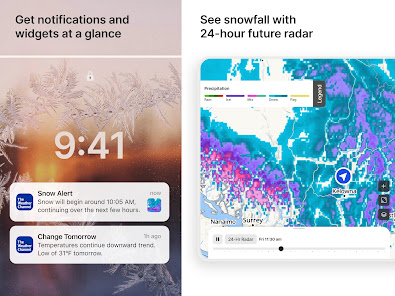
  • **Real-Time Weather Updates**: Get accurate forecasts and alerts tailored to your location, ensuring you’re always aware of changing conditions.
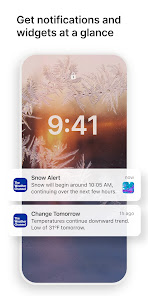
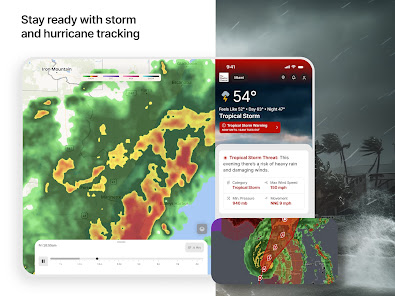
  • **Severe Weather Alerts**: Receive timely notifications for severe weather events like storms and hurricanes, keeping you safe and prepared.
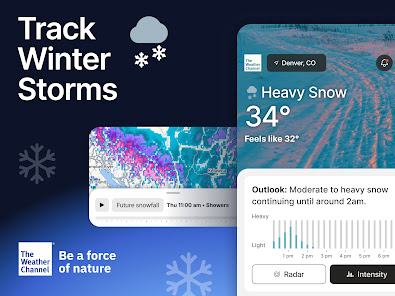
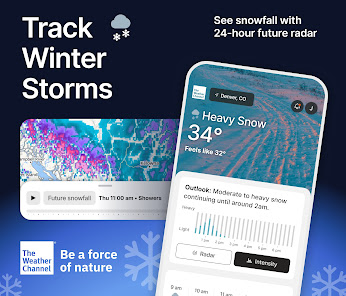
  • **Interactive Radar Maps**: Utilize high-resolution radar maps to track precipitation and storms in real time, enhancing your planning capabilities.
  • **Hourly and Daily Forecasts**: Access detailed hourly forecasts and 15-day outlooks to plan your activities around the weather.
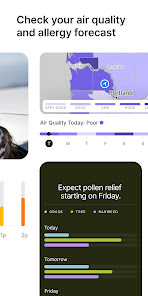
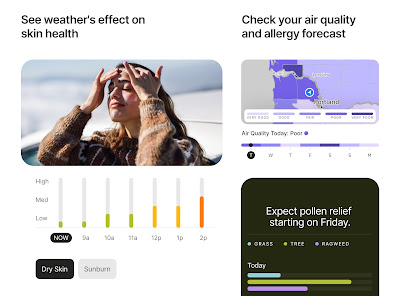
  • **Air Quality Index**: Monitor air quality levels and receive alerts for pollution, helping you make informed decisions about outdoor activities.
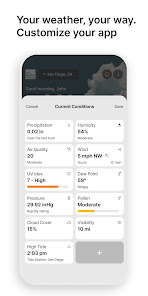
  • **Personalized Weather Widgets**: Customize your home screen with widgets that display the weather information you care about most.
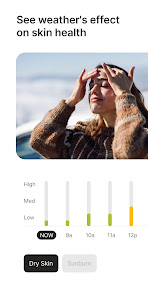
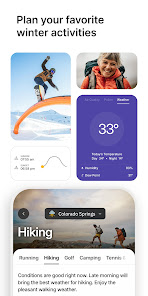
  • **Lifestyle Forecasts**: Get tailored forecasts based on your activities, including health, travel, and outdoor events, ensuring you make the most of every day.
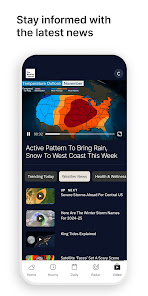
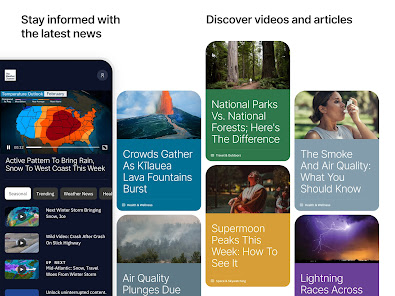
  • **Weather News and Videos**: Stay updated with the latest weather news, expert insights, and live video coverage to keep you informed.

0

Pros
  • Real-time radar updates for accurate forecasts
  • User-friendly interface for easy navigation
  • Severe weather alerts keep you informed
  • Interactive maps for detailed weather tracking
  • Customizable notifications tailored to your needs
Cons
  • Cluttered interface can be overwhelming for users.
  • Limited coverage in rural areas reduces accuracy.
  • Frequent ads disrupt the user experience significantly.
  • Radar updates may be slower than competitors.
Advertisement(PageType: detail | Position: pre5 )

FAQ

Does The Weather Channel - Radar collect my personal data?

Yes, The Weather Channel - Radar may collect personal data to enhance user experience, improve services, and for advertising purposes, in accordance with their privacy policy.

Does The Weather Channel - Radar offer a free trial or free version?

Yes, The Weather Channel - Radar offers a free version with basic features, while premium features may require a subscription. Free trial options may also be available for premium services.

Does The Weather Channel - Radar require an internet connection?

Yes, The Weather Channel - Radar requires an internet connection to access real-time weather data and updates.

How can I contact support or send feedback for The Weather Channel - Radar?

You can contact support or send feedback through the app's help section or by visiting The Weather Channel's official website for customer service options.

How do I manage or cancel my The Weather Channel - Radar subscription?

You can manage or cancel your subscription through the app settings or your device's app store settings, depending on how you subscribed.

How to use The Weather Channel App

How can I contact customer service for The Weather Channel - Radar app?

You can contact customer service through the app's settings or visit their official website for support options.

How do I log in to The Weather Channel - Radar app?

Open the app and tap on the login option, then enter your credentials or sign in using your social media account.

Is there a need to activate The Weather Channel - Radar app?

No activation is necessary; simply download the app and start using it right away.

What is the customer number for The Weather Channel - Radar app?

The customer service number may vary by region; check the app or the website for the correct contact number.





















