




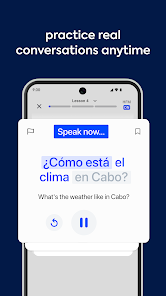

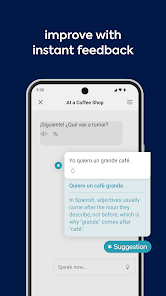


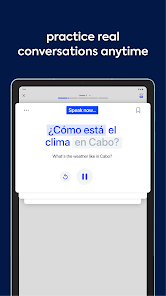

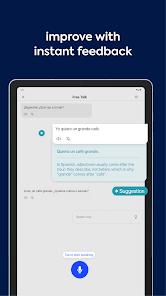


"Speak: Language Learning" is designed to enhance the language acquisition experience through a variety of innovative features. One of its standout attributes is the interactive speech recognition technology, which allows users to practice pronunciation and receive real-time feedback. This feature helps learners refine their speaking skills effectively.
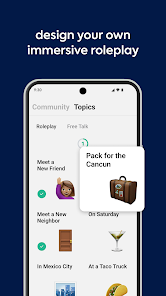
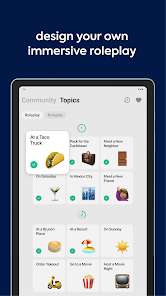
Additionally, the app offers a diverse range of language courses tailored to different proficiency levels, ensuring that both beginners and advanced learners can find suitable content. The gamified learning approach keeps users engaged, with challenges and rewards that motivate consistent practice. Furthermore, the app includes cultural insights and contextual lessons, enriching the learning experience by providing users with a deeper understanding of the language's cultural background.
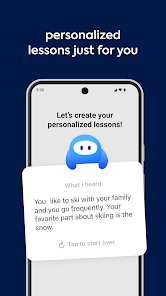
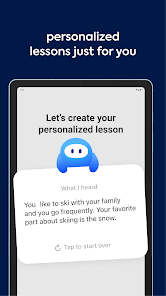
Another notable feature is the personalized learning path, which adapts to the user's progress and preferences, making the learning journey more efficient. The app also supports offline access, allowing users to continue their studies without needing an internet connection. Overall, "Speak: Language Learning" combines technology and user-centric design to create a comprehensive language learning tool.
Using "Speak: Language Learning" is straightforward and user-friendly, making it accessible for learners of all ages. To get started, users need to download the app from their respective app store and create an account. Once registered, learners can select their target language and proficiency level, which will tailor the content to their needs.
The app's interface is intuitive, guiding users through various lessons that include vocabulary, grammar, and pronunciation exercises. Users can engage in interactive speaking exercises, where they can practice their pronunciation and receive instant feedback. Regular practice is encouraged through daily challenges and quizzes that reinforce learning.
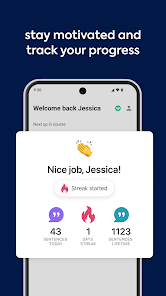
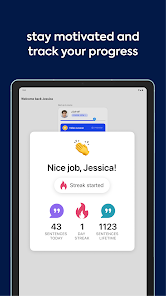
Additionally, users can track their progress through the app's analytics, which provide insights into areas of strength and those needing improvement. To maximize the benefits, it is recommended to set aside dedicated time each day for practice. By consistently engaging with the app's features, learners can effectively enhance their language skills and gain confidence in their speaking abilities.
"Speak: Language Learning" comes with several advantages that make it a popular choice among language learners. One of the primary pros is its interactive speech recognition feature, which provides immediate feedback on pronunciation, helping users improve their speaking skills. The app's gamified approach keeps learners motivated, making the process enjoyable and engaging.
Another significant advantage is the personalized learning path, which adapts to individual progress, ensuring that users are always challenged at the right level. The availability of offline access is also a plus, allowing learners to study anytime, anywhere, without needing an internet connection.

 Unlock your potential with Speak! Learn at your own pace! Engaging lessons for all levels! Interactive speaking practice! Real-time feedback for improvement! Connect with global learners!
 Limited language options available No offline access for users In-app purchases can add up Progress tracking is basic
  Google Play
  App Store
 Yes, the Speak app allows you to download lessons for offline access, enabling you to study without an internet connection.
Yes, the app includes features that connect you with native speakers for conversation practice, enhancing your speaking skills and cultural understanding.
Yes, the app includes comprehensive lessons that cover grammar, vocabulary, pronunciation, and conversational skills to provide a well-rounded language learning experience.
Speak uses algorithms to assess your progress and adapt lessons to your learning style and pace, ensuring a tailored experience that meets your individual needs.
Consistent practice, even for short periods each day, can lead to significant improvements. Aim for at least 15-30 minutes of practice daily for the best results.
You can contact customer service through the app's help section or by visiting our website's support page for assistance.
To activate your account, click the activation link sent to your email upon registration. If you didn't receive it, check your spam folder or request a new link.
To log in, open the app, enter your email and password, and tap the "Log In" button. If you forget your password, use the "Forgot Password?" link.
The customer service number for Speak is available in the app under the "Contact Us" section or on our official website.



















