
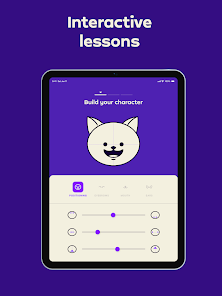
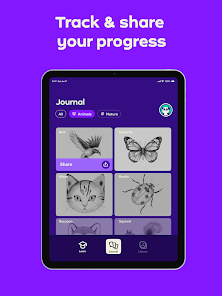

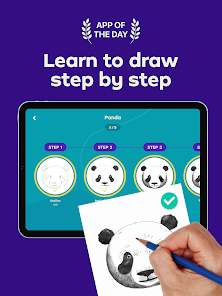

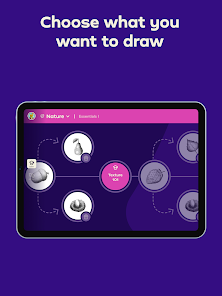
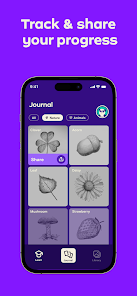


"Simply Draw: Learn to Draw" is an engaging application designed to help users of all skill levels enhance their drawing abilities. One of its standout features is the step-by-step tutorials that guide users through the drawing process, making it easy to follow along and create impressive artwork. The app offers a variety of drawing tools, including pencils, brushes, and colors, allowing for a personalized artistic experience. Additionally, users can access a vast library of images and templates, which serve as inspiration or reference points for their creations.
Another notable feature is the interactive community aspect, where users can share their artwork, receive feedback, and connect with fellow artists. The app also includes a progress tracker, enabling users to monitor their improvement over time. Furthermore, "Simply Draw" is designed with a user-friendly interface, making it accessible for beginners while still offering advanced options for more experienced artists. Overall, the combination of tutorials, tools, and community engagement makes "Simply Draw" a comprehensive platform for anyone looking to develop their drawing skills.
Using "Simply Draw: Learn to Draw" is a straightforward process that caters to both beginners and seasoned artists. To get started, users need to download the app from their respective app store and create an account. Once logged in, they can explore the various tutorials available, which are categorized by skill level and subject matter. Users can select a tutorial that interests them and follow the step-by-step instructions provided, which often include video demonstrations and tips for improving technique.
As users progress, they can experiment with different drawing tools and colors available within the app. The intuitive interface allows for easy navigation, making it simple to switch between tools and access the library of templates. Users are encouraged to share their completed drawings within the app's community, where they can receive constructive feedback and encouragement from other artists. Regular practice and engagement with the community can significantly enhance one's drawing skills, making "Simply Draw" a valuable resource for artistic development.
Like any application, "Simply Draw: Learn to Draw" has its advantages and disadvantages. One of the primary pros is its user-friendly interface, which makes it accessible for beginners. The step-by-step tutorials are well-structured, allowing users to learn at their own pace. Additionally, the app's extensive library of templates and images provides ample inspiration, while the community feature fosters a supportive environment for sharing artwork and receiving feedback. These elements combine to create a comprehensive learning experience for aspiring artists.
On the downside, some users may find that the app lacks advanced features that experienced artists might seek, such as customizable brushes or advanced layering options. Additionally, while the community aspect is beneficial, it may also lead to distractions for some users who prefer a more solitary learning experience. Furthermore, the app may require a subscription for access to premium content, which could deter some potential users. Overall, while "Simply Draw" offers a solid foundation for learning to draw, it may not fully meet the needs of all artists.

 Simply Draw: Learn to Draw offers a range of advantages for aspiring artists. Discover your creativity today!
User-friendly interface Step-by-step tutorials Diverse drawing styles Fun challenges and rewards Share your art with others
Simply Draw: Learn to Draw offers a range of advantages for aspiring artists. Discover your creativity today!
User-friendly interface Step-by-step tutorials Diverse drawing styles Fun challenges and rewards Share your art with others 
 Limited drawing tools available Steep learning curve for some Few tutorials for beginners Ads can disrupt experience
  Google Play
  App Store
 Simply Draw is designed for users of all ages, making it a family-friendly app. Children can use it with guidance from parents, and adults will find it equally engaging. The tutorials cater to various skill levels, ensuring that everyone can find something suitable for their age and experience.
Yes, Simply Draw encourages user feedback and suggestions. There is typically a feedback option within the app where users can share their thoughts or request new features. The development team values user input and often considers it for future updates.
Yes, Simply Draw allows users to share their creations through social media platforms or directly with friends and family. The app often includes a gallery feature where you can save your artwork and showcase it within the app community or externally. Sharing your progress can be a great way to receive feedback and encouragement.
Absolutely! Simply Draw is perfect for beginners. The app provides clear instructions and tutorials that are easy to follow, making it suitable for users with no prior drawing experience. You can start from the basics and gradually work your way up to more advanced techniques.
Simply Draw can be used offline once it is downloaded and installed. However, some features, such as accessing new tutorials or community content, may require an internet connection. It’s best to connect to the internet periodically to take advantage of all the app's offerings.
You can contact customer service by visiting the app's settings and selecting "Help" or "Contact Us" for support options.
Your customer number can typically be found in your account settings within the app or in the confirmation email after your purchase.
To log in, open the app and enter your registered email and password on the login screen.
Yes, if you purchased a premium version, you may need to enter an activation code found in your confirmation email after purchase.