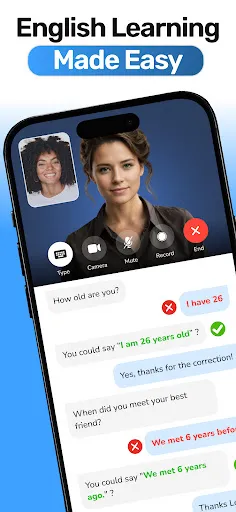
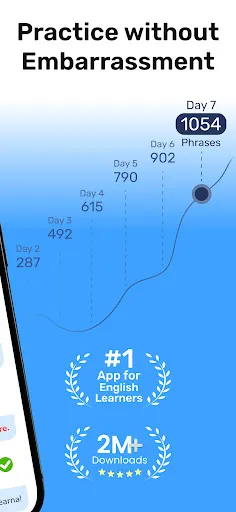
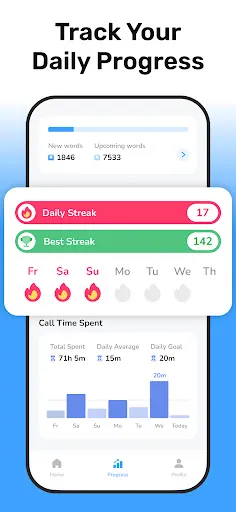
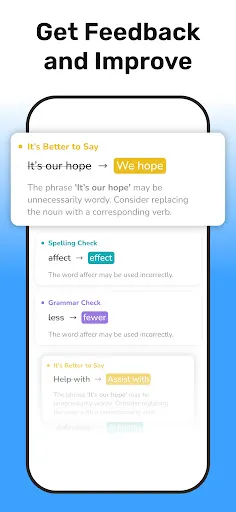
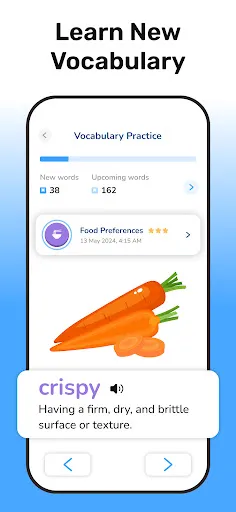
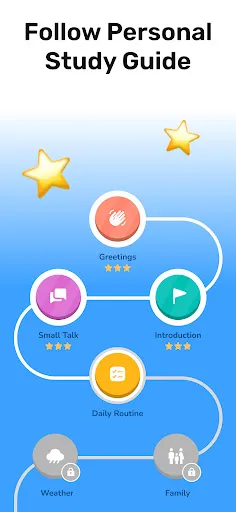
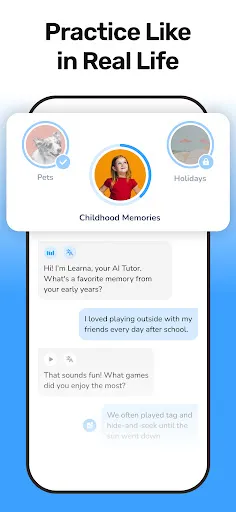
Learna: Speak & Learn English is a comprehensive language learning app designed to enhance English proficiency through interactive methods. One of its key features is its speech recognition technology, which allows users to practice pronunciation and receive immediate feedback. This feature is particularly beneficial for those looking to improve their speaking skills and gain confidence in conversations. Additionally, the app offers a variety of engaging exercises that cover vocabulary, grammar, and listening comprehension. Users can participate in interactive quizzes and challenges that adapt to their learning pace, making the experience both enjoyable and effective. Another notable feature is the inclusion of real-life conversation simulations, which prepare learners for everyday interactions and practical usage of the language. Learna also provides personalized learning paths, enabling users to focus on specific areas where they need improvement. With its user-friendly interface and gamified elements, learners can track their progress, set goals, and stay motivated throughout their language journey. Using Learna: Speak & Learn English is straightforward and user-friendly. After downloading the app, users need to create an account to access its features. Upon logging in, they will be prompted to take a placement test that assesses their current English proficiency level. This initial assessment helps tailor the learning experience to their specific needs. Once the assessment is complete, users can explore various modules that focus on different aspects of the English language, such as vocabulary, grammar, and pronunciation. The app incorporates interactive lessons that include audio and visual aids, making learning more engaging. Users should take advantage of the speech recognition feature to practice speaking, as it provides instant feedback on pronunciation. Regular practice is essential for improving language skills, so setting daily or weekly goals within the app can help maintain motivation. Additionally, users are encouraged to participate in conversation simulations to enhance their speaking abilities in real-life scenarios. By consistently using the app and engaging with its diverse offerings, learners can significantly improve their English proficiency over time. Learna: Speak & Learn English comes with several advantages that make it a popular choice among language learners. One of the major pros is its interactive approach, which keeps users engaged and motivated. The app's use of speech recognition technology allows for real-time feedback, helping learners refine their pronunciation and speaking skills effectively. Moreover, the personalized learning paths ensure that users can focus on their specific areas of improvement, making the learning experience more efficient. However, there are also some drawbacks to consider. One potential con is that the app may require a stable internet connection for optimal use, which could be a barrier for some users. Additionally, while the app provides a wide range of exercises, some learners might find that they need supplementary resources for more in-depth grammar or writing practice. Lastly, the effectiveness of the app can vary depending on individual learning styles, meaning it may not suit everyone. Overall, despite a few limitations, Learna: Speak & Learn English offers a solid platform for those looking to improve their English skills, making it worth considering for language learners at various levels.Features of Learna: Speak & Learn English
How to Use Learna: Speak & Learn English?
Pros & Cons of Learna: Speak & Learn English

 Learna offers personalized lessons tailored to your learning style. Enjoy interactive speaking practice with native speakers for real-world experience. Access a variety of engaging materials to enhance your vocabulary and grammar. Benefit from flexible scheduling to fit English learning into your busy life. Track your progress easily to stay motivated and reach your goals.
 Limited interactive features may hinder engagement and learning retention. Subscription costs can be a barrier for some users. Content may not cater to all learning styles or proficiency levels.
  Google Play
  App Store
 Yes, users are encouraged to submit suggestions or feedback through the app’s support feature or via the official website, as the team values user input for continuous improvement.
Learna: Speak & Learn English may collect some personal data to enhance user experience, but it adheres to privacy regulations and provides options to manage data settings.
Yes, Learna: Speak & Learn English allows users to download lessons and practice materials for offline use, enabling learning without an internet connection.
Users can cancel their Learna: Speak & Learn English subscription through the app store settings on their device or by following the cancellation instructions provided in the app.
Subscription costs for Learna: Speak & Learn English may vary based on the plan chosen, with options typically available for monthly or yearly subscriptions.
Customer numbers are unique and cannot be changed. If you have concerns, please contact customer service for support.
You can reach our customer service team via the support section on our website or by emailing support
After signing up, look for an activation email and click the link inside to activate your account.
To log in, visit the Learna website and enter your email and password in the login section.
To activate your account, check your email for the activation link and follow the instructions provided.