




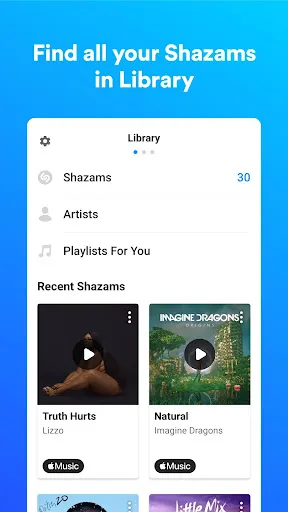


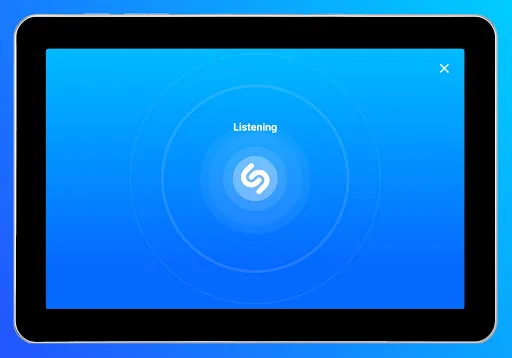
Shazam: Find Music & Concerts is a powerful application designed to help users identify music tracks quickly and efficiently. One of its standout features is its ability to recognize songs in mere seconds, even in noisy environments. Users simply need to tap the Shazam button, and the app will listen to the music and provide information about the track, including the title, artist, and album details. Another notable feature is its integration with various streaming services, allowing users to listen to the full song or add it to their playlists on platforms like Spotify and Apple Music. Additionally, Shazam offers a 'Discover' section, which provides users with personalized music recommendations based on their listening habits. The app also features a lyrics display, enabling users to sing along with their favorite songs. Furthermore, Shazam allows users to find upcoming concerts and events for artists they love, enhancing their music experience. Lastly, Shazam’s offline functionality allows users to identify music even without an internet connection, as the app will save the query for later when connectivity is restored. This combination of features makes Shazam an essential tool for music lovers seeking to explore and enjoy new tunes. Using Shazam: Find Music & Concerts is a straightforward process that can be done in just a few simple steps. First, download the app from the App Store or Google Play Store, and install it on your device. Once installed, open the app and grant it the necessary permissions to access your microphone. This is essential for the app to listen to the music you want to identify. To identify a song, simply tap the Shazam button on the home screen. The app will start listening to the music playing around you. Within seconds, it will analyze the audio and display the song's details, including the title, artist, and album art. If you're interested in more information, you can explore options like viewing lyrics or streaming the song through your preferred music service. Additionally, Shazam saves your identified songs in a library, which you can revisit at any time. This feature is particularly useful for keeping track of your favorite tracks. For users wanting to discover new music or keep up with live performances, the app provides a 'Concerts' section, which helps you find upcoming shows based on your favorite artists. Overall, using Shazam is an easy and enjoyable way to connect with music. Shazam: Find Music & Concerts has several advantages that make it a popular choice among music enthusiasts. One of the main pros is its speed and accuracy in identifying songs. The app can recognize tracks in a matter of seconds, even in challenging acoustic environments. Additionally, its integration with music streaming services enhances user experience, allowing for instant access to full tracks or playlists with just a few taps. Another significant benefit is the app's user-friendly interface, making it easy for anyone to navigate and use. The personalized recommendations feature also helps users discover new music that aligns with their tastes, enriching the overall experience. Moreover, the offline functionality is a great advantage for users who may not always have internet access.Features of Shazam: Find Music & Concerts
How to Use Shazam: Find Music & Concerts?
Pros & Cons of Shazam: Find Music & Concerts

 Quickly identify songs playing around you with just one tap Discover concerts and events near you tailored to your music taste Create personalized playlists based on your favorite tracks and artists Easily share your music discoveries with friends and social media Access detailed information about artists, albums, and lyrics instantly
 Limited offline functionality restricts music identification without internet access. Occasional inaccuracies in song recognition may lead to frustration. The app's ads can interrupt the user experience during usage.
  Google Play
  App Store
 Yes, users can submit suggestions or feedback directly through the app or via Shazam's official website or support channels.
Shazam may collect personal data such as location and usage data to improve its services, but users can manage their privacy settings within the app.
Yes, Shazam allows users to identify music offline by saving tags for identification once the device is back online.
Users can cancel their subscription through their app store account settings, either on iOS or Android, following the prompts for managing subscriptions.
Shazam offers additional features through its premium subscription service, which typically costs around $5 per month, but prices may vary by region.
Currently, you cannot change your customer number directly. For assistance, please contact customer service for support.
Yes, you can log in to Shazam using your social media accounts like Facebook or Apple ID for easier access.
To activate your Shazam account, log in with your email and follow the prompts to complete the activation process.
For account issues, please use the help section in the app or the support page on the website to submit your inquiry.
You can reach Shazam customer service through the app’s help section or by visiting the official website for support options.