



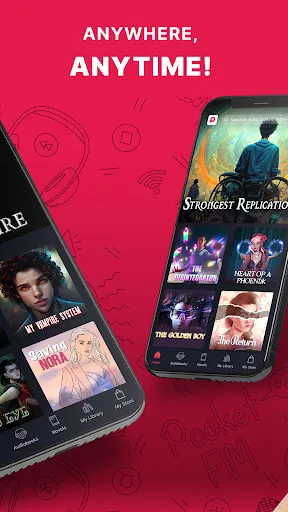

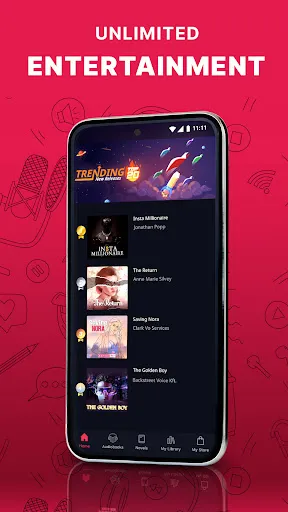
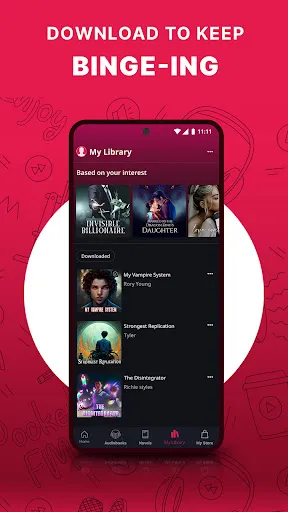
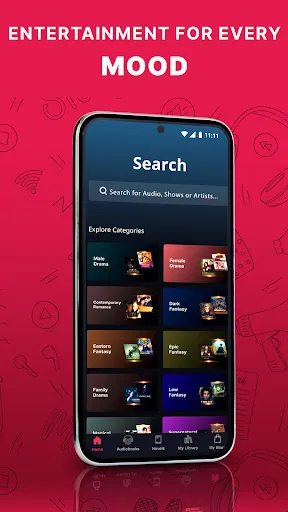


Pocket FM: Audio Series offers an extensive collection of audio content, including a diverse range of genres such as romance, thriller, horror, and motivational stories. One of its standout features is the ability to listen to serialized audio stories, which keeps users engaged with ongoing narratives. Additionally, the platform provides a user-friendly interface that makes it easy to navigate through various audio series and find new content to enjoy. Another key feature is the offline listening option, allowing users to download episodes and enjoy them without an internet connection. This is particularly useful for those who travel frequently or have limited data plans. Furthermore, Pocket FM includes personalized recommendations based on listening habits, ensuring that users discover new series that align with their interests. Additionally, the app supports multiple languages, catering to a broad audience and enabling listeners to enjoy content in their preferred language. With regular updates and new content being added, users can always find something fresh and exciting to listen to. Overall, Pocket FM: Audio Series combines quality storytelling with convenience and accessibility, making it a popular choice for audio entertainment. Using Pocket FM: Audio Series is straightforward and user-friendly. To get started, users need to download the app from the Google Play Store or Apple App Store. Once installed, users can create an account using their email or social media profiles, which allows them to save their listening preferences and track their progress across different series. Upon logging in, users can explore various categories and genres to find audio series that pique their interest. The app features a search function that enables users to quickly locate specific titles or authors. After selecting a series, users can listen to episodes in sequence or skip to their favorite parts. The interface also allows users to bookmark episodes or create playlists for easy access. For those who prefer offline listening, users can download episodes by tapping the download icon next to each episode. This feature is particularly beneficial for users with limited internet access. Additionally, the app provides controls for adjusting playback speed and setting sleep timers, enhancing the overall listening experience. With a few simple steps, users can immerse themselves in captivating audio stories anytime and anywhere. Pocket FM: Audio Series has numerous advantages that make it an appealing choice for audio content enthusiasts. One of the primary benefits is the vast library of audio series spanning multiple genres, catering to a wide range of tastes. The offline listening feature is another significant advantage, allowing users to enjoy their favorite series without worrying about internet connectivity. Additionally, the personalized recommendations enhance user experience by suggesting new series based on individual listening habits. The app’s intuitive interface makes navigation seamless, and the ability to adjust playback settings further enriches the listening experience. Moreover, the inclusion of content in multiple languages makes Pocket FM accessible to a wider audience.Features of Pocket FM: Audio Series
How to Use Pocket FM: Audio Series?
Pros & Cons of Pocket FM: Audio Series

 Experience captivating storytelling through immersive audio series. Enjoy a vast library of genres and topics. Listen anytime, anywhere, perfect for multitasking. Engage with content tailored to your interests. Discover new creators and fresh narratives regularly.
 Limited content variety may not satisfy all user preferences Audio quality can be inconsistent Subscription costs may be high for occasional listeners
  Google Play
  App Store
 Yes, Pocket FM: Audio Series may collect personal data to enhance user experience, such as preferences and listening habits. Users should review the app's privacy policy for detailed information on data collection and usage.
Yes, Pocket FM: Audio Series typically offers a free version with limited access to content, as well as a free trial period for users who wish to explore premium features before committing to a subscription.
Yes, Pocket FM: Audio Series requires an internet connection to stream audio content. However, some features may allow users to download episodes for offline listening, depending on the subscription plan.
Users can contact support or send feedback for Pocket FM: Audio Series through the app's support section, where they can find options for customer service, email, or a feedback form to share their thoughts and issues.
Users can manage or cancel their Pocket FM: Audio Series subscription through their account settings within the app or through the app store where they initially subscribed. Detailed instructions are usually provided in the app's help section.
Unfortunately, you cannot change your customer number. If you need further assistance, please contact customer service.
After signing up, check your email for an activation link. Click it to activate your account.
You can reach our customer service via the help section in the app or email support at help
You can update your login information in the settings section of the app under account management.
For technical issues, please use the help section in the app or email us at support