




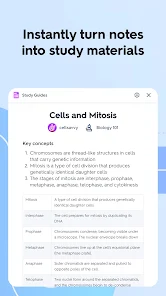


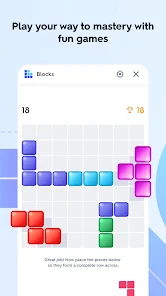
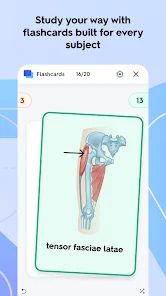
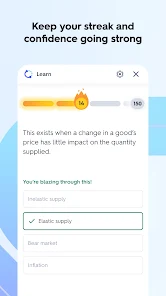

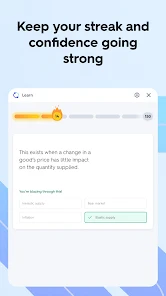
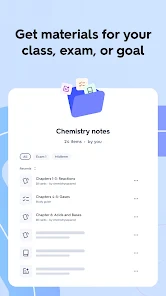
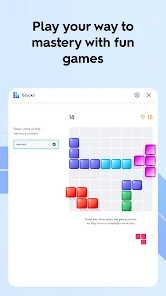
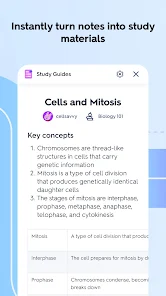
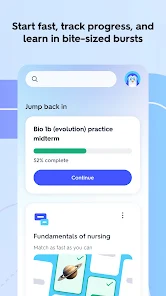
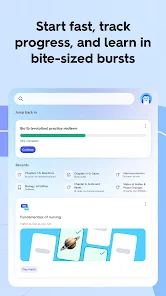
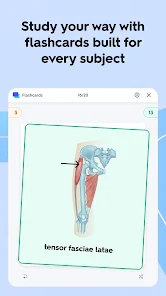

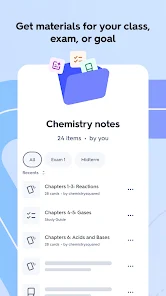
Quizlet is a popular online educational tool that can be used to create and study digital flashcards and other study materials. It is often used by students to help them learn and memorize information, such as vocabulary words or historical dates. Quizlet allows users to create their own flashcards and study sets, or to search for and use existing ones that have been created by other users. It offers a variety of study modes and games, as well as the ability to share study materials with others. Quizlet is available as a website and as a mobile app.
Features of Quizlet Quizlet is an online educational tool that offers a variety of features to help users learn and study effectively. Some of the main features of Quizlet include: 1.The ability to create and customize digital flashcards and other study materials 2. A variety of study modes, including flashcards, matching games, and multiple-choice quizzes 3.The ability to search for and use existing study materials created by other Quizlet users 4. The option to share study materials with others 5.A mobile app that allows users to study on the go 6. Integration with Google Classroom and other learning management systems 7. Tools to track progress and measure performance These are some of the main features of Quizlet, but there may be others as well. How to use Quizlet To use Quizlet, you can follow these steps: 1. Visit the Quizlet website (https://quizlet.com/) and create an account if you don't already have one. 2. Once you are logged in, you can either create your own study materials or search for existing ones that have been created by other users. 3. To create your own study materials, click on the "Create" button in the top menu and select the type of study materials you want to create (e.g. flashcards or a matching game). 4. Enter the information for your study materials, such as the terms and definitions for flashcards, or the pairs of items for a matching game. 5. Once you have created your study materials, you can use them to study by clicking on the "Learn" button in the top menu. 6. In the study mode, you can flip through the flashcards or answer the questions in the matching game or quiz. Quizlet will keep track of your progress and show you the material that you need to review. 7. You can also share your study materials with others by clicking on the "Share" button and sending them the link to your study set. Is Quizlet free to use? Yes, Quizlet is a free educational tool that can be used without any cost. You can create an account and use Quizlet's basic features for free, including the ability to create and study your own flashcards and other study materials. Quizlet also offers a paid subscription service called Quizlet Plus, which provides additional features and benefits such as the ability to use audio and images in study materials and access to premium study content. However, the basic features of Quizlet are available to all users for free.

 Quizlet offers interactive flashcards for engaging learning experiences. Users can customize flashcards to fit their study needs. The platform supports various study modes for diverse learning styles. Collaborative features allow sharing and studying with peers effectively. Progress tracking helps users monitor their learning advancements over time.
 Limited customization options may restrict user creativity in studying. Reliance on user-generated content can lead to inaccuracies and inconsistencies. Overemphasis on memorization may neglect deeper understanding of the material.
  Google Play
  App Store
 Yes, users can submit suggestions or feedback through the app's support section or via their official website.
Yes, Quizlet: Flashcards that Teach may collect personal data in accordance with its privacy policy, including information such as usage data and account details.
Yes, Quizlet: Flashcards that Teach allows users to access certain features and flashcards offline, provided they have been previously downloaded.
To cancel your subscription, you can go to your account settings in the app or on the website and follow the cancellation instructions provided.
A subscription to Quizlet: Flashcards that Teach typically costs around $35.99 per year, but pricing may vary based on promotions or location.
Yes, customer service can assist you with changing your email address. Reach out through the help section for guidance.
You can contact customer service through the help section of the Quizlet website or app, where you'll find options for live chat and email support.
To activate your account, check your email for an activation link from Quizlet and follow the instructions provided.
If you're unable to log in, use the "Forgot password?" option to reset your password and regain access to your account.
If you're having trouble logging in, try resetting your password using the "Forgot password?" link on the login page.



















