




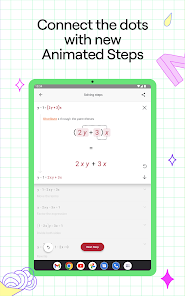
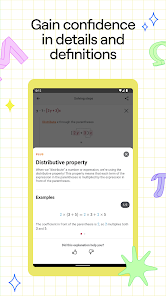
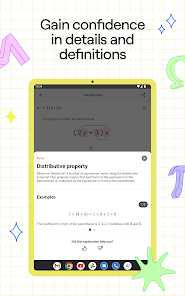
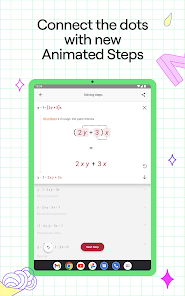
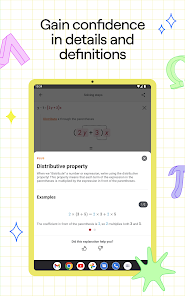
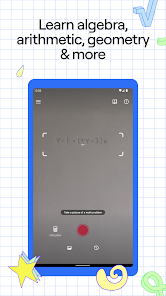
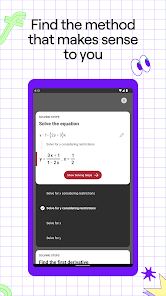
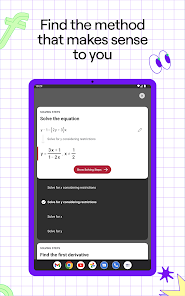
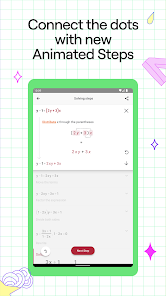
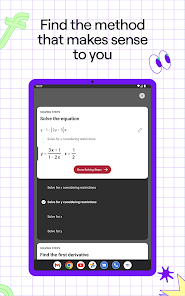
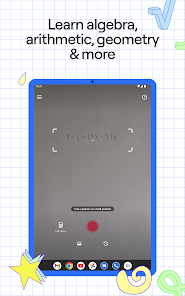
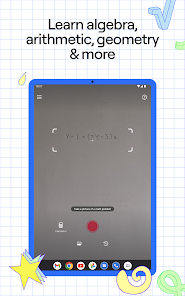
The Photomath mobile app enables users to solve mathematical problems on their smartphones. The app has a variety of features, including a solver that can crunch complex equations quickly, support for different types of calculators, and tutorials that walk users through different problem types. The app is available for both Android and iOS devices and can be downloaded from the Apple App Store or Google Play.
Features What is so special about Photomath? First and foremost, it is incredibly easy to use. You don’t need any prior math knowledge to get started. Second, it provides step-by-step instructions and real-time feedback as you work through the problem. This helps you to avoid making mistakes and to get the most out of your learning experience. Last but not least, Photomath is powerful enough to help you solve more complicated math problems than you may be used to solving. So if you’re looking for an app that can help you improve your math skills, Photomath may be the perfect option for you. Photomath is available for both Android and iOS devices. The app was developed by a team of mathematicians and engineers who have years of experience in the field. The developers have ensured that the app is user-friendly and easy to use. The app supports multiple languages, including English, Spanish, French, German, Italian, Brazilian Portuguese, Russian, Japanese, and Chinese. How to use Photomath? To use the Photomath mobile app, follow these steps: Download the Photomath app from the App Store or Google Play, depending on your device. Open the app and point your device's camera at the math problem you want to solve. Photomath will automatically detect the problem and display the solution on your screen. If you need additional help, you can use the app's built-in calculator and step-by-step guide to solve the problem yourself. If you want to save the solution for later, you can take a screenshot or use the app's built-in save feature. Overall, the Photomath app is a great tool for anyone who needs help with math homework or just wants to improve their math skills. It's easy to use, and it provides detailed explanations for every step of the solution, so you can learn as you go. Tips of using Photomath Here are some tips for using the Photomath app: Make sure your device's camera is in focus and positioned correctly. The app will have a harder time detecting the math problem if the image is blurry or difficult to see. Try to hold your device steady and avoid moving it around too much. This will help the app accurately capture and process the math problem. If the app is having trouble detecting the problem, you can try adjusting the angle or distance of your device. For example, you can try moving the device closer to or further away from the problem, or tilting it slightly to the left or right. If the app is still having trouble detecting the problem, you can try using the app's built-in photo editor to crop and adjust the image. This can help the app focus on the specific problem you want to solve. Once the app has successfully detected the problem, make sure to carefully read the step-by-step solution provided by the app. This will help you understand how to solve the problem yourself, and it will also improve your math skills in the long run. Pros & Cons The Photomath mobile app is a calculator that helps students with math. It has many features, such as algorithms and step-by-step instructions. Some people like the convenience of the app, while others find it too complicated. Overall, the Photomath mobile app is a good tool for students who want to improve their math skills.

 Instantly solves math problems with step-by-step explanations User-friendly interface makes learning enjoyable and accessible Supports a wide range of math topics from basic to advanced Enhances understanding through visual solutions and interactive features Available on multiple platforms for learning anytime, anywhere
 Photomath may encourage dependency on technology for solving problems. It often lacks explanations for complex concepts, hindering deep understanding. The app may struggle with handwriting recognition, limiting usability for some users.
 Photomath may collect certain data, including usage statistics and device information, but it does not collect personal information unless explicitly provided by the user.
Yes, Photomath offers a free version that includes basic features, while users can also opt for a premium subscription for access to additional functionalities and advanced content.
Photomath can work offline for many features, but an internet connection is needed to access certain functionalities, such as advanced problem-solving and accessing additional resources.
You can contact Photomath support or send feedback directly through the app by accessing the help or support section, or by visiting their official website for additional contact options.
You can manage or cancel your Photomath subscription through the app store settings on your device, where you can find subscription options and follow the prompts to make changes.
No, you must use the email you registered with to activate your account.
Customer numbers cannot be changed; please contact customer service for any related concerns.
You can reach customer service through the app or our website's support section for assistance.
To reactivate, log in using your existing credentials or contact customer service for further assistance.
You can find your customer number in the account settings section of the app.










 Google Play
  App Store








