

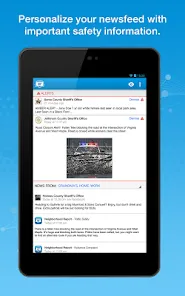
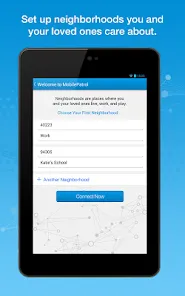
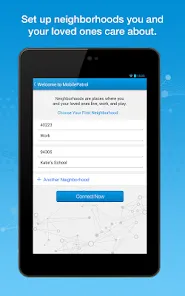
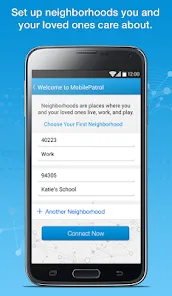
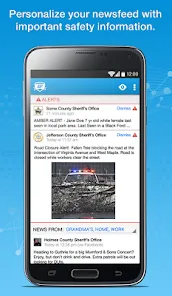
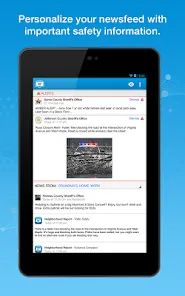
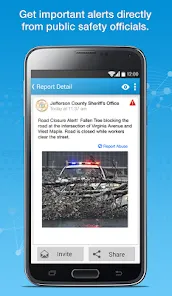
Check out what's happening in your neighborhood with MobilePatrol. This social application lets you know about important safety announcements, news, and critical alerts for areas you care about. By partnering with law enforcement agencies and public safety agencies nationwide, this software provides timely information that keeps you and your family safe. The app keeps you updated about what's happening in your neighborhood, your family's neighborhood, and your friends' neighborhood.
The MobilePatrol public safety app is a free app that gives users access to important information about their local area. The app includes a variety of features that make it a valuable tool for keeping up with public safety news and alerts. Assuming you have a smartphone, the first thing you need to do is download the app. Once the app is downloaded, open it and create an account. You will need to provide some basic information, such as your name, address, and email address. Once you have created an account, you can log in and start using the app. There are a number of pros and cons for the MobilePatrol public safety app. One of the main pros is that it allows users to receive real-time alerts for a variety of different emergencies, including severe weather, fires, and AMBER Alerts. This can be incredibly useful for people who want to be aware of what's going on in their area and potentially stay safe. Another pro is that the app provides access to a variety of different resources, including an offender search feature and information about local sex offenders. This can be helpful for people who want to know more about their community and keep their families safe.Features
Some of the key features of the MobilePatrol app include:
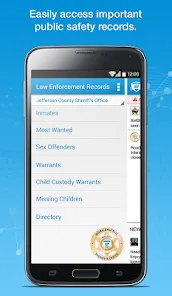
-A constantly updated database of local sex offenders: Users can search for registered sex offenders in their area and view detailed information about each offender, including a photo, address, and offense history.
-A mapping feature that shows crime data: The app's mapping feature visualizes crime data so users can see where crimes are taking place in their area. This can be helpful for avoiding dangerous areas or being aware of potential risks in one's neighborhood.
-A customizable alert system: Users can choose to receive alerts about specific types of crimes or events happening in their area. For example, they might choose to receive an alert whenever a registered sex offender moves into their neighborhood.
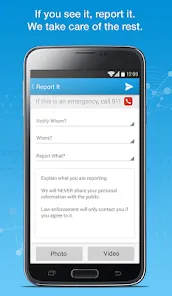
-An anonymous tip line: The app includes an anonymous tip line that allows users to submit tips about criminal activity in their area. This can be useful for helping law enforcement solve crimes or prevent future ones from occurring.How do I Use MobilePatrol Public Safety App?
The MobilePatrol Public Safety App App is a great way to stay informed about what is going on in your community. You can view local news stories, see upcoming events, and even access sex offender registry information. The app also allows you to submit tips to law enforcement or Crime Stoppers.Pros & Cons
However, there are also some potential negatives associated with the MobilePatrol app. One is that it relies heavily on users inputting data, which means that there may be errors or outdated information. Additionally, some users have complained about difficulty using the offender search feature and feeling overwhelmed by the amount of information available through the app. Overall, the MobilePatrol public safety app has some clear advantages and disadvantages that should be considered before downloading it.

 Stay informed with real-time crime alerts Access local news and safety updates easily Connect with law enforcement for community safety Report suspicious activities anonymously and securely Receive emergency notifications directly to your device
 Limited geographic coverage may miss local incidents User privacy concerns due to data sharing practices Notifications can be overwhelming or irrelevant Dependence on internet access for functionality
 MobilePatrol may collect certain personal data as part of its functionality, such as location information and user preferences, but it is committed to protecting user privacy and data security.
MobilePatrol offers a free version that provides access to basic features and information; however, additional premium features may require a subscription.
Yes, MobilePatrol requires an internet connection to access real-time information and updates about public safety in your area.
You can contact MobilePatrol support or send feedback through the app's help section, which provides options for reaching customer service via email or a support form.
You can manage or cancel your MobilePatrol subscription through your account settings within the app or through the app store where you purchased the subscription.
Yes, you can change your email address in the settings under your account profile.
You can reach Customer Service through the app's settings or visit their website for support options.
Updates can be done through your device's app store; just search for MobilePatrol and select "Update."
Open the app and enter your registered email and password, then tap on the "Log In" button.
Activation typically occurs during the initial setup; follow the prompts after downloading the app to complete activation.







 Google Play
  App Store