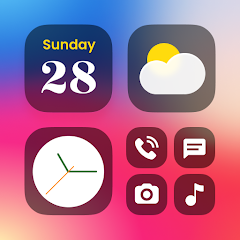


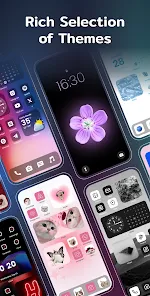
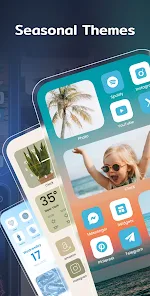
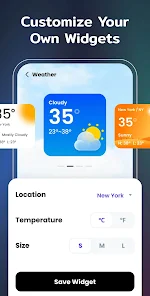
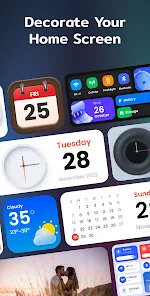
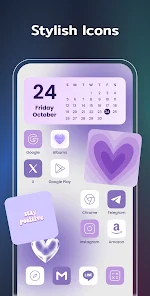
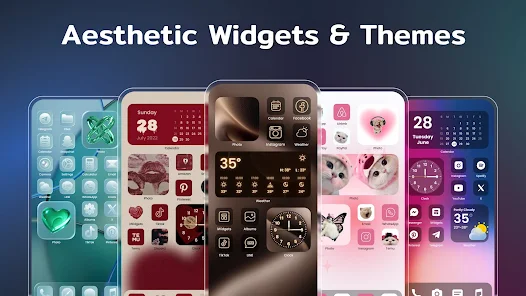
"Color Widgets, Theme: iWidgets" is a versatile application designed to enhance the aesthetic appeal of your device's home screen. One of its standout features is the extensive customization options it offers, allowing users to create personalized widgets that reflect their style. The app includes a variety of pre-designed templates, which can be easily modified in terms of size, color, and font to suit individual preferences.
Additionally, the app supports a wide range of widget types, including clocks, calendars, and weather updates, ensuring that users can access essential information at a glance. The intuitive interface makes it easy for users to navigate through the customization process, even for those who may not be tech-savvy. Furthermore, "Color Widgets" frequently updates its library with new themes and designs, keeping the user experience fresh and engaging. Overall, this app combines functionality with aesthetic appeal, making it a popular choice for those looking to personalize their devices.
Using "Color Widgets, Theme: iWidgets" is a straightforward process that allows users to create and customize their widgets effortlessly. First, download and install the app from the App Store. Once installed, open the app to explore the various widget options available. You can choose from different categories, such as clocks, calendars, and reminders, depending on your needs.
After selecting a widget type, you can customize it by adjusting its size, color, and font style. The app provides a user-friendly interface that allows you to preview changes in real-time. Once you are satisfied with your design, save the widget and follow the instructions to add it to your home screen. Simply long-press on your home screen, select the "Add Widget" option, and choose your newly created widget from the list. This seamless process ensures that you can personalize your device quickly and easily, enhancing both functionality and aesthetics.
"Color Widgets, Theme: iWidgets" comes with several advantages that make it appealing to users. One of the primary benefits is its extensive customization options, allowing users to create unique widgets that match their personal style. The app is also user-friendly, making it accessible for individuals of all tech skill levels. Additionally, the frequent updates ensure that users have access to new designs and features, keeping the app fresh and engaging.
However, there are some drawbacks to consider. Some users may find that the app consumes a significant amount of battery life, especially if multiple widgets are used simultaneously. Additionally, while the app offers a variety of free options, some premium features may require in-app purchases, which could deter budget-conscious users. Overall, while "Color Widgets, Theme: iWidgets" provides a great way to personalize your device, potential users should weigh these pros and cons before diving in.

 Transform your home screen Customizable widget styles Rich color palette options User-friendly interface design Seamless app integration
 Limited customization options Performance issues on older devices Some widgets may lag Not fully compatible with all themes
  Google Play
  App Store
 Yes, Color Widgets offers premium features that require a subscription. These features may include additional customization options, exclusive widget designs, and access to new themes and styles that are not available in the free version.
Absolutely! Color Widgets allows you to create and customize multiple widgets for different purposes. You can have separate widgets for displaying the time, weather, calendar events, and more, each tailored to your specific needs.
Yes, Color Widgets allows you to customize the size of your widgets. When you create or edit a widget, you can select from different sizes (small, medium, and large) to fit your home screen layout perfectly.
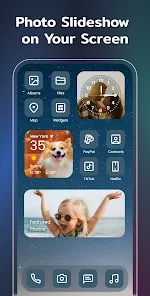
Yes, Color Widgets allows users to incorporate personal photos into their widgets. You can select images from your photo library and customize how they appear within the widget, adding a personal touch to your home screen design.
Color Widgets is designed to be efficient and should not significantly impact your device's battery life. However, the battery consumption may vary based on the widgets you choose and how often they refresh. Generally, static widgets consume less battery than dynamic ones.
Yes, you can delete your account by going to account settings and selecting the delete account option. Follow the prompts for confirmation.
Yes, use the "Forgot Password" option on the login screen to reset your password via email.
To activate Color Widgets, open the app, navigate to settings, and follow the prompts for activation using your account details.
You can reach Color Widgets customer service through the app's settings menu or visit their website for support options.
Open the iWidgets app and tap on the login button, then enter your credentials to access your account.