

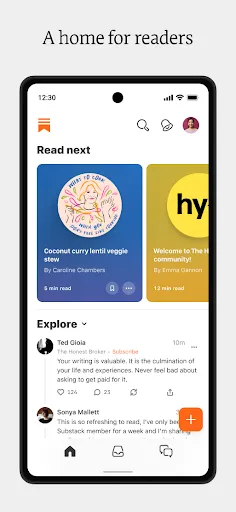
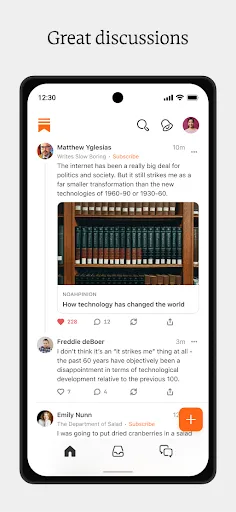
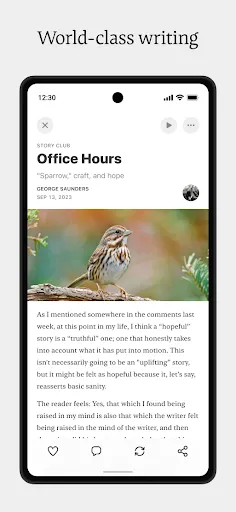
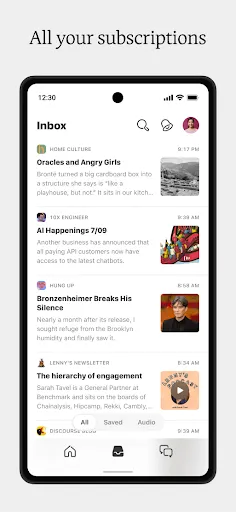
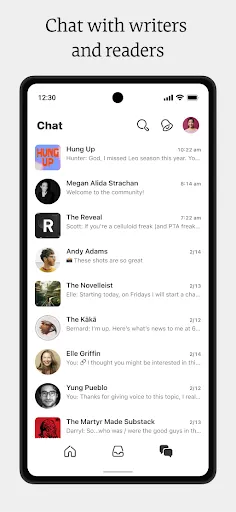

Substack is a platform that empowers writers and creators to build their own newsletters and monetize their audience. One of its primary features is the ability to publish and distribute content easily, allowing users to write posts and send them directly to subscribers’ inboxes. This seamless integration between writing and distribution helps engage readers effectively. Another important feature is the subscription model. Substack allows writers to set up both free and paid subscription options, enabling them to generate revenue from their work. This flexibility allows creators to grow their audience while also providing premium content for paying subscribers. Furthermore, Substack offers analytics tools that help writers track their performance over time. This includes insights into open rates, subscriber growth, and engagement metrics, all of which are essential for understanding audience preferences and improving content strategy. The platform also supports community building through comments and discussions, fostering a sense of connection between writers and their readers. Lastly, Substack’s simple and user-friendly interface makes it accessible for anyone, regardless of their technical expertise. Getting started with Substack is straightforward. First, you need to create an account on the Substack website. Upon registration, you can set up your newsletter by choosing a name, customizing your URL, and adding a brief description. This initial setup is essential for establishing your brand identity. Once your newsletter is set up, the next step is to create your first post. Substack provides a minimalistic editor that allows you to write and format your content easily. You can include images, links, and even audio files to enrich your posts. After drafting your content, you can choose to publish it immediately or schedule it for later. After publishing, it's crucial to promote your newsletter. You can share your Substack link on social media platforms, blogs, or through personal networks to attract subscribers. Engaging with your audience through comments and feedback can also enhance your relationship with readers and encourage further subscriptions. To monetize your newsletter, you can set a subscription fee for premium content. Substack makes it easy to manage payments and subscribers. Regularly updating your content and maintaining a consistent schedule will help retain subscribers and potentially grow your audience over time. Substack has gained popularity among writers and creators due to its unique advantages. One of the primary pros is the direct relationship it fosters between writers and their audiences. By allowing creators to build their subscriber base without intermediaries, Substack enables them to connect more intimately with their readers. Additionally, the platform's subscription model provides a reliable revenue stream for writers who produce quality content. Another benefit is the ease of use; Substack's interface is user-friendly, allowing even those with limited technical knowledge to set up and manage their newsletters effectively. The ability to offer both free and paid content helps creators cater to a wider audience, enhancing engagement and loyalty. Furthermore, revenue generated through paid subscriptions may not be substantial initially, requiring writers to invest significant time and effort before seeing financial returns. Lastly, the platform's terms of service and policies may not suit every creator, leading some to seek alternative platforms that offer different features or monetization options.What are the features of Substack?
How to Use Substack?
What is the Pros & Cons of Substack?

 Direct connection with your audience Monetize content through subscriptions User-friendly publishing platform Control over your branding and content Built-in community engagement tools
 Limited customization options for design and layout Revenue sharing can reduce earnings significantly Subscriber acquisition can be challenging for new writers Dependence on platform policies may restrict content freedom
  Google Play
  App Store
 Substack collects some personal data as part of its service, including email addresses and payment information, to facilitate subscriptions and ensure communication with subscribers.
Substack does not offer a free trial, but it allows creators to set up free newsletters alongside paid subscription options for their audiences.
Yes, an internet connection is required to access Substack's platform, publish newsletters, and manage subscriptions.
You can contact Substack support or provide feedback via their help center, where you can find resources and submit inquiries directly through their support form.
You can manage or cancel your Substack subscription through your account settings on the Substack website or app, where you will find options to adjust your subscription details.
No activation is necessary; just log in with the email you used to create your account.
Substack does not require a customer number; you can log in using your email and password.
Click on "Forgot password?" on the login page and follow the instructions to reset your password.
You can reach Substack customer service via their help center on the website or by emailing support
Go to the Substack website, click on "Log In," and enter your email and password.