




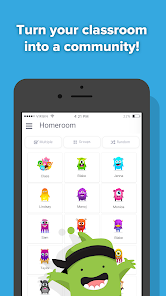
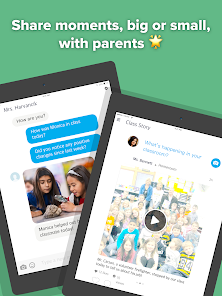
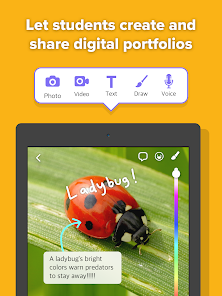
ClassDojo is a revolutionary app that has changed the way teachers and students interact with one another in the classroom. It's an engaging platform that connects teachers, students, and parents in a way never before seen. ClassDojo helps to build better relationships between teachers and students, by providing encouraging feedback and rewards for positive behavior, while also tracking student progress. In this blog post we will explore how ClassDojo is revolutionizing education and its many benefits.
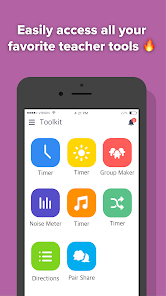
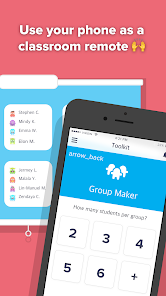
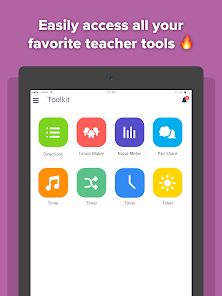
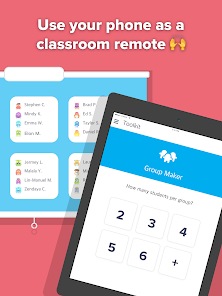
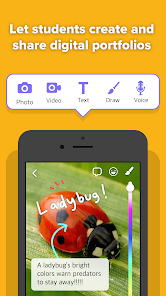
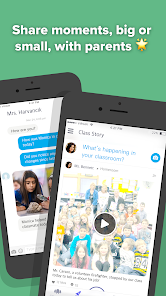
ClassDojo's mobile app includes several features to help teachers manage their classrooms. These features include: The ClassDojo app is a great tool for teachers to use in the classroom. It allows you to keep track of student behavior, assign points and rewards, and send messages to parents. Here are some tips on how to use the app: There are a lot of potential benefits that come along with using the ClassDojo app. For starters, it can help to improve communication between teachers and parents. It can also make it easier for teachers to keep track of student behavior and progress. Additionally, the app can provide a fun and engaging way for students to learn.Features for ClassDojo Mobile APP
- The ability to add and remove students from the class list
- The ability to create and assign tasks to students
- The ability to message individual students or the entire class
- The ability to view student progress reports
- The ability to create and manage behavior pointsHow to use ClassDojo APP?
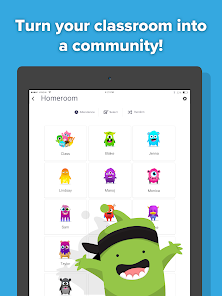
1. When you first open the app, you will be prompted to create a class. Give your class a name and then add your students.
2. Once your students are added, you can start tracking their behavior. To do this, simply click on the + or - icons next to their names. You can also leave comments for each student.
3. You can also assign points and rewards for good behavior. To do this, click on the "Points" tab at the bottom of the screen. Then, click on the + or - icons next to the student's name to award or deduct points. You can also leave comments for each student.
4. Parents can be involved in their child's progress by signing up for notifications from the app. To do this, go to the "Parents" tab at the bottom of the screen and enter their email address. They will then receive notifications whenever their child's behavior is updated in the app.Pros & Cons for ClassDojo APP
However, there are also some potential drawbacks to using the ClassDojo app. For one, it could potentially create more work for teachers if they feel like they need to constantly be monitoring the app. Additionally, some parents may feel like they are being inundated with information from the app and could become overwhelmed.

 Enhances student engagement through interactive features Fosters positive behavior with real-time feedback Facilitates communication between teachers and parents Supports personalized learning experiences for each student Offers a user-friendly interface for easy navigation
 Limited functionality for older students' needs Privacy concerns regarding student data Excessive reliance on technology can distract May lead to negative behavior reinforcement dynamics
 ClassDojo does collect some personal data to provide its services, but it has a privacy policy in place to protect user information and comply with data protection regulations.
ClassDojo offers a free version that includes basic features, allowing users to access the platform without any cost.
Yes, ClassDojo requires an internet connection to access its features and functionalities, as it operates primarily as a cloud-based platform.
You can contact ClassDojo support through their help center on their website, where you can submit a request or find answers to common questions, as well as provide feedback.
You can manage or cancel your ClassDojo subscription by going to your account settings within the app or website and following the prompts to adjust your subscription preferences.
Yes, log in to your account, go to settings, and update your email address.
You can reach ClassDojo customer service through their help center on the website or by emailing support
Click on "Forgot Password?" on the login page and follow the prompts to reset it via email.
ClassDojo does not use customer numbers; you can log in with your email and password.
Visit the ClassDojo website or app, click "Log In," and enter your email and password.










 Google Play
  App Store








